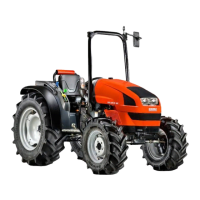
Electrohydraulic controls
Electrohydraulic controls allow the driver to work less laboriously, as the tractor is made easier to handle.
Electohydraulically controlled functions can be operated effortlessly, with swiftness and precision.
Front and rear differential locks
The differential locks are operated by pressing the relative button on the console to the right of the driver; the button
will remain depressed, with the built-in indicator alight.
Engagement of the differential locks is also confirmed by a dedicated indicator at the Check Panel.
To release the locks, simply press the button a second time.
Four wheel drive
Four wheel drive is engaged by pressing the relative button on the console to the right of the driver; the button will
remain depressed, with the built-in indicator alight.
Engagement of four wheel drive is also confirmed by a dedicated indicator at the Check Panel.
To disengage four wheel drive, press the button a second time (release the accelerator pedal before pressing the
button to deselect four wheel drive, as this will facilitate disengagement; both the ON and OFF states are indicated at
the check panel).
SBA System (installed only on machines with cab)
The SBA System is activated by pressing the AUTO button. This system pilots the operation of the differential lock
and the four wheel drive functions automatically, taking priority over the relative electrohydraulic controls (see also
chapter on SBA System, which contains a description of how the two functions are interlocked).
An indicator incorporated into the AUTO button lights up when the system is activated.
Front power take-off
The electrohydraulically operated front P.T.O. clutch is engaged by pressing the relative button, positioned on the
console to the right of the driver. The button is self-locking and has a built-in indicator that lights up to denote the
activated condition. Pressing a second time disengages the clutch.
Engagement of the front P.t.o. is also confirmed by a dedicated indicator at the Check Panel.
Rear power take-off
The rear P.T.O. clutch can be either mechanical in operation (illustrated in the previous heading), or electrohydraulic,
and is engaged by pressing the relative button positioned at the console on the driver’s right. The button is self-locking
and has a built-in indicator that lights up to denote the activated condition. Pressing a second time disengages the
clutch.
In addition to the button illumination, the engaged condition is confirmed by relative indicator at the Check Panel, where
further indicators also give the current operating speed of the P.T.O. shaft.
Transmission
With Agroshift, the driver can modify the speed given by each ratio selected with the range and gear shift levers,
across a band of three adjustments: - - The changes are made electrohydraulically, without operating
any pedals, but simply by pressing a button mounted to the knob of the gearshift lever.
The Agroshift system utilizes a set of three multiple disc clutches.
controls
electro-hydraulic controls
68
6
310
www.maskinisten.net
www.classicmachinery.net



 To Next Page