Data Monitor
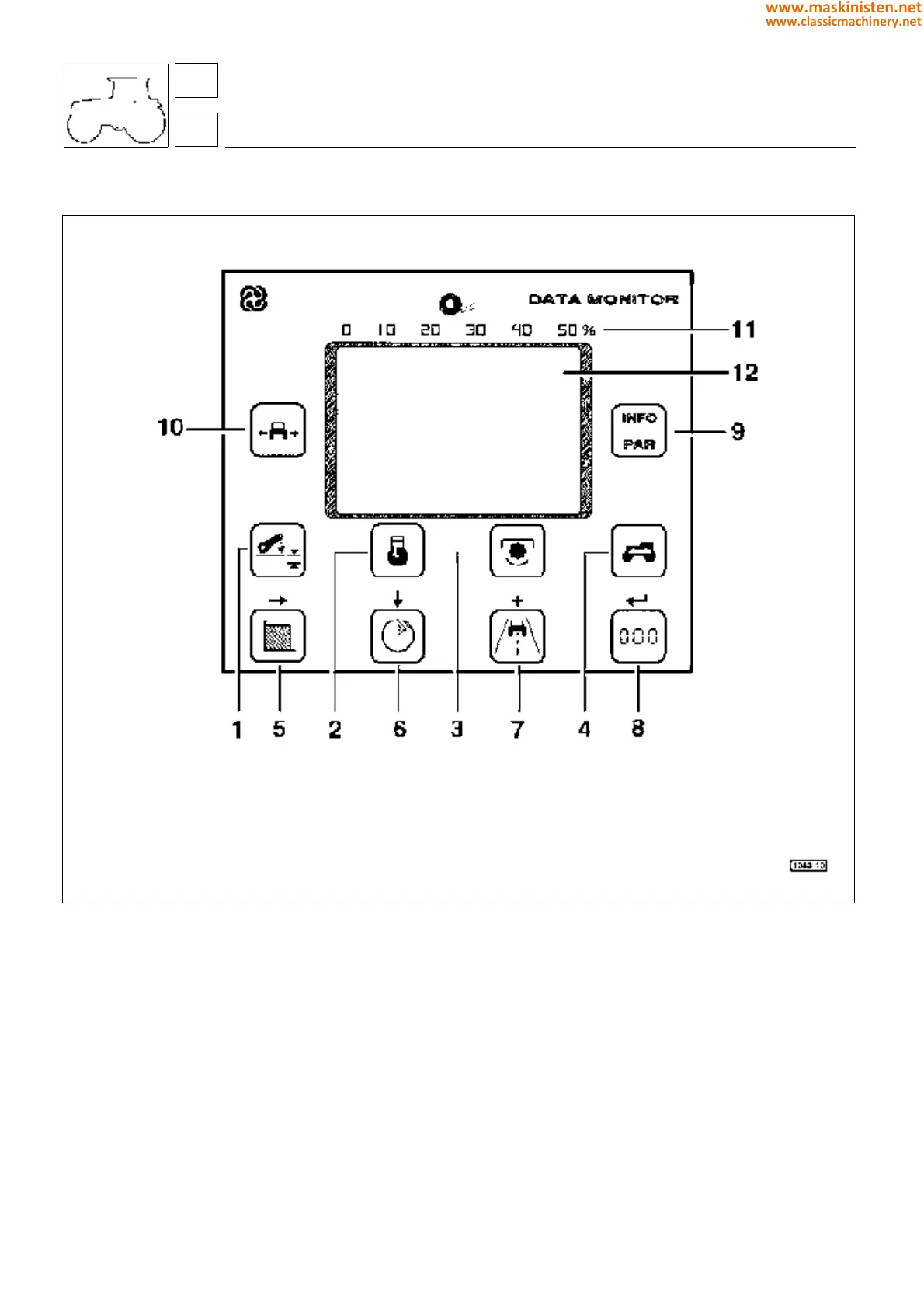
Fig. 1 - Data monitor
1 - Ploughing depth pushbutton
2 - Engine speed pushbutton
3 - PTO speed pushbutton
4 - Vehicle speed pushbutton
5 - Area worked
6 - Work time
7 - Distance covered
8 - Reset (for function 1, 5, 6, 7 only)
9 - INFO selection pushbutton (data monitor function)/PAR (lift function
parameters) - This pushbutton allows the exit from the current display.
10 - Implement width pushbutton
11 - Slip scale (percentage)
12 - Display area
body
performance monitor
71
7
334
www.maskinisten.net
www.classicmachinery.net



 To Next Page