NexU
11 UVISION+
If the unit has been properly
configured a short press on the
power button shows on the screen
the “ready for use” mode.
When the screen is displayed, the
backlight is activated during 10
seconds and then turned off. After
30 seconds since the display is
activated and if there is no
transaction in progress, the unit will
turn off to save energy. If the unit
is off press the power button to
activate it.
If the screen is ON
activate the backlight press briefly
the power button in order to
activate it for 10 seconds.
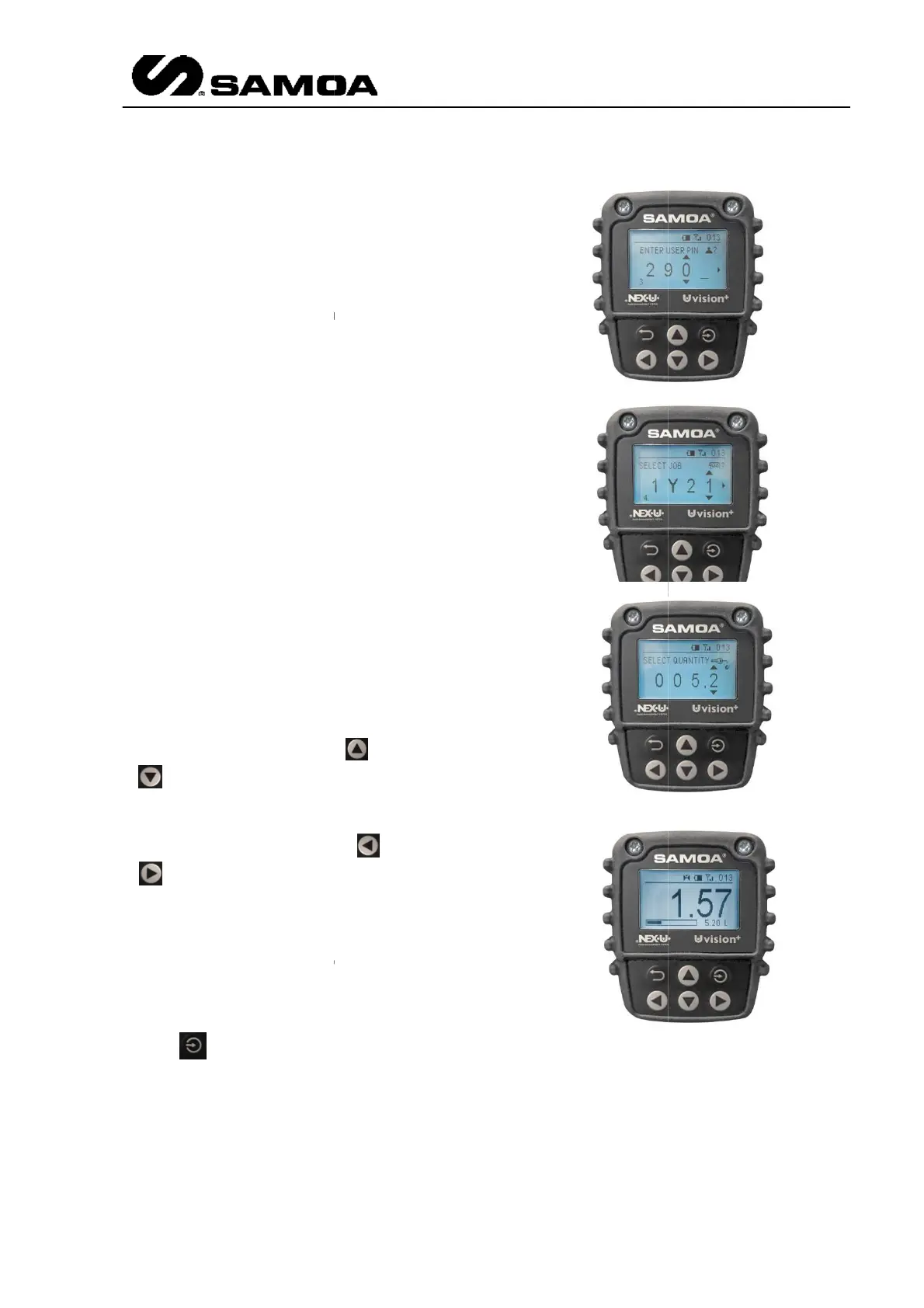
Once it is ON, you will have to
insert the following data
User Pin.
Job Order.
Quantity.
keys to go to the desired digit.
For going to the next (previous)
position, you have to press
.
If you have chosen
only the pre-
will appear when the job order is
requested.
Once you have finished, please
press
In the “ready for use mode” are
displayed the product associated to
the hose reel, the battery charge
indicator, the
the hose reel number paired.
If the unit has been properly
configured a short press on the
power button shows on the screen
When the screen is displayed, the
backlight is activated during 10
seconds and then turned off. After
30 seconds since the display is
activated and if there is no
transaction in progress, the unit will
turn off to save energy. If the unit
is off press the power button to
activate the backlight press briefly
the power button in order to
Once it is ON, you will have to
and
keys to go to the desired digit.
For going to the next (previous)
position, you have to press
or
will appear when the job order is
Once you have finished, please
In the “ready for use mode” are
displayed the product associated to
the hose reel, the battery charge
the hose reel number paired.
)
104



 To Next Page