Rev 3 (XXXX 2019)
NexU INSTALLATION MANUAL
89
7.4 TRANSACTIONS
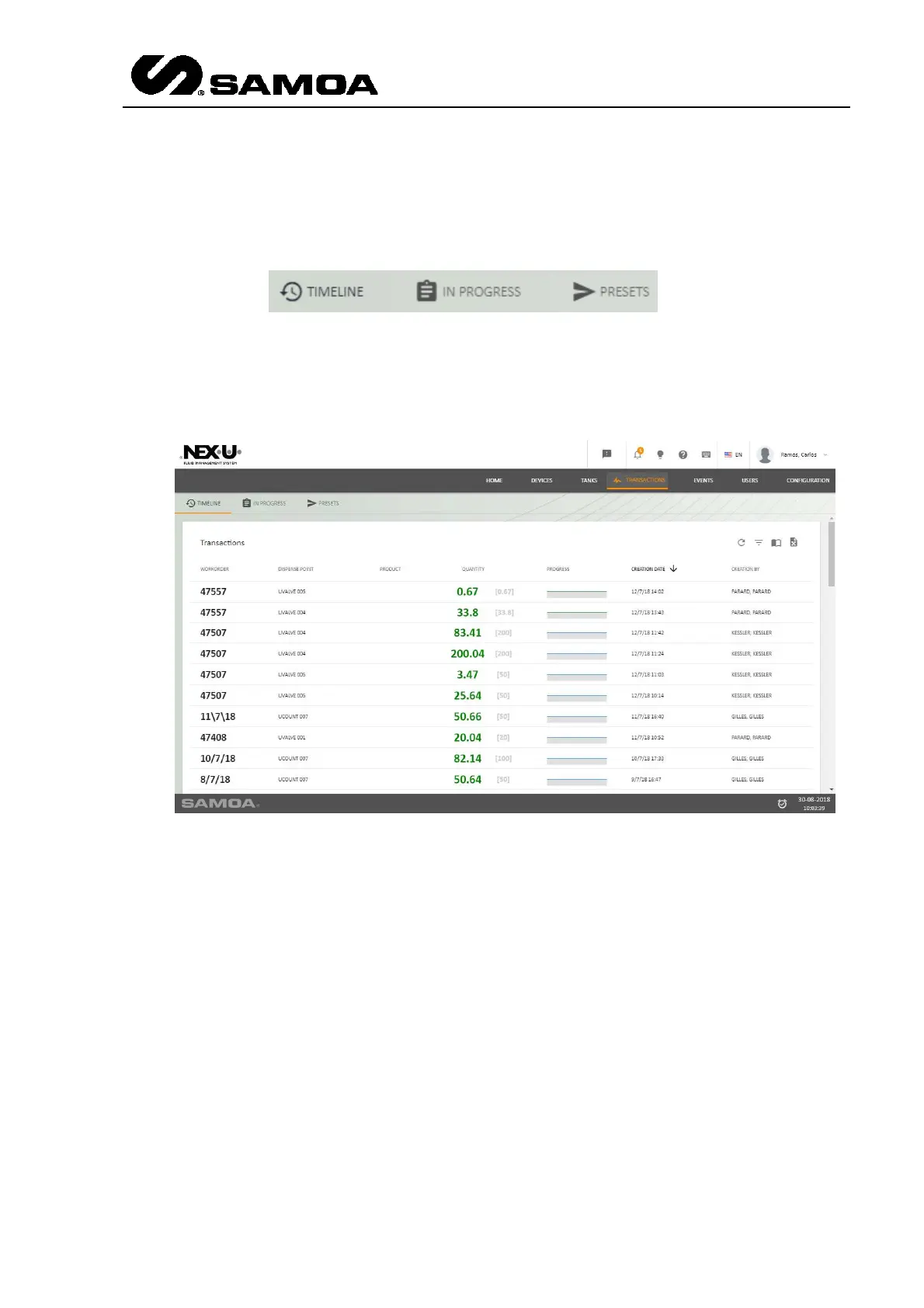
In the upper left part, of this screen you will find three options: Timeline, In Progress
and Presets
If you press “Timeline” you will see all the active transactions (the ones which are
being delivered or ready to be delivered)
The columns show the following information:
First column: Number of work order that is being delivered or ready to be delivered.
Second column: Dispensing point from which the product is being delivered or ready to
be delivered.
Third column: Product that was delivered.
Fourth column: It shows two numbers. The first one shows the delivered quantity. The
second one is the inserted quantity by the user when the work order was created.
Fifth column: It shows a bar that indicates that the delivery is made or being made.
Sixth column: It shows the transaction date of creation.
Seventh column: It shows who created the transaction.
If you press “In Progress” you will see all the active transactions (the ones which are
being delivered or ready to be delivered)



 To Next Page