Rev 3 (XXXX 2019)
NexU INSTALLATION MANUAL
50
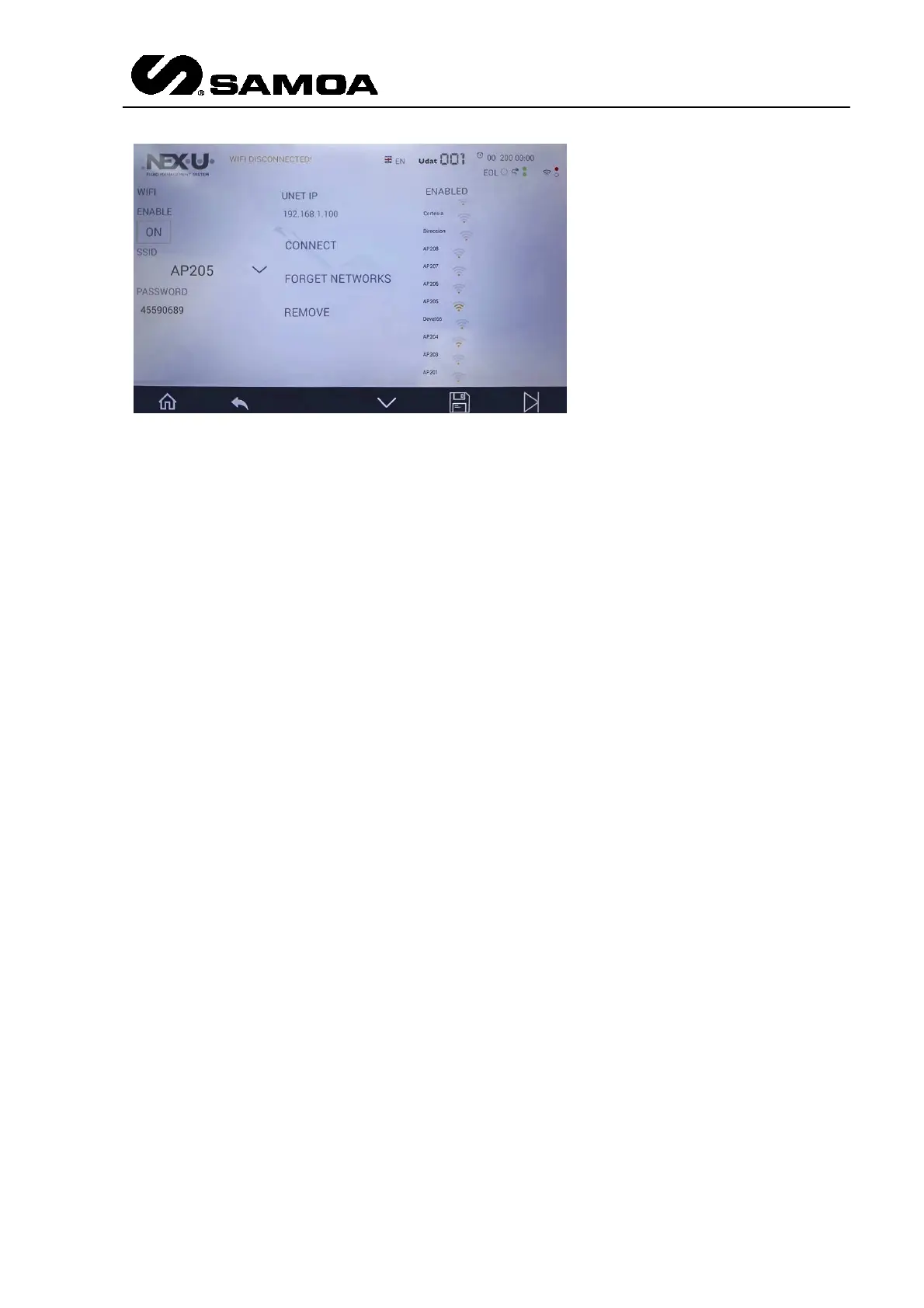
Enable: This has to be set to ON
SSID: In the right part of the screen, you will find the available Wi-Fi® networks.
Choose the one you want to connect to.
PASSWORD: Insert the password for the network.
UNET IP: Obviously, the Wi-Fi® network will have to be part of the network in which
the UNet is connected. This IP has to be the one that was supplied by the customer.
The last step is pressing CONNECT. The screen will reboot and the UDAt will be
connected to the WI-Fi® network (in the upper right part of the screen the green dots
will have to blink)
4.4.4 LOCAL PARAMETERS SETUP ON UCOUNT
Before the unit can operate, a few configuration steps for local parameters must be
accomplished:
1. Connect the power to the unit. It will appear briefly on the display the current
firmware installed and then the hose reel address is shown (by default “001”).
2. Press and hold F1 and F2 buttons until it is shown “SET" in the display.
3. The display shows the message “A” (address) followed by a number that
increases progressively from 001. This number is the hose reel number linked
to the unit. Once that the desired number is shown, press briefly F2 button.
NOTE: If it is needed to restart the hose reel number to “001", press briefly F1
button.
4. Now the unit shows the message “EoL” (end of line), followed by “0” or “1”.
This parameter allows indicating whether the unit is end of line in the CAN BUS
(1) or it is an intermediate unit (0). Change the adjustment pressing the F1
button briefly and press F2 button to confirm.



 To Next Page