Rev 3 (XXXX 2019)
NexU INSTALLATION MANUAL
64
6.2.2 DEVICES
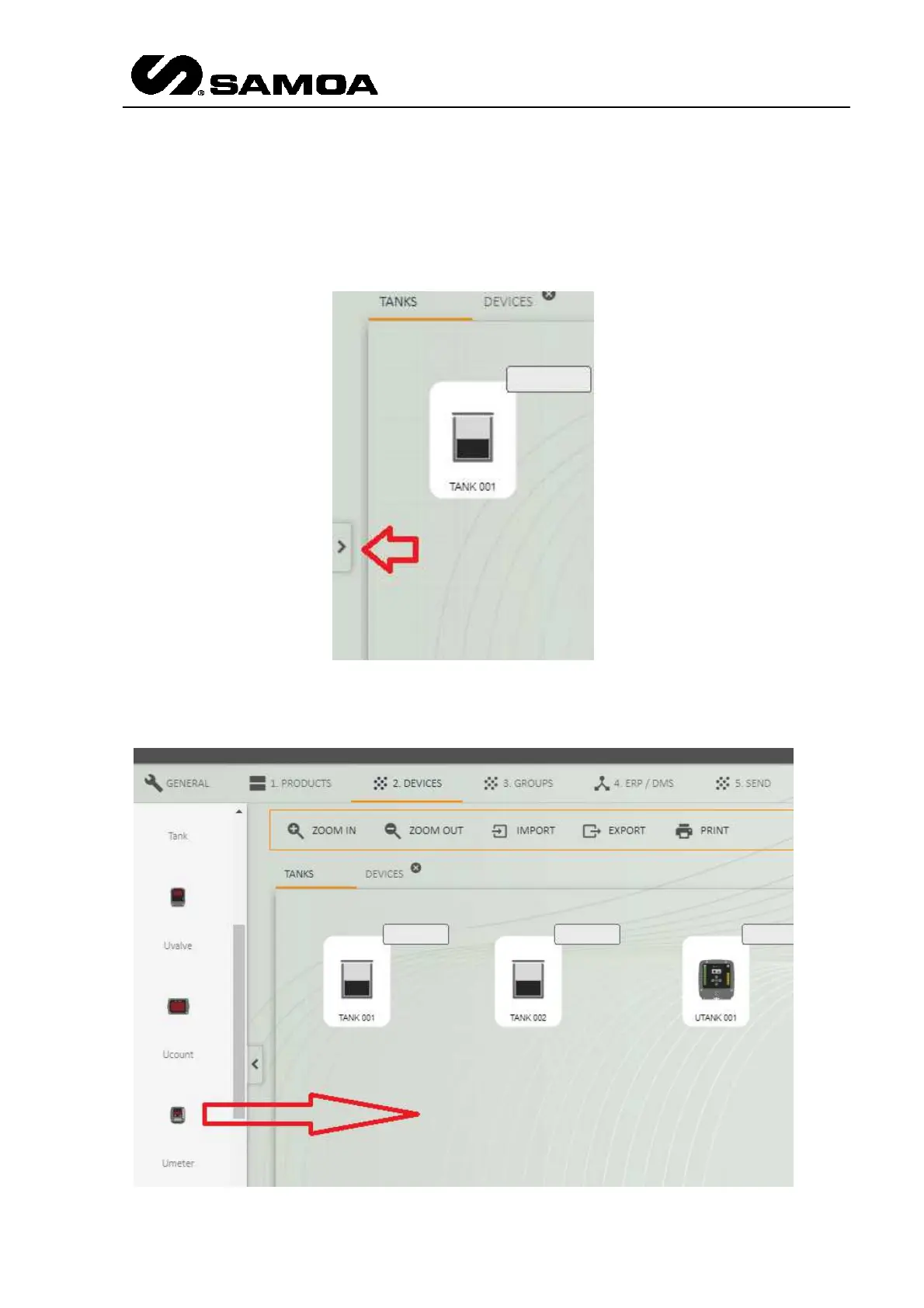
In this screen you will be able to define all the devices of the installation with all the
global parameters. The process is very simple. You have to choose the desired device
in the left part of the window. Press the arrow at the left part and a window will scroll.
Once you scroll it you will see all the elements of the NexU system. If you want to use
one, you have to click it and then drag & drop it to the central screen.



 To Next Page