Rev 3 (XXXX 2019)
NexU INSTALLATION MANUAL
48
4.4.3 LOCAL PARAMETERS SETUP ON UDAT / UDAT POWER+
Before the unit can operate, a few configuration steps for local parameters must be
accomplished:
Turn on the device by pressing and holding the power button until the screen turns on.
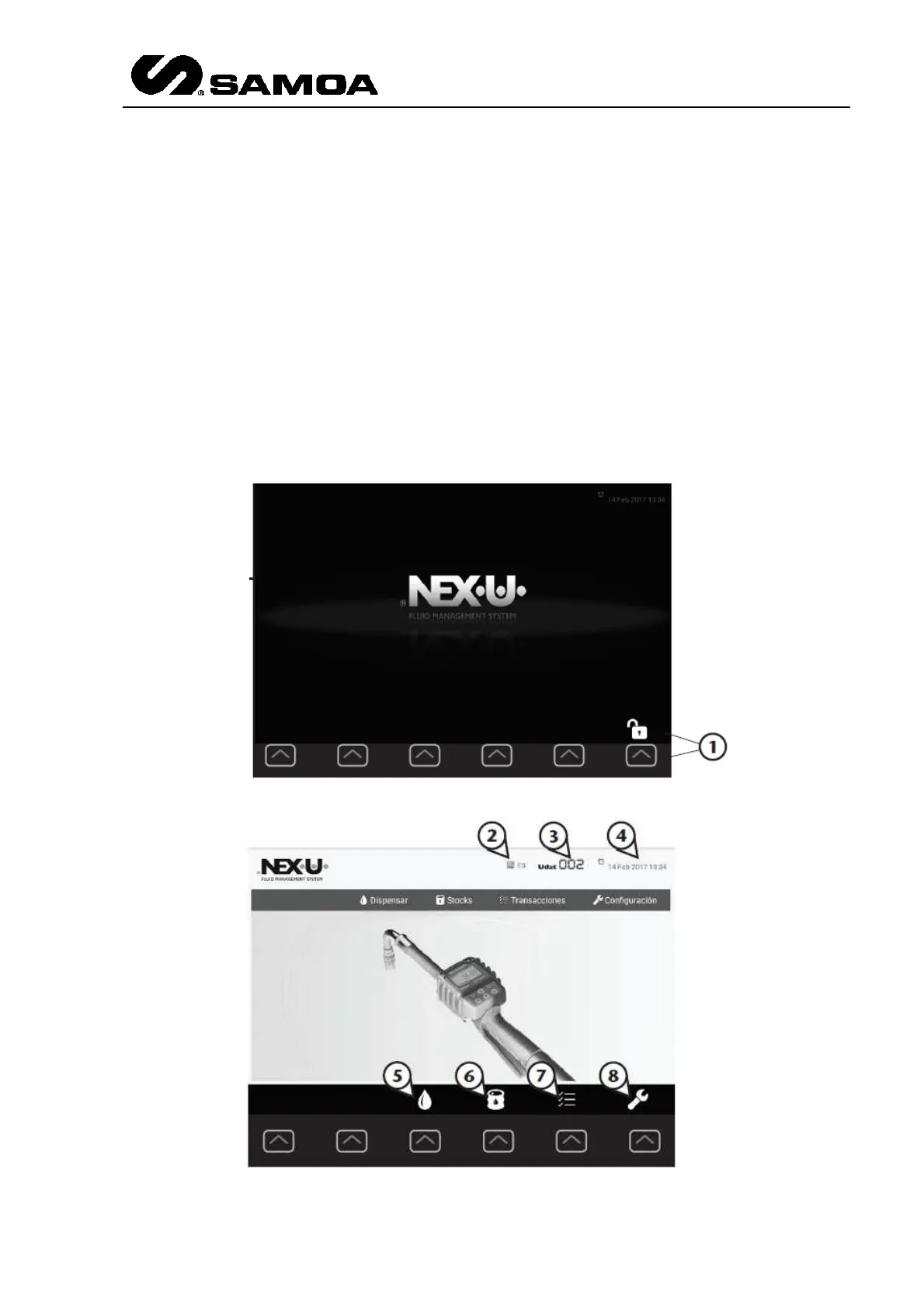
After a while, the home screen will show up. Regardless of the menu shown on screen,
after a period of inactivity, the application will come back to the home screen.
From the home screen, press the shortcut key (1) associated with the unlock icon to
access the main menu. This screen shows the selected language (2), the product
identifier (3), the date and time (4), and the available menus: dispense (5), stocks (6),
transactions (7) and configuration (8). Press the associated shortcut key to access the
desired menu.



 To Next Page