Rev 3 (XXXX 2019)
NexU INSTALLATION MANUAL
53
4.4.7 LOCAL PARAMETERS SETUP ON UTANK
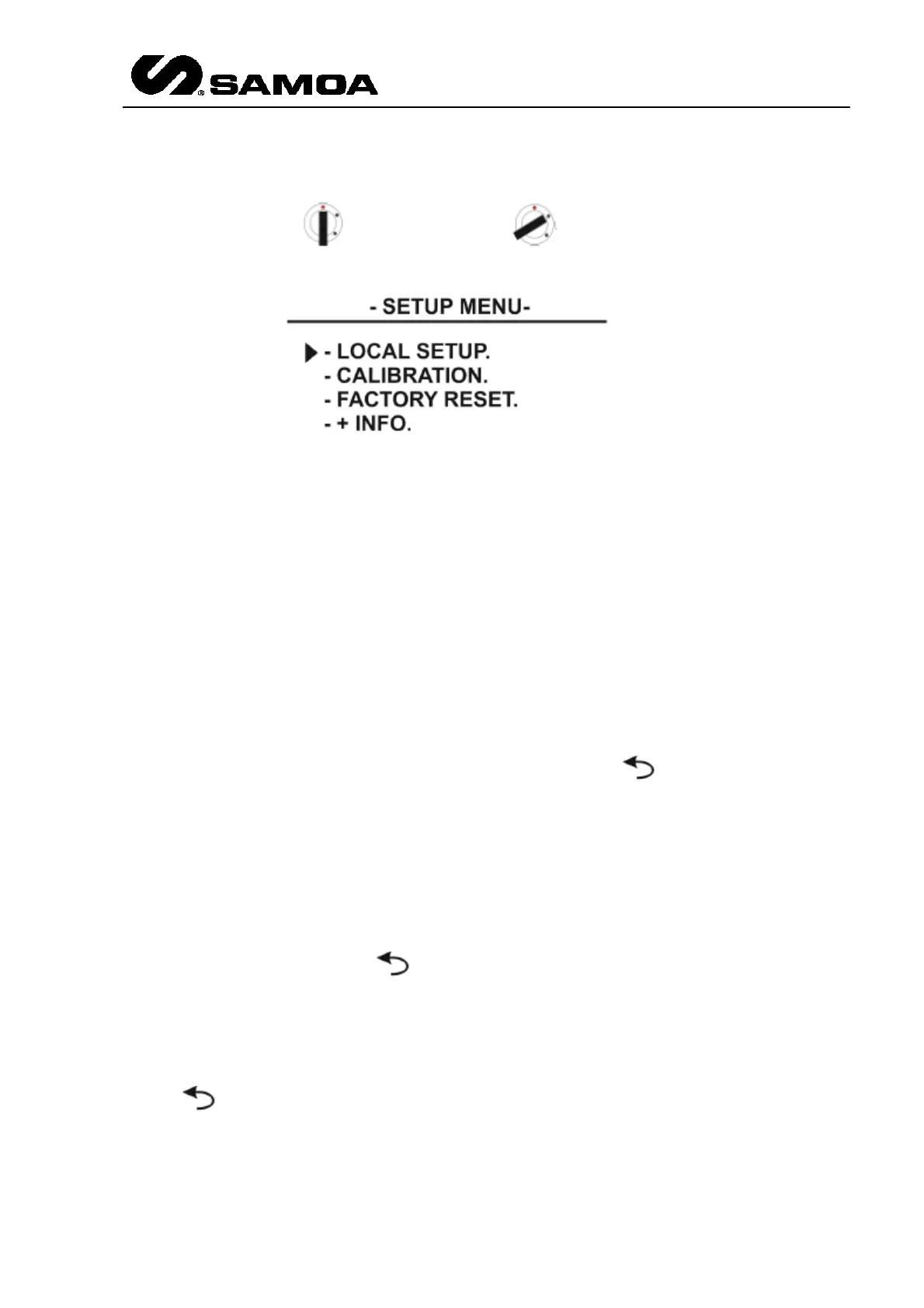
To gain access to the main menu, please insert the bypass key into the unit and switch
from normal position ( ) to bypass position ( ). The main menu will appear
on screen:
WARNING
When the unit is in bypass mode, both the general air supply and the pump
control valves will be permanently activated regardless of the system's logic
setup.
The arrow at the left side of the screen indicates the currently selected option. Use the
"up" and "down" keys on the keypad to select the desired option and press "OK" to
confirm
This menu allows for setting the local parameters of the unit (address, end-of-line,
number of tanks to be controlled).
The first parameter is the local address. Use the "up" and "down" keys on the keypad
to select the desired option and press "OK" to confirm, or press to go back to the
main menu.
The next parameter is the end-of-line. This parameter depends on the unit's position
inside the NEX-U CAN-BUS network: if the U-Tank unit is between another two other
units elsewhere in the network (in other words, the U-Tank is not at the end of the
CAN-BUS network), set this parameter to "0"; if the U-Tank is at the end of the CAN-
BUS network, set this parameter to "1". Use the "up" and "down" keys on the keypad
to select the desired option (the blue E.O.L. status LED will change accordingly) and
press "OK" to confirm, or press to go back to the previous parameter.
The last parameter is the number of tanks. The U-Tank unit can control one or two
tanks: if only one tank is to be connected to the unit, set this parameter to "1"; if two
tanks are to be connected to the unit, set this parameter to "2". Use the "up" and
"down" keys on the keypad to select the desired option and press "OK" to confirm, or
press to go back to the previous parameter.
At this point, the display will show "OK! RESTARTING..." and the unit will reboot with
the new parameters.



 To Next Page