NexU
3.2.5 UVIEW
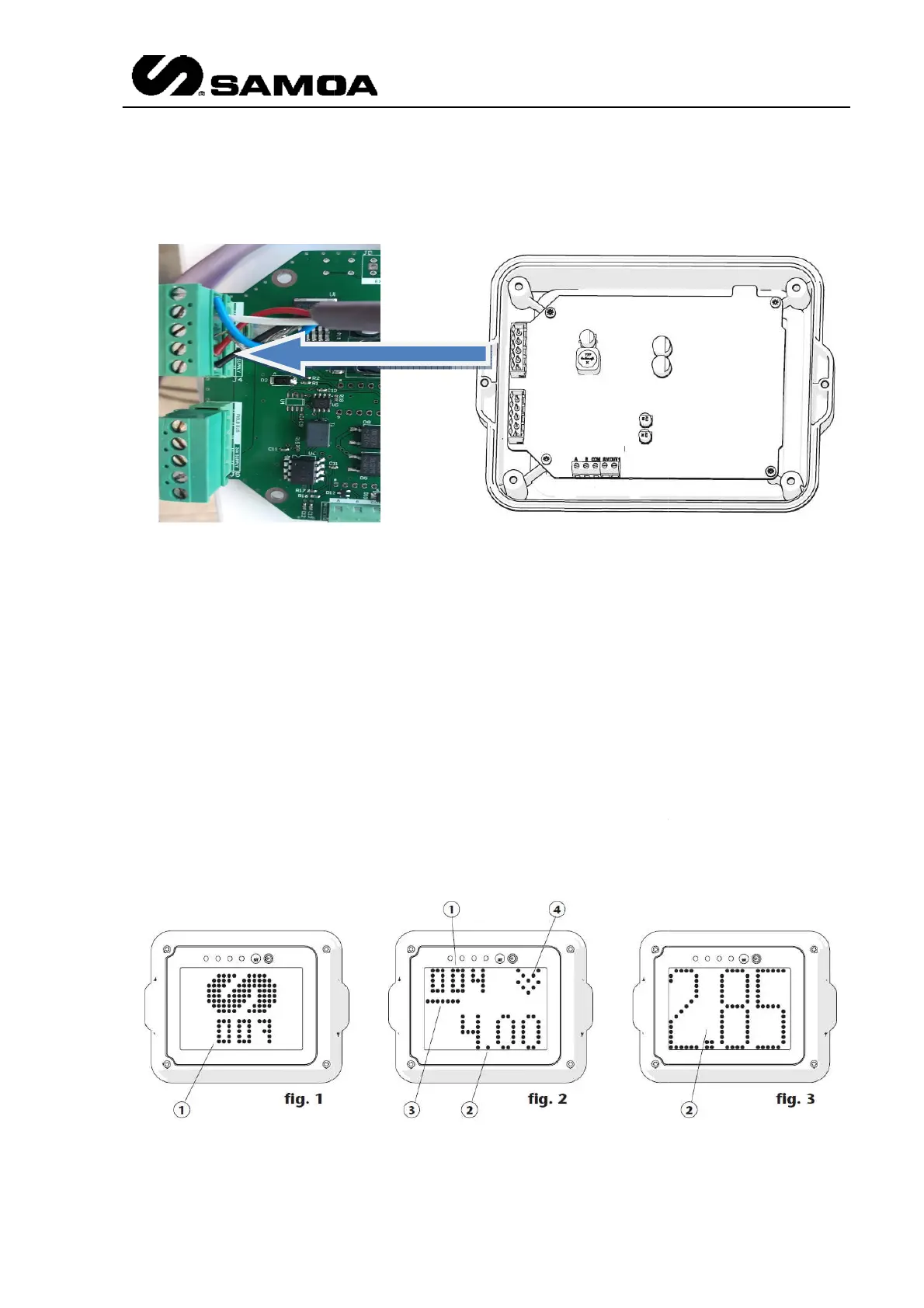
As per the UValve, there are two terminals (IN and OUT) for the CANBUS
The device has 3 screen display modes, named “standby mode,
mode.
The “standby” mode (figure 1) is the display mode shown when no transaction is in progress.
While a transaction is being made, the screen will show the
the “XXL” (figure 3) according to the device configuration (see the “menu configurat
section for more details).
Depending on the screen mode, the unit address (1), the fluid volume dispensed (2), the
progress status bar o
f the transaction (3) or the indicator which shows that the solenoid
valve is open (4), will be displayed.
As per the UValve, there are two terminals (IN and OUT) for the CANBUS
The device has 3 screen display modes, named “standby mode,
“standard” mode and “XXL”
The “standby” mode (figure 1) is the display mode shown when no transaction is in progress.
While a transaction is being made, the screen will show the
“standard” mode (figure 2) or
the “XXL” (figure 3) according to the device configuration (see the “menu configurat
Depending on the screen mode, the unit address (1), the fluid volume dispensed (2), the
f the transaction (3) or the indicator which shows that the solenoid
valve is open (4), will be displayed.
Rev 3 (XXXX 2019)
19
As per the UValve, there are two terminals (IN and OUT) for the CANBUS
“standard” mode and “XXL”
The “standby” mode (figure 1) is the display mode shown when no transaction is in progress.
“standard” mode (figure 2) or
the “XXL” (figure 3) according to the device configuration (see the “menu configurat
ion”
Depending on the screen mode, the unit address (1), the fluid volume dispensed (2), the
f the transaction (3) or the indicator which shows that the solenoid



 To Next Page