Rev 3 (XXXX 2019)
NexU INSTALLATION MANUAL
46
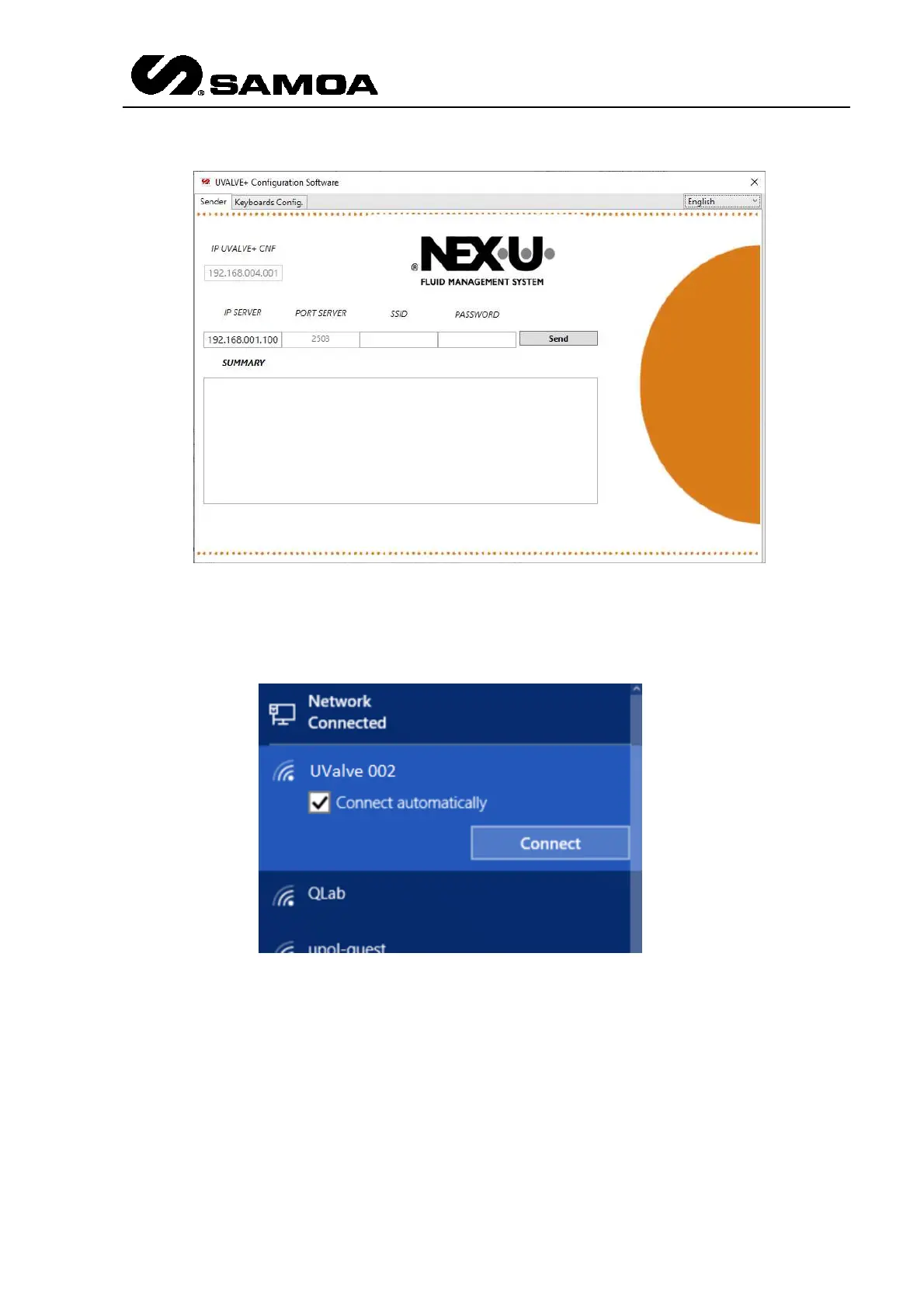
In a PC with Wi-Fi ® connection, you need to open the available networks and look for
UValve 00X (being 00X the UValve number that needs to be configurated). In the
example UValve 002
Disable the option Connect automatically and then press Connect. The system will ask
for a password. Enter
123456789
Go to ConfigNexu.exe again and insert the following data
IP SERVER: UNet IP (this data has to be provided by the customer)
SSID: Name of the Wi-Fi ® network
Password: Password of the Wi-Fi ® network



 To Next Page