5.2.3. User Define Mode
‘User Define Mode’ means that user can set up Max 8 modes for his/her usual or specific purpose. User
can set and save his/her own mode and can select easily just touching this icon.
● How to set User Define Mode
1 In order to set in initial screen
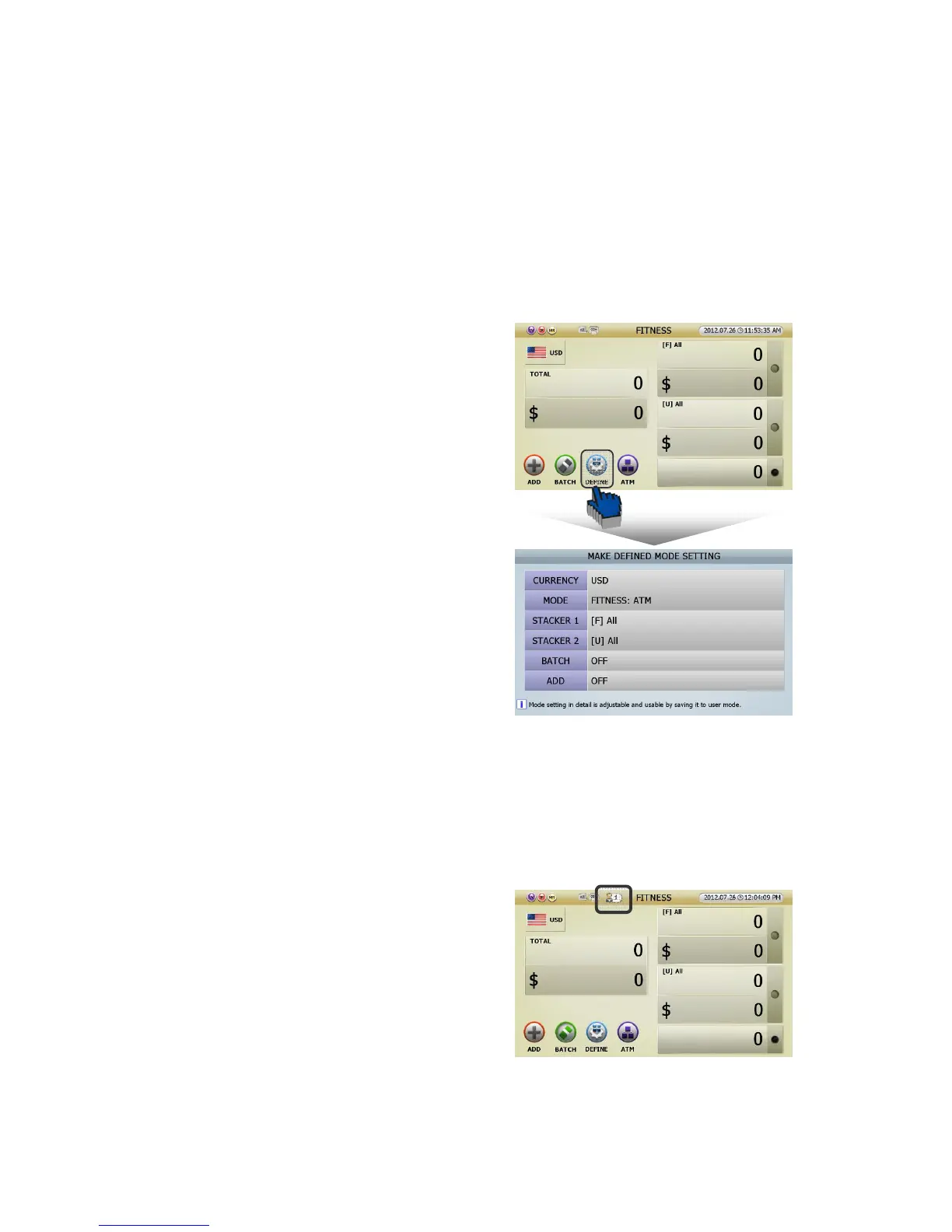
[1] Touch [DEFINE] icon in initial screen (FIG 5-01),
and can enter ‘MAKE DEFINED MODE SETTING (FIG
5-05).’
[2] Can set Currency, Working Mode, Stacker 1&2,
Batch On/Off and Add function On/Off like right
picture(FIG 5-05).
[3] If the setting is decided, press [START/STOP] button to save. Pree [C] to cancel the setting.
[4] Press [START/STOP] button, and can save the ‘User Define Mode’ number(No.1) and this will be
activated.
[5] The picture on the right is that screen indicator
shows ‘User Define Mode(No.1)’ is activating.
(FIG 5-01)



 To Next Page