SECTION IV
MAINTENANCE / SERVICE
(6) Place protractor at Position B; then using hand
control, move TRENDELENBURG and RE-
VERSE TRENDELENBURG functions until
back section is level (± 0.5°) in front-to-rear
direction.
(7) Place protractor at Position C; then using hand
control, move SEAT UP and SEAT DOWN
functions until seat section is level (± 0.5°).
(8) Repeat steps 5 thru 7 to ensure all sections of
table top are properly leveled within ± 0.5°.
CAUTION
There are sixteen switch actuator plates
(4) in upper case. Use care when separat-
ing upper and lower case to prevent switch actuator
plates from falling out and being lost.
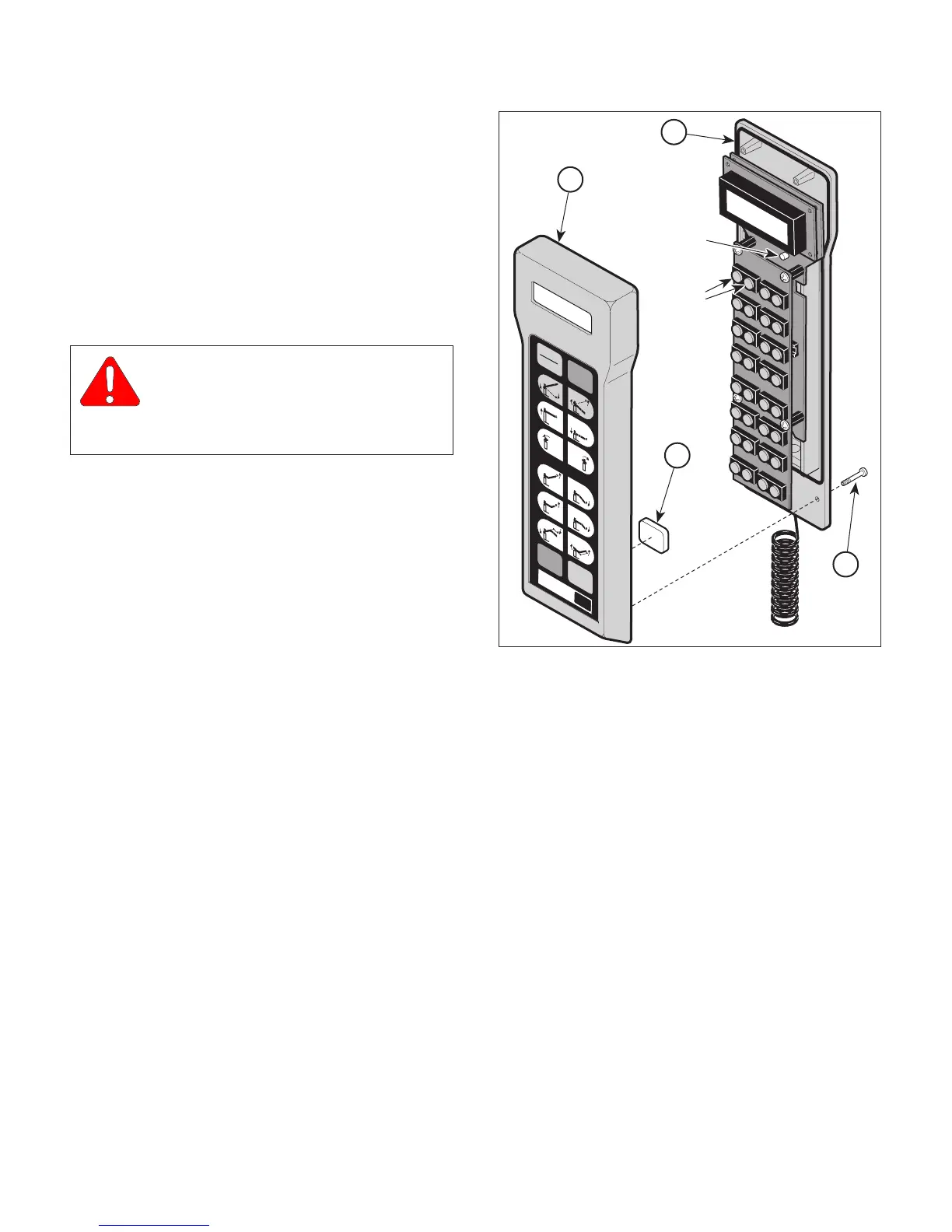
(9) Remove six screws (1, Figure 4-3) and separate
upper case (2) from lower case (3).
(10) Remove sixteen switch actuator plates (4) from
upper case (2).
(11) Press ENABLE buttons; then within 10 sec-
onds, press the calibration button (display on
hand control should read "CALIBRATING
NEUTRAL POSITION").
(12) Install sixteen switch actuator plates (4) in
upper case (2).
(13) Install lower case (3) on upper case (2) and
secure with six screws (1).
(14) If removed, install cushion on back section.
(15) If removed, install head section on back
section. See Figure 4-2.
Figure 4-3. Calibrating Neutral Position
Page 4-3Printed in U.S.A.
CA7619
CALIBRATION
BUTTON
LEVEL
UNLOCK
ENABLE
LOCK
DISABLE
7100
SMI
ENABLE
BUTTONS
1
2
3
4
© Schaerer Mayfield USA, Inc. 2004


 To Next Page