8.5
Date Code 20020903 SEL-587Z Instruction Manual
Front-Panel Interface
Front-Panel Operation
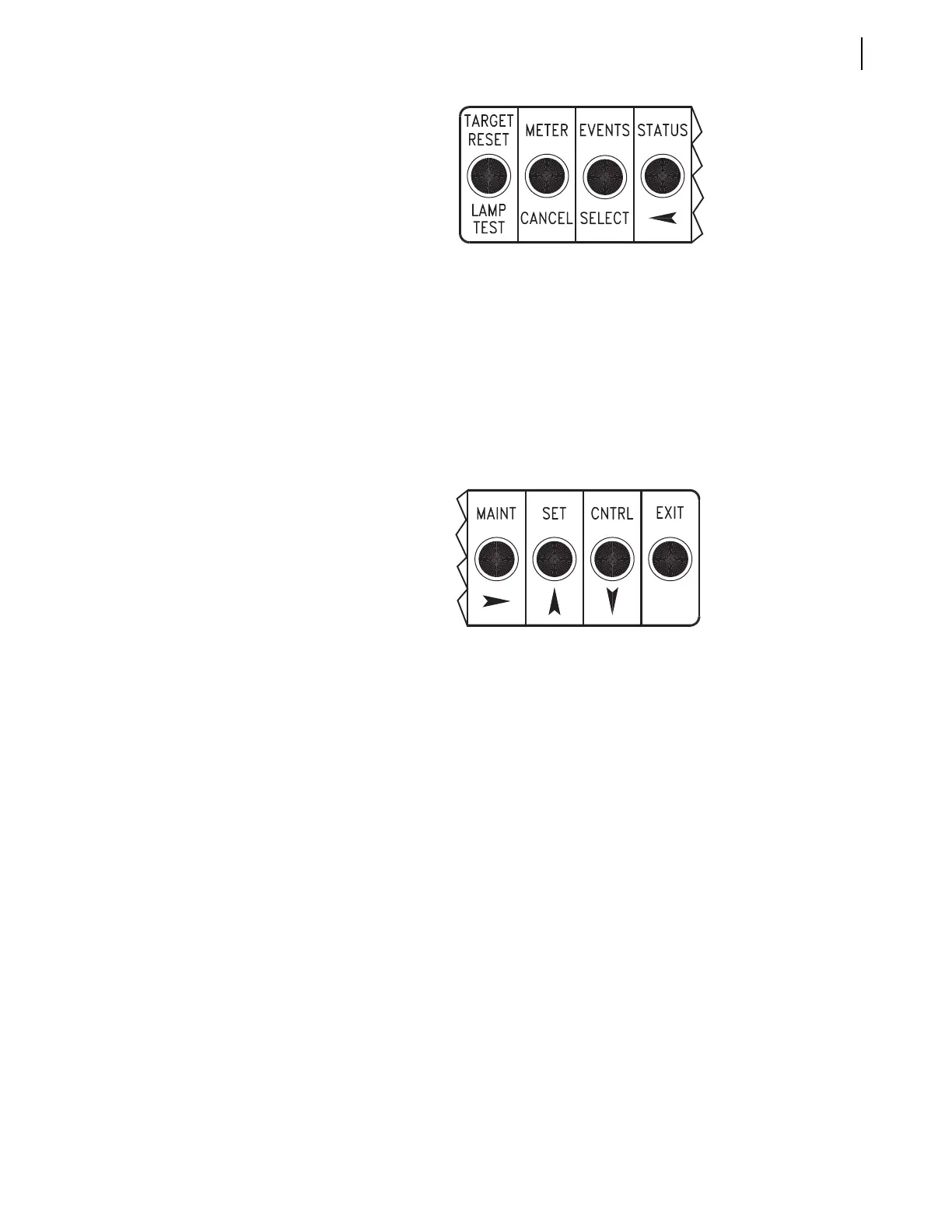
Figure 8.2 Front-Panel Pushbuttons–Primary Functions.
Function
Description
Pushbutton Corresponding
Serial Port Commands
at Access Level 1
a
METER
View Instantaneous Metering
Values both Magnitude and Angle.
View Demand Metering Values.
Reset Demand Metering Values.
METER
METER D
METER RD
METER RP
EVENTS
View Event Summaries
HISTORY
STATUS
STATUS
View Self-Test Status
Function
Description
Password
MAINT
SET
CNTRL
EXIT
Corresponding
Serial Port Commands:
Access Level 2
b
Access Level 1
a
View or Change Date or Time;
View Asserted Relay Word Bits
DATE
TIME
TARGET
View or Change Settings for
Relay or Serial Port
SHOWSET
SHOWSET P (1, F)
SET
SET P (1, F)
Pulse Output Contacts
c
;
View or Operate Local Control
PULSE
QUIT
Exit Entirely
and Return to
Default Display
a
Front-panel pushbutton functions that correspond to Access Level 1 serial port commands
do not require entering the Access Level 1 password through the front panel.
b
Front-panel pushbutton functions that correspond to Access Level 2 serial port commands
require entering the Access Level 2 password through the front panel if main board
jumper JMP22 is not in place.
c
Output contacts are pulsed for only one second from the front panel.


 To Next Page