Overview • 83
17-10-07-654-100_01-2020B
4. OVERVIEW
4.1 Controls
5
4
3
1
7
8
6
2
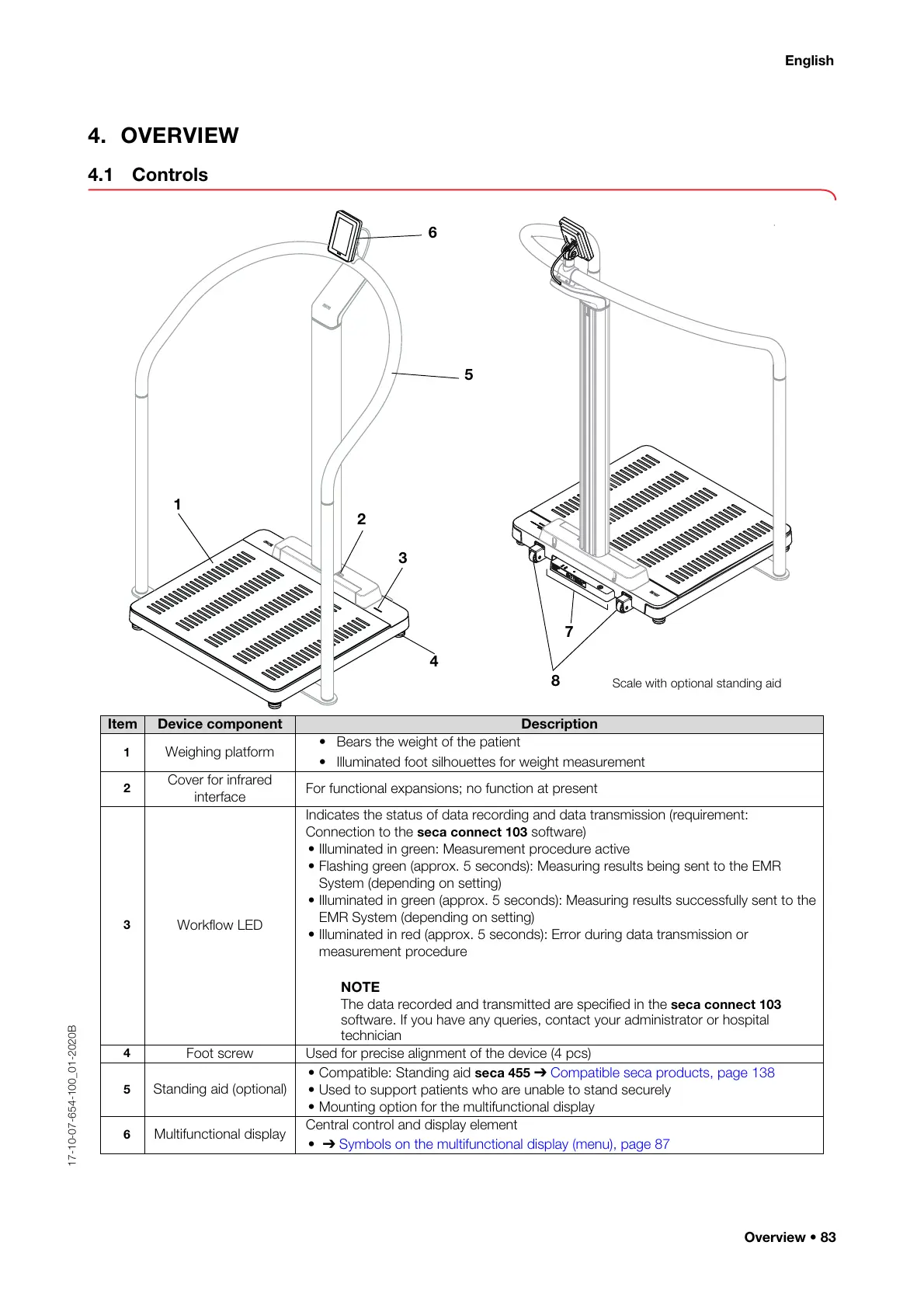
Scale with optional standing aid
Item Device component Description
1
Weighing platform
• Bears the weight of the patient
• Illuminated foot silhouettes for weight measurement
2
Cover for infrared
interface
For functional expansions; no function at present
3
Workflow LED
Indicates the status of data recording and data transmission (requirement:
Connection to the
seca connect 103 software)
• Illuminated in green: Measurement procedure active
• Flashing green (approx. 5 seconds): Measuring results being sent to the EMR
System (depending on setting)
• Illuminated in green (approx. 5 seconds): Measuring results successfully sent to the
EMR System (depending on setting)
• Illuminated in red (approx. 5 seconds): Error during data transmission or
measurement procedure
NOTE
The data recorded and transmitted are specified in the
seca connect 103
software. If you have any queries, contact your administrator or hospital
technician
4
Foot screw Used for precise alignment of the device (4 pcs)
5
Standing aid (optional)
• Compatible: Standing aid seca 455 ➔
Compatible seca products, page 138
• Used to support patients who are unable to stand securely
• Mounting option for the multifunctional display
6
Multifunctional display
Central control and display element
• ➔ Symbols on the multifunctional display (menu), page 87



 To Next Page