104 • seca 655/654
17-10-07-654-100_01-2020B
Automatic calculation of BMI or
BSA
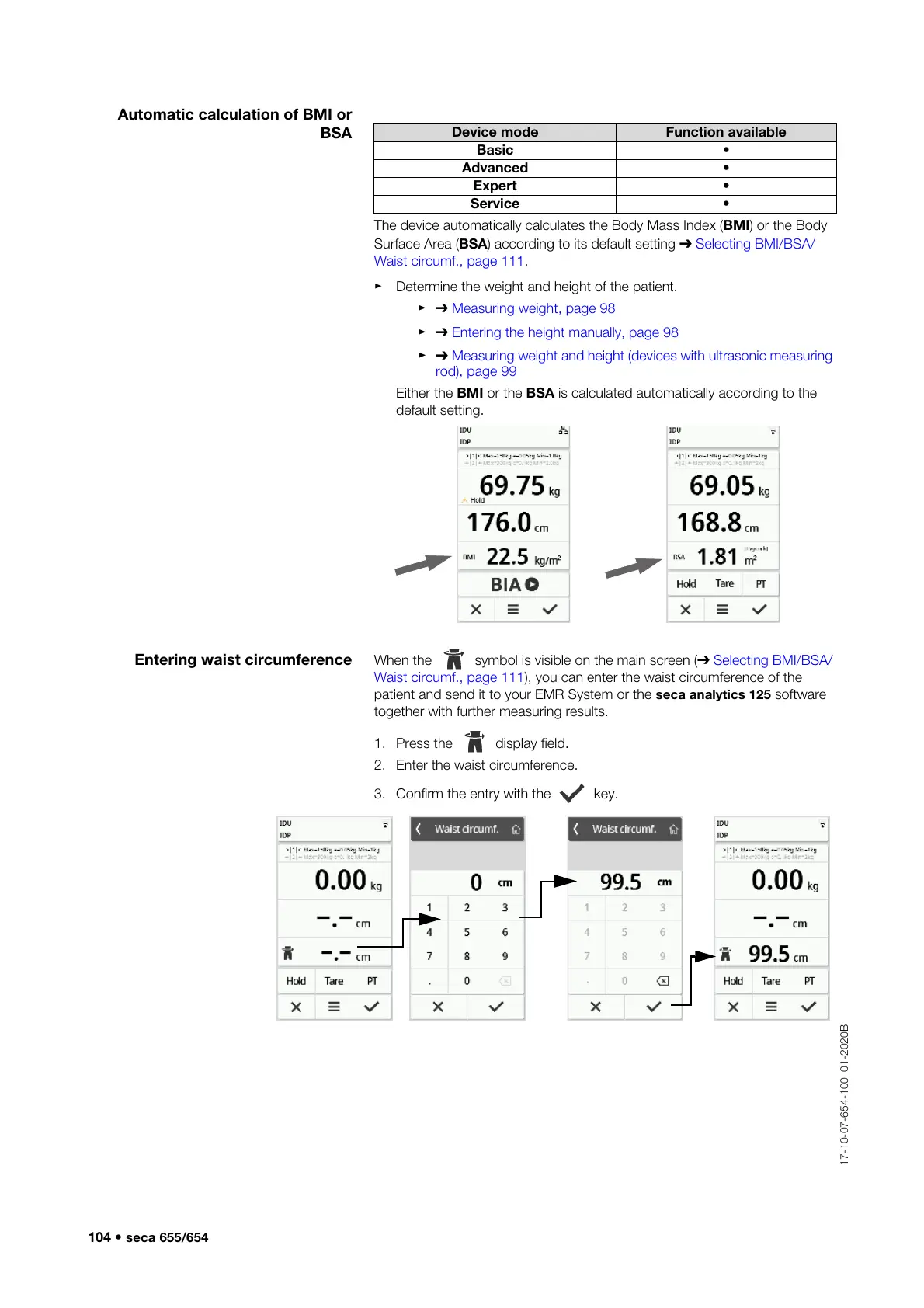
The device automatically calculates the Body Mass Index (BMI) or the Body
Surface Area (BSA) according to its default setting ➔ Selecting BMI/BSA/
Waist circumf., page 111.
► Determine the weight and height of the patient.
►➔ Measuring weight, page 98
►➔ Entering the height manually, page 98
►➔ Measuring weight and height (devices with ultrasonic measuring
rod), page 99
Either the BMI or the BSA is calculated automatically according to the
default setting.
Entering waist circumference When the symbol is visible on the main screen (➔ Selecting BMI/BSA/
Waist circumf., page 111), you can enter the waist circumference of the
patient and send it to your EMR System or the seca analytics 125 software
together with further measuring results.
1. Press the display field.
2. Enter the waist circumference.
3. Confirm the entry with the key.
Device mode Function available
Basic •
Advanced •
Expert •
Service •



 To Next Page