112 • seca 655/654
17-10-07-654-100_01-2020B
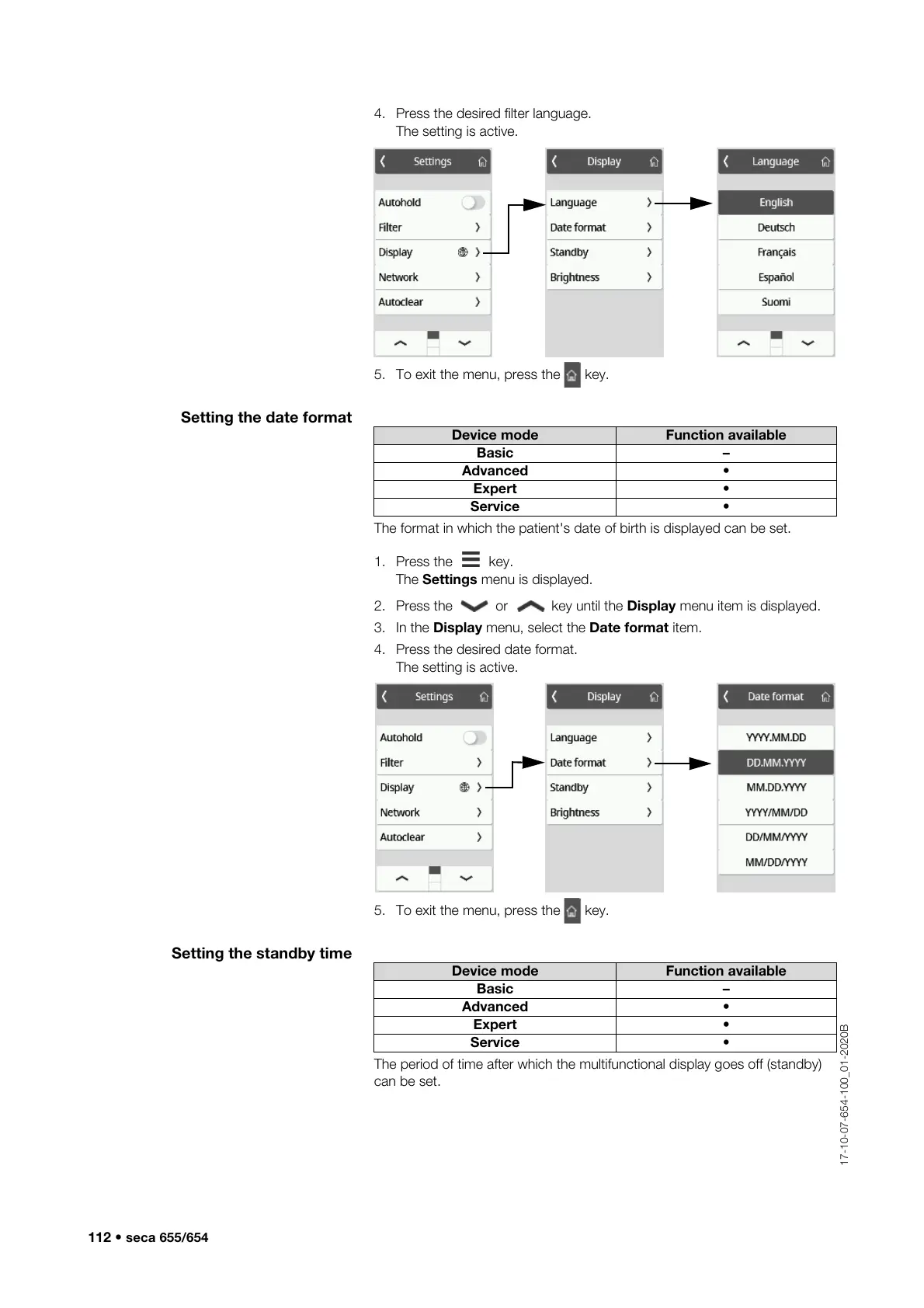
4. Press the desired filter language.
The setting is active.
5. To exit the menu, press the key.
Setting the date format
The format in which the patient's date of birth is displayed can be set.
1. Press the key.
The Settings menu is displayed.
2. Press the or key until the Display menu item is displayed.
3. In the Display menu, select the Date format item.
4. Press the desired date format.
The setting is active.
5. To exit the menu, press the key.
Setting the standby time
The period of time after which the multifunctional display goes off (standby)
can be set.
Device mode Function available
Basic –
Advanced •
Expert •
Service •
Device mode Function available
Basic –
Advanced •
Expert •
Service •



 To Next Page