Configuration • 111
17-10-07-654-100_01-2020B
Selecting BMI/BSA/Waist circumf.
You can specify whether the device calculates the Body Mass Index (BMI) or
the Body Surface Area (BSA) as soon as the patient's weight and height are
available.
The device can also be set so that the waist circumference (Waist circumf.)
can be entered manually.
NOTE
If the Waist circumf. setting is selected, automatic BMI/BSA
calculation is not possible.
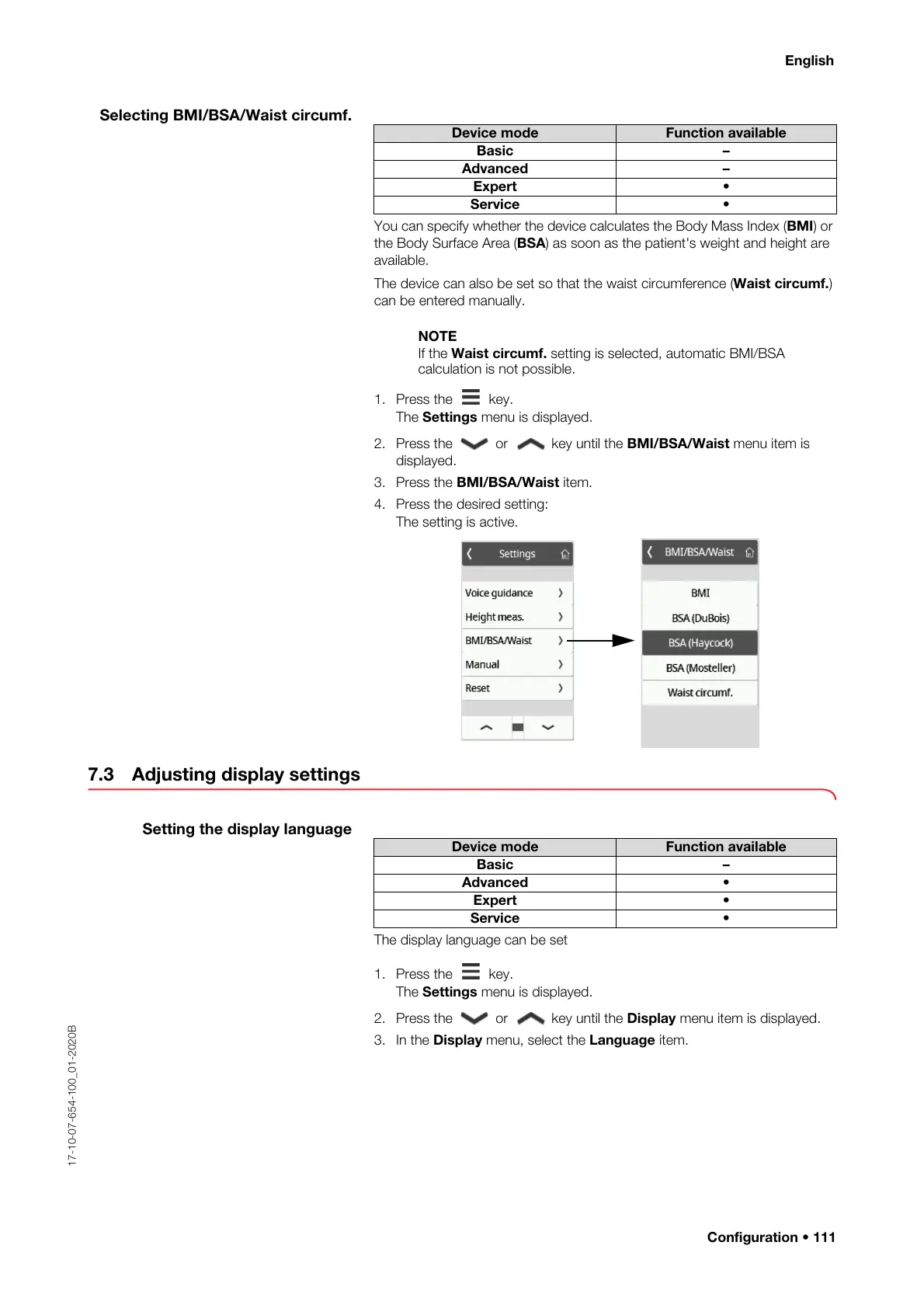
1. Press the key.
The Settings menu is displayed.
2. Press the or key until the BMI/BSA/Waist menu item is
displayed.
3. Press the BMI/BSA/Waist item.
4. Press the desired setting:
The setting is active.
7.3 Adjusting display settings
Setting the display language
The display language can be set
1. Press the key.
The Settings menu is displayed.
2. Press the or key until the Display menu item is displayed.
3. In the Display menu, select the Language item.
Device mode Function available
Basic –
Advanced –
Expert •
Service •
Device mode Function available
Basic –
Advanced •
Expert •
Service •



 To Next Page