Operation • 101
17-10-07-654-100_01-2020B
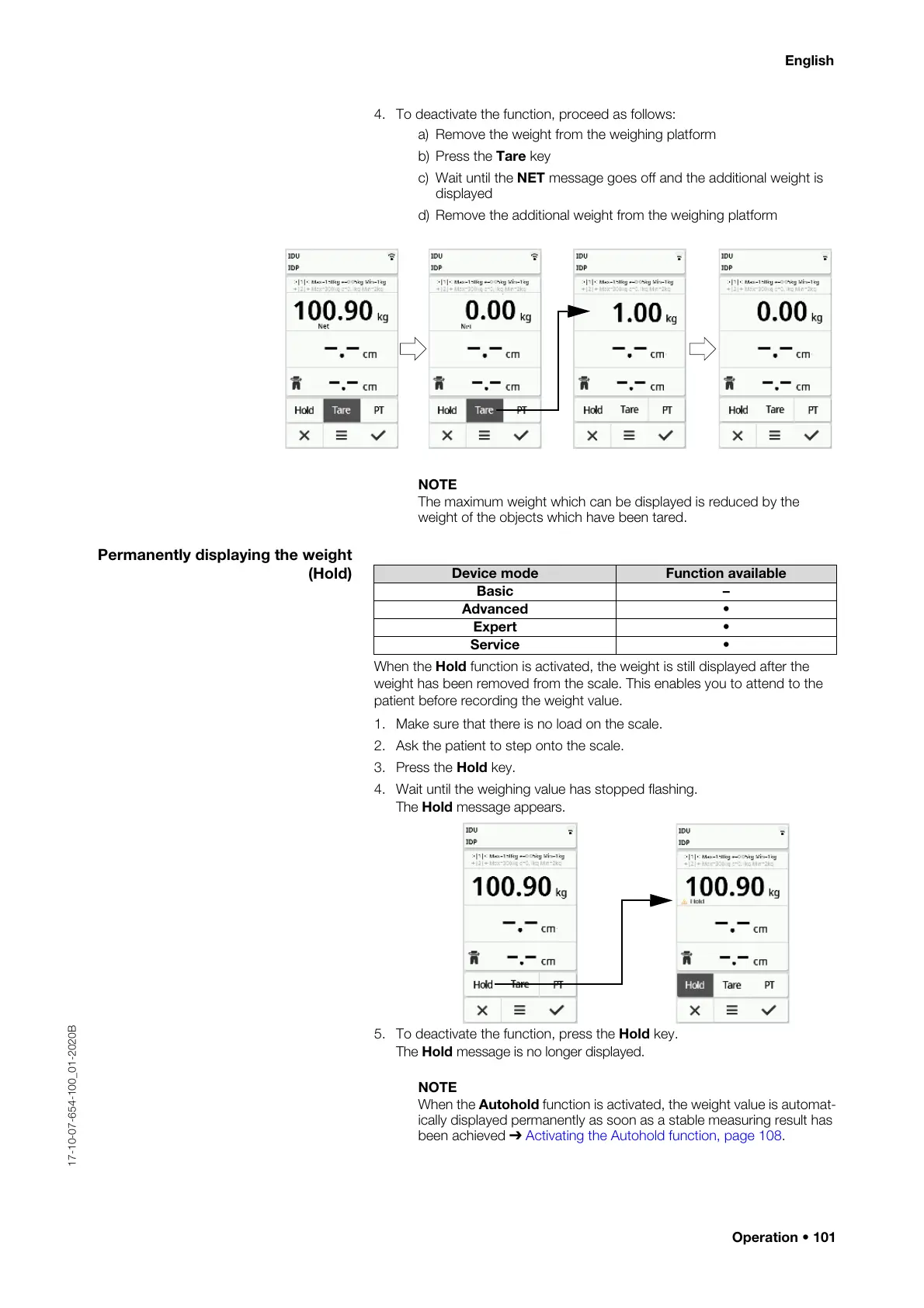
4. To deactivate the function, proceed as follows:
a) Remove the weight from the weighing platform
b) Press the Tare key
c) Wait until the NET message goes off and the additional weight is
displayed
d) Remove the additional weight from the weighing platform
NOTE
The maximum weight which can be displayed is reduced by the
weight of the objects which have been tared.
Permanently displaying the weight
(Hold)
When the Hold function is activated, the weight is still displayed after the
weight has been removed from the scale. This enables you to attend to the
patient before recording the weight value.
1. Make sure that there is no load on the scale.
2. Ask the patient to step onto the scale.
3. Press the Hold key.
4. Wait until the weighing value has stopped flashing.
The Hold message appears.
5. To deactivate the function, press the Hold key.
The Hold message is no longer displayed.
NOTE
When the Autohold function is activated, the weight value is automat-
ically displayed permanently as soon as a stable measuring result has
been achieved ➔ Activating the Autohold function, page 108.
Device mode Function available
Basic –
Advanced •
Expert •
Service •



 To Next Page