120 • seca 655/654
17-10-07-654-100_01-2020B
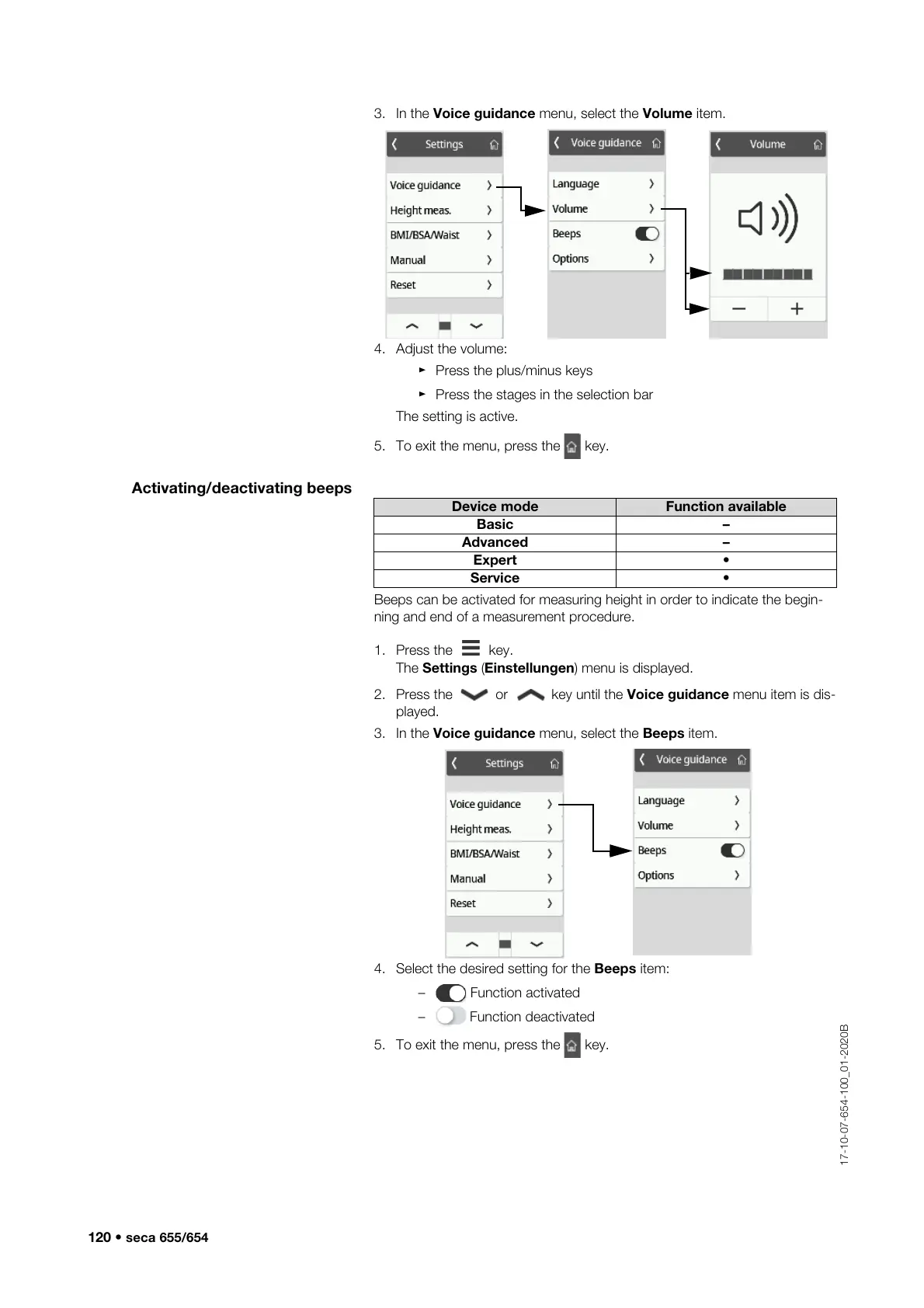
3. In the Voice guidance menu, select the Volume item.
4. Adjust the volume:
► Press the plus/minus keys
► Press the stages in the selection bar
The setting is active.
5. To exit the menu, press the key.
Activating/deactivating beeps
Beeps can be activated for measuring height in order to indicate the begin-
ning and end of a measurement procedure.
1. Press the key.
The Settings (Einstellungen) menu is displayed.
2. Press the or key until the Voice guidance menu item is dis-
played.
3. In the Voice guidance menu, select the Beeps item.
4. Select the desired setting for the Beeps item:
– Function activated
– Function deactivated
5. To exit the menu, press the key.
Device mode Function available
Basic –
Advanced –
Expert •
Service •



 To Next Page