92 • seca 655/654
17-10-07-654-100_01-2020B
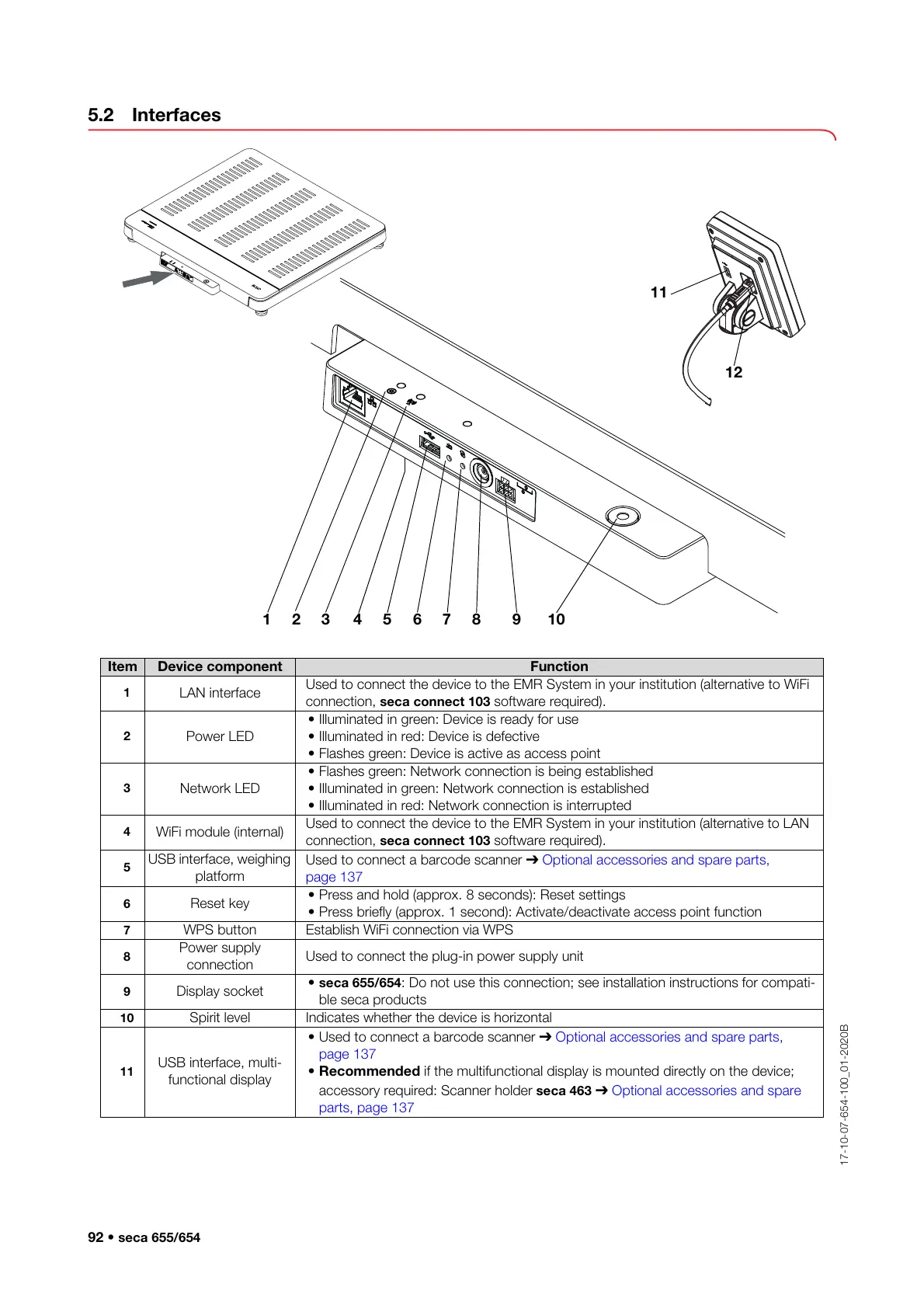
5.2 Interfaces
Item Device component Function
1
LAN interface
Used to connect the device to the EMR System in your institution (alternative to WiFi
connection, seca connect 103 software required).
2
Power LED
• Illuminated in green: Device is ready for use
• Illuminated in red: Device is defective
• Flashes green: Device is active as access point
3
Network LED
• Flashes green: Network connection is being established
• Illuminated in green: Network connection is established
• Illuminated in red: Network connection is interrupted
4
WiFi module (internal)
Used to connect the device to the EMR System in your institution (alternative to LAN
connection, seca connect 103 software required).
5
USB interface, weighing
platform
Used to connect a barcode scanner ➔ Optional accessories and spare parts,
page 137
6
Reset key
• Press and hold (approx. 8 seconds): Reset settings
• Press briefly (approx. 1 second): Activate/deactivate access point function
7
WPS button Establish WiFi connection via WPS
8
Power supply
connection
Used to connect the plug-in power supply unit
9
Display socket
• seca 655/654: Do not use this connection; see installation instructions for compati-
ble seca products
10
Spirit level Indicates whether the device is horizontal
11
USB interface, multi-
functional display
• Used to connect a barcode scanner ➔ Optional accessories and spare parts,
page 137
• Recommended if the multifunctional display is mounted directly on the device;
accessory required: Scanner holder seca 463 ➔ Optional accessories and spare
parts, page 137



 To Next Page