108 • seca 655/654
17-10-07-654-100_01-2020B
7.2 Measuring
Activating the Autohold function
If you activate the Autohold function, it is no longer necessary to manually
activate the Hold function for each individual measurement procedure.
On devices with a measuring rod, the setting also applies to the height
display.
NOTE
This function is activated at the factory on some models. The function
can be deactivated.
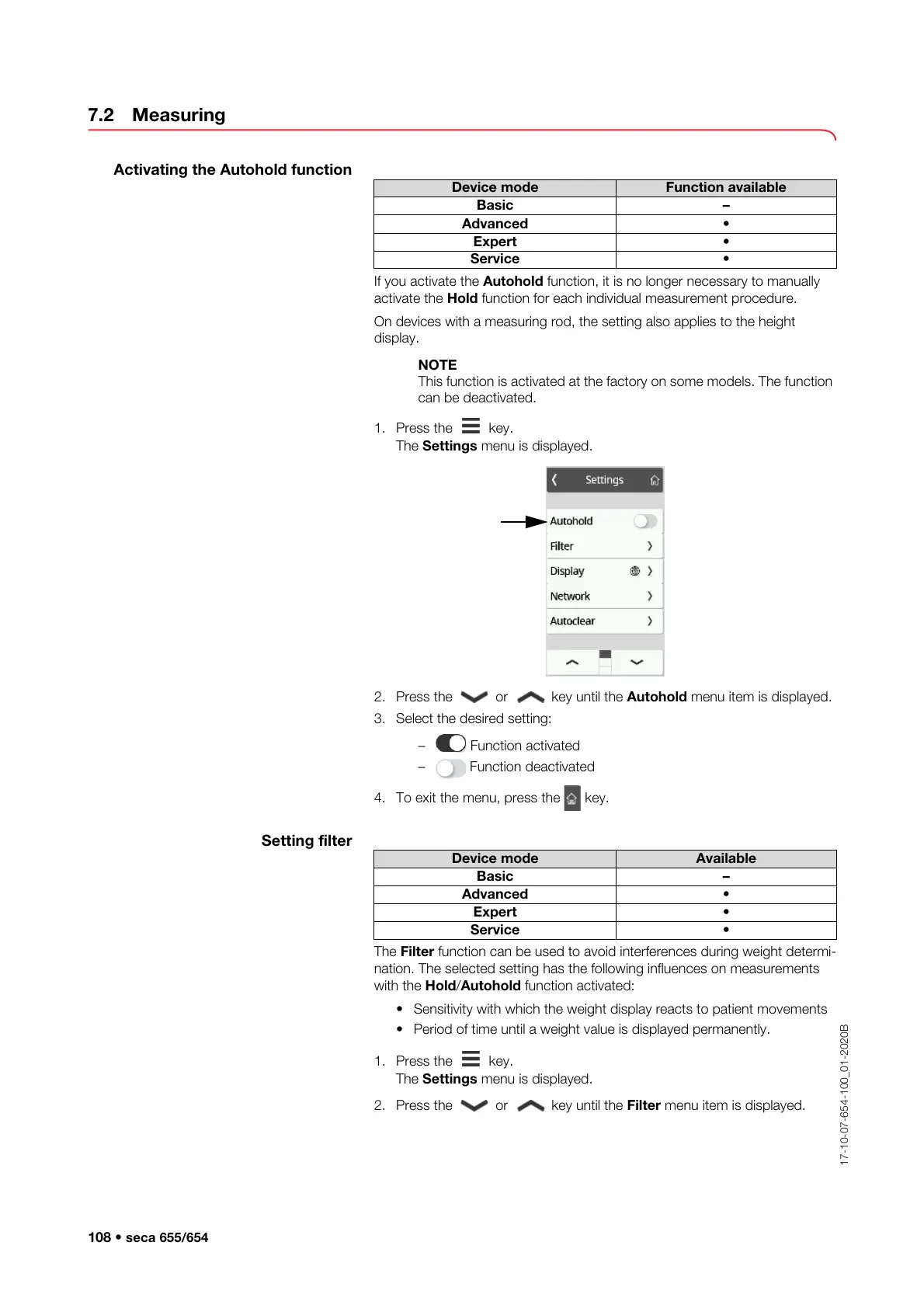
1. Press the key.
The Settings menu is displayed.
2. Press the or key until the Autohold menu item is displayed.
3. Select the desired setting:
– Function activated
– Function deactivated
4. To exit the menu, press the key.
Setting filter
The Filter function can be used to avoid interferences during weight determi-
nation. The selected setting has the following influences on measurements
with the Hold/Autohold function activated:
• Sensitivity with which the weight display reacts to patient movements
• Period of time until a weight value is displayed permanently.
1. Press the key.
The Settings menu is displayed.
2. Press the or key until the Filter menu item is displayed.
Device mode Function available
Basic –
Advanced •
Expert •
Service •
Device mode Available
Basic –
Advanced •
Expert •
Service •



 To Next Page