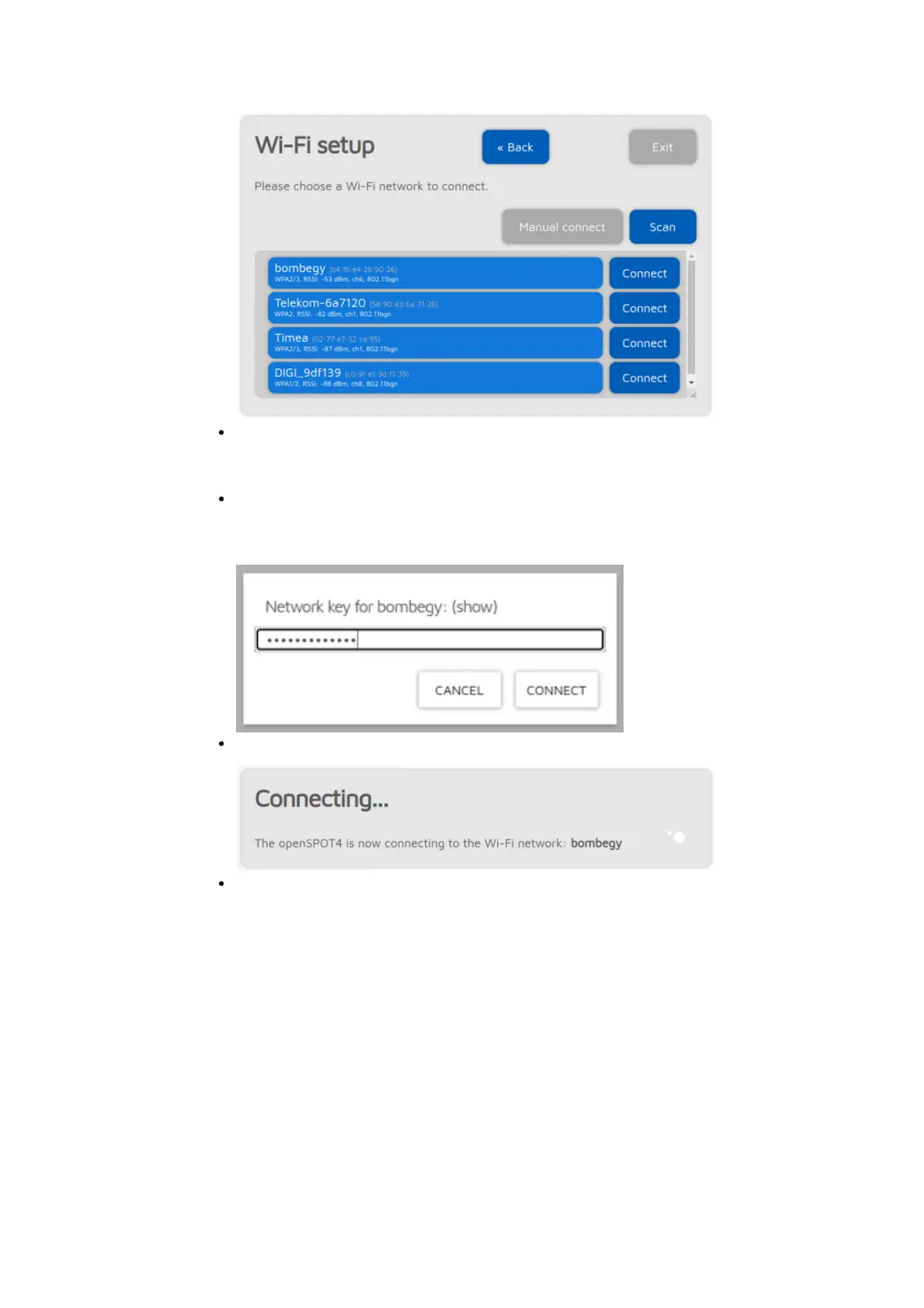
Select which Wi-Fi network the openSPOT4 will use (usually your own Wi-
Fi network) by clicking on the Connect button in the row of the desired Wi-
Fi network.
Enter the Wi-Fi network password in the Network key dialog (make sure
you enter the password case sensitive), then click on the dialog's Connect
button:
The openSPOT4 starts connecting to the selected Wi-Fi network:
After the openSPOT4 has connected to the selected Wi-Fi network, you'll
see the following screen:



 To Next Page