D-STARAPRS
YoucansetuptheopenSPOT2toforwardyourD-STARtransceiver'slocationinformationtotheAPRSnetwork,
soitwillbevisibleonAPRSmapslikeaprs.fi
SettinguptheAPRSconnection
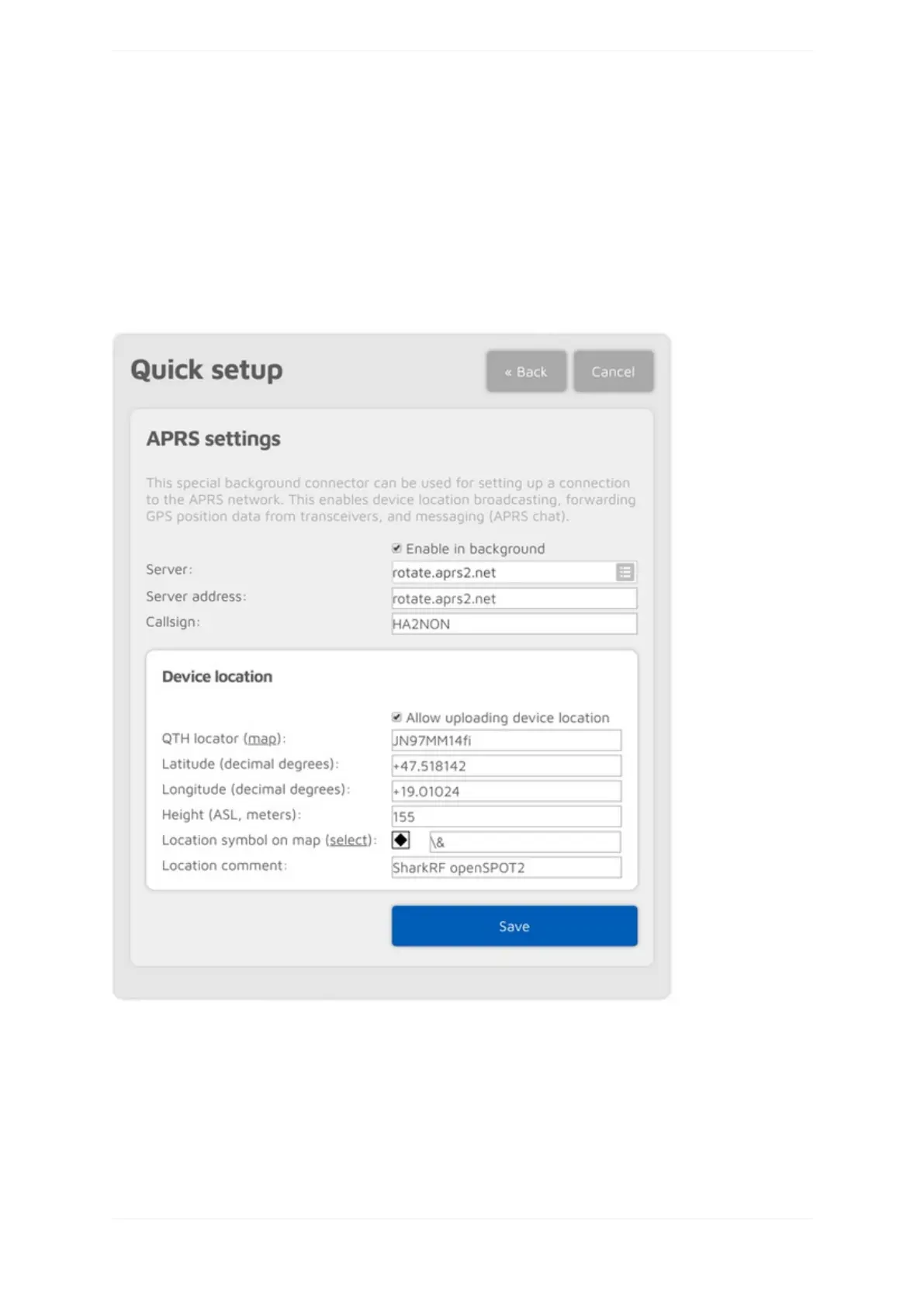
FirstyouhavetosetuptheAPRSspecialconnectorusingtheopenSPOT2'sQuickSetup.
MakesureyouchecktheEnableinbackgroundcheckbox.Youdon'tneedtochecktheAllowuploadingdevice
locationcheckboxforD-STARlocationforwarding.
YoucanverifytheAPRSconnectionstatusontheStatuspage.
SettingupyourD-STARtransceiver
ThefollowingsetupisdescribedusingtheIcomID51'smenustructure.Themenustructureofyourtransceiver
maybedifferent,butthenamesofthesettingsshouldbethesameorsimilar.



 To Next Page