C4FM/FusionAPRS
YoucansetuptheopenSPOT2toforwardyourC4FM/Fusiontransceiver'slocationinformationtotheAPRS
network,soitwillbevisibleonAPRSmapslikeaprs.fi
SettinguptheAPRSconnection
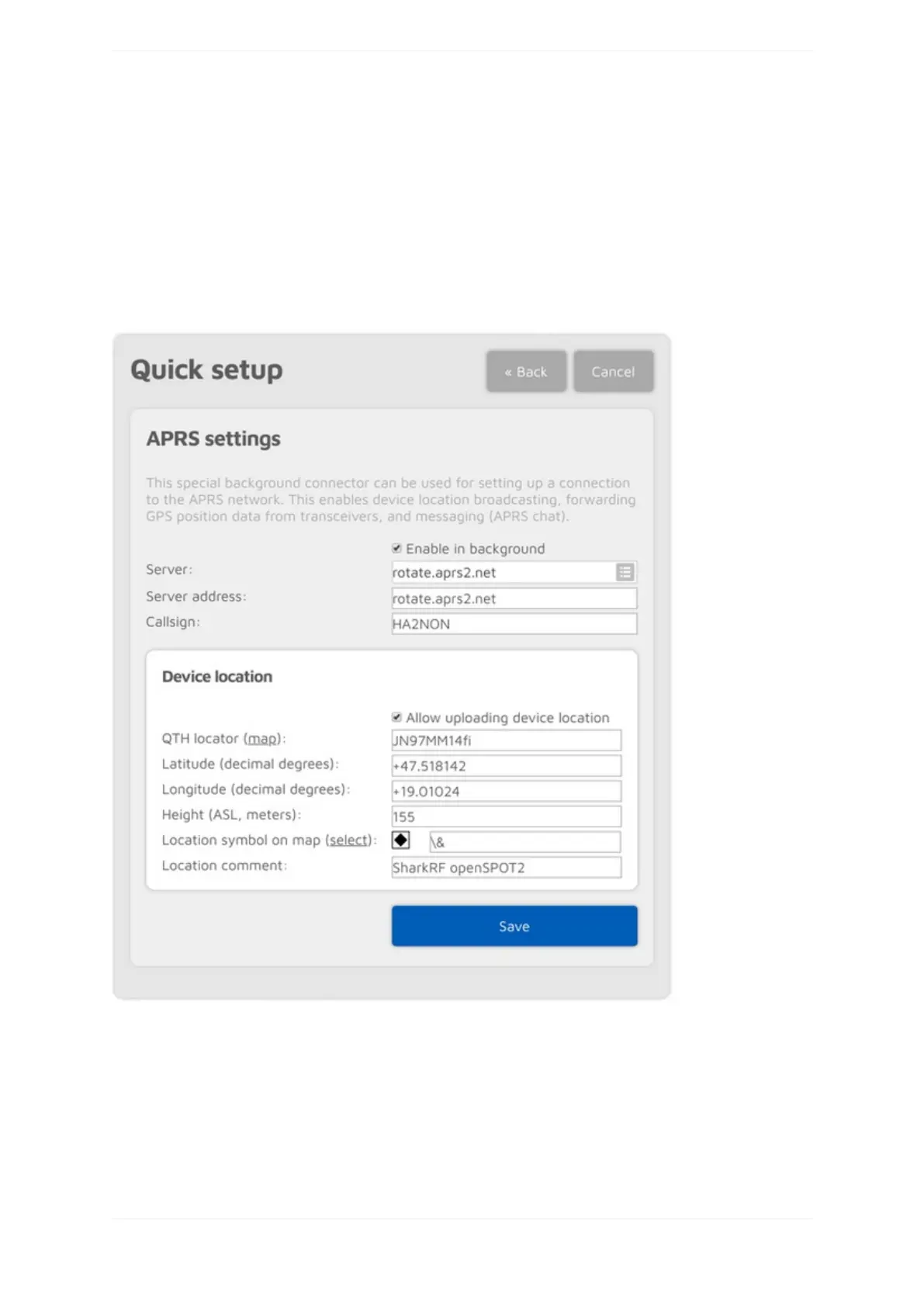
FirstyouhavetosetuptheAPRSspecialconnectorusingtheopenSPOT2'sQuickSetup.
MakesureyouchecktheEnableinbackgroundcheckbox.Youdon'tneedtochecktheAllowuploadingdevice
locationcheckboxforC4FM/Fusionlocationforwarding.
YoucanverifytheAPRSconnectionstatusontheStatuspage.
SettingupyourC4FM/Fusiontransceiver
ThefollowingsetupisdescribedusingtheYaesuFT2D'smenustructure.Themenustructureofyourtransceiver
maybedifferent,butthenamesofthesettingsshouldbethesameorsimilar.



 To Next Page