Thereare16timeslotsforPOCSAG,thesetimeslotsettingscanbeoverriddenbytheDAPNETserverwhenthe
DAPNETconnectorisconnectedunlesstheDonotallowDAPNETtooverridetimeslotscheckboxischecked.
Eachtimeslotis6.4secondslong.TheopenSPOT2willonlystarttransmittingPOCSAGmessagesifthecurrent
timeslotisallowed.
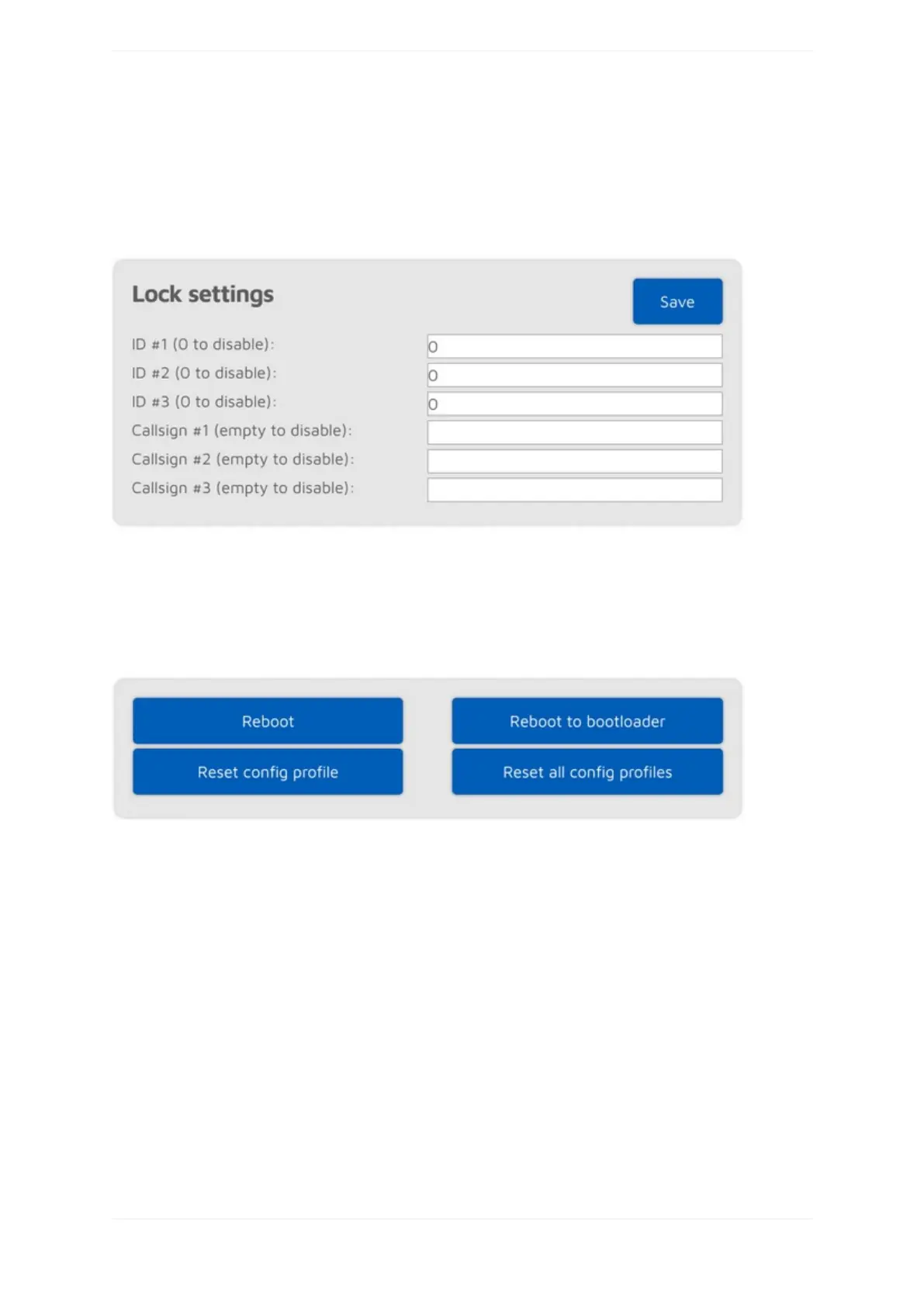
Locksettings
ThissectionisonlyavailableifAdvancedmodeisenabled.
ThesesettingsallowsyoutolocktheopenSPOT2tothegivenIDsand/orcallsigns.Iflockisenabled,the
openSPOT2'smodemwillonlyallowcallsoriginatingfromthegivenIDsorcallsigns.
Miscellaneoussettings
IfAdvancedmodeisenabled,youcansettheopenSPOT2'sLEDbrightnesswiththeslider.Pleasenotethatthe
newbrightnesssettingwillbeonlyappliedbytheopenSPOT2atthenextLEDstatechange.
Therearealsosomebuttonsforrebootandconfigprofileresetactions.



 To Next Page