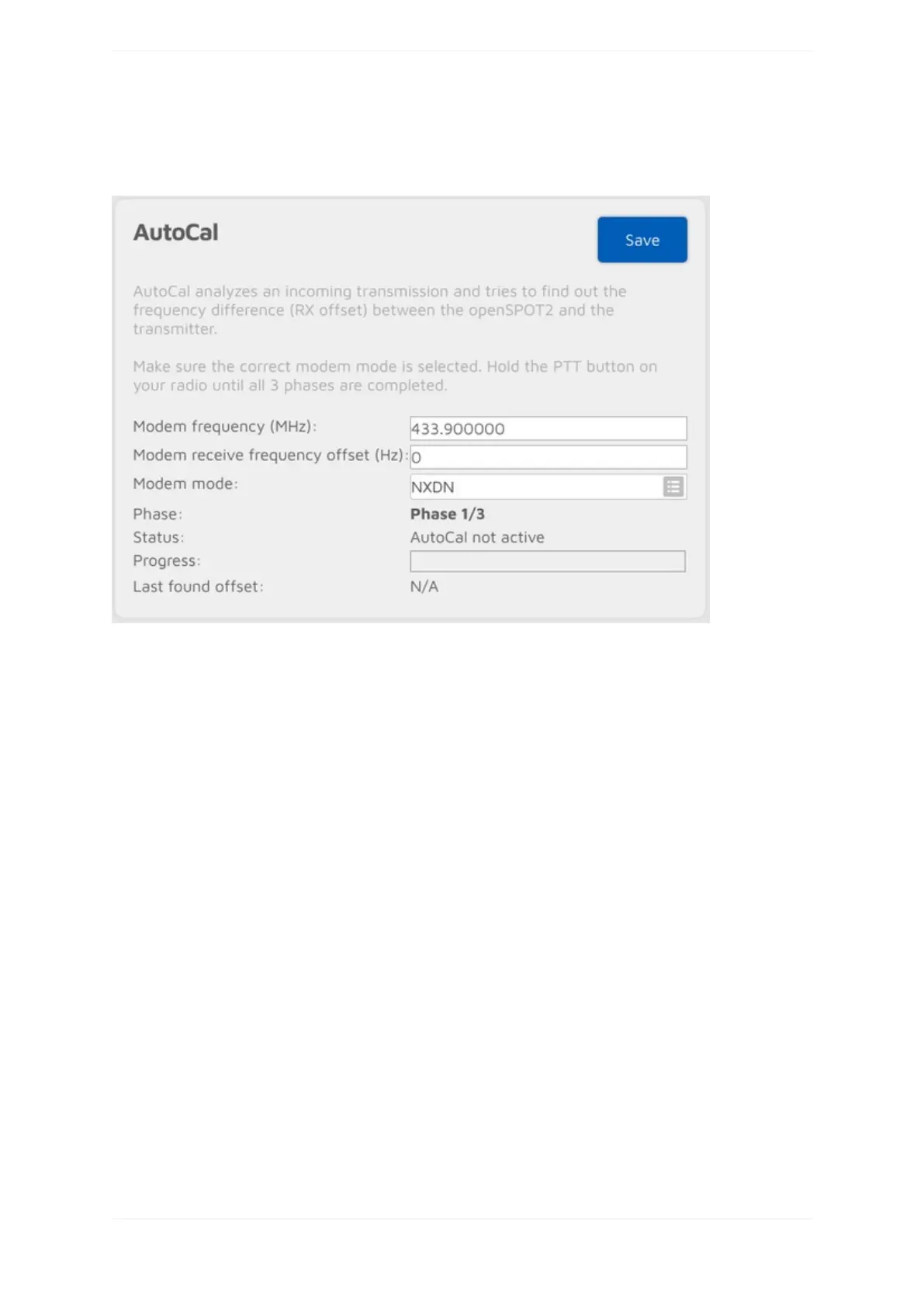
AutoCalconnector
AutoCalisaspecialconnector-itdoesnotconnecttoanywhere.Itanalyzesanincomingtransmissionfromthe
modemandtriestofindoutthefrequencydifference(RXoffset)betweentheopenSPOT2andthetransmitter.
openSPOT2'soscillatorhasafrequencystabilityof0.5ppm,andeveryopenSPOT2isfactorycalibratedbyus,so
you'llrarelyneedtousethisspecialconnector.WesuggestyoutoonlyrunAutoCaliftheopenSPOT2showsBER
above1%foryourradio'stransmission,aserrorsinthevoicestreamusuallywon'tbenoticeableiftheBERis
below1%.
TouseAutoCal,setthemodemmodetothemodeyourradiousesandthemodemfrequencytotheradio's
transmitfrequency,thenclickontheSavebutton.HoldthePTTbuttononyourradiountilall3phasesare
completed.ThefoundRXoffsetwillbedisplayedattheLastfoundoffsetfieldanditwillbeautomaticallysaved
forthecurrentmodemmode.
Keepinmind,thatyoucanalwayscheckyourownvoicequalitybyusingtheopenSPOT2'sbuilt-inlocalecho
service.
IftheAutoCaldoesnotenterPhase2,thenholdthePTTonyourtransceiverforatleastthetimeittakesforthe
progressbartogofrom0%to100%.MakesurethetransceiveristransmittingontheAutoCalfrequency
(433.900MHzbydefault).IftheAutoCalstilldoesnotenterPhase2,thentheRXoffsetbetweenthetransceiver
andtheopenSPOT2isgreaterthan500Hz.Whatyoucandoistoswitchfrequencyonthetransceiveroronthe
openSPOT2,orenteranRXoffsetgreaterthan500HzmanuallyonthemodempageandusetheopenSPOT2's
built-inlocalechoservicetofindoutthelowestBER.



 To Next Page