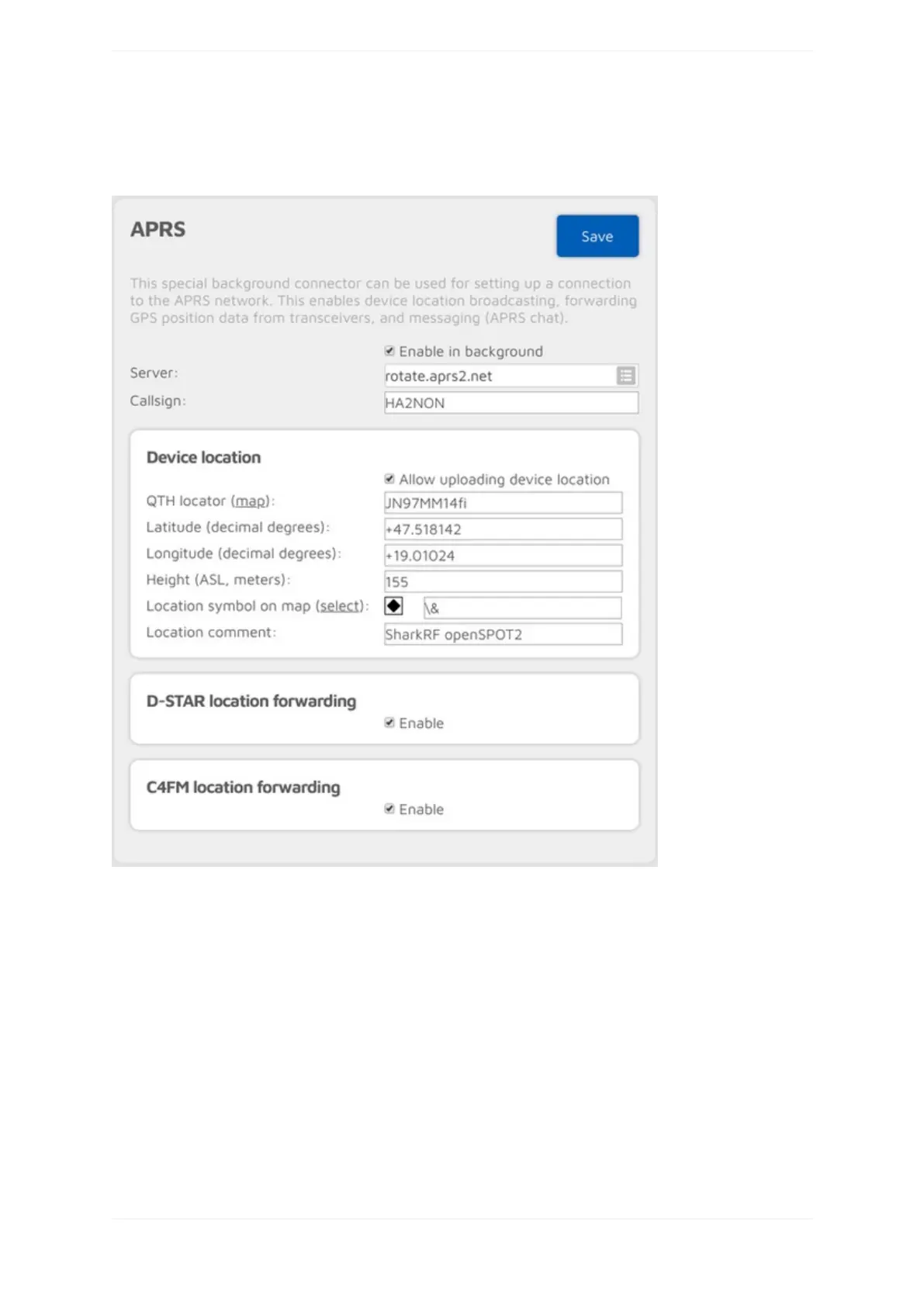
APRSconnector
YoucanusethisconnectortoconnecttotheAPRSnetwork.TheeasiestwayistousetheQuicksetuptosetup
theconnection.
ThisconnectorcanstayactiveinthebackgroundiftheEnableinbackgroundcheckboxischecked,whichmeans
youcanusetheopenSPOT2thesamewayasbeforewithanotheractiveconnector,butitwillfunctionalsoasan
APRSclient.
TheopenSPOT2willautomaticallyreceiveAPRSchatmessagesandifenabled,itcantransmitthedevicelocation
orpositioninformationreceivedfromD-STARandC4FM/Fusionradios.IftheAPRSconnectorisenabledthenyou
canseeit'sconnectionstatusontheStatuspage.
YoucanalsoenableforwardingincomingAPRSchatmessagestoyourPOCSAGreceiverbysettingaRICatSend
incomingmessagestoPOCSAGRIC.
IfAdvancedmodeisenabled,thenyoucansetforcedaSSID,symbolandAPRScommentforforwardedlocation
data.



 To Next Page