Connectorspage
InopenSPOT2terms,aconnectoristheprotocolwhichyouusetoconnecttheopenSPOT2toaserver.
TheeasiestwaytochoosewhichconnectortoselectisusingtheQuickSetup.
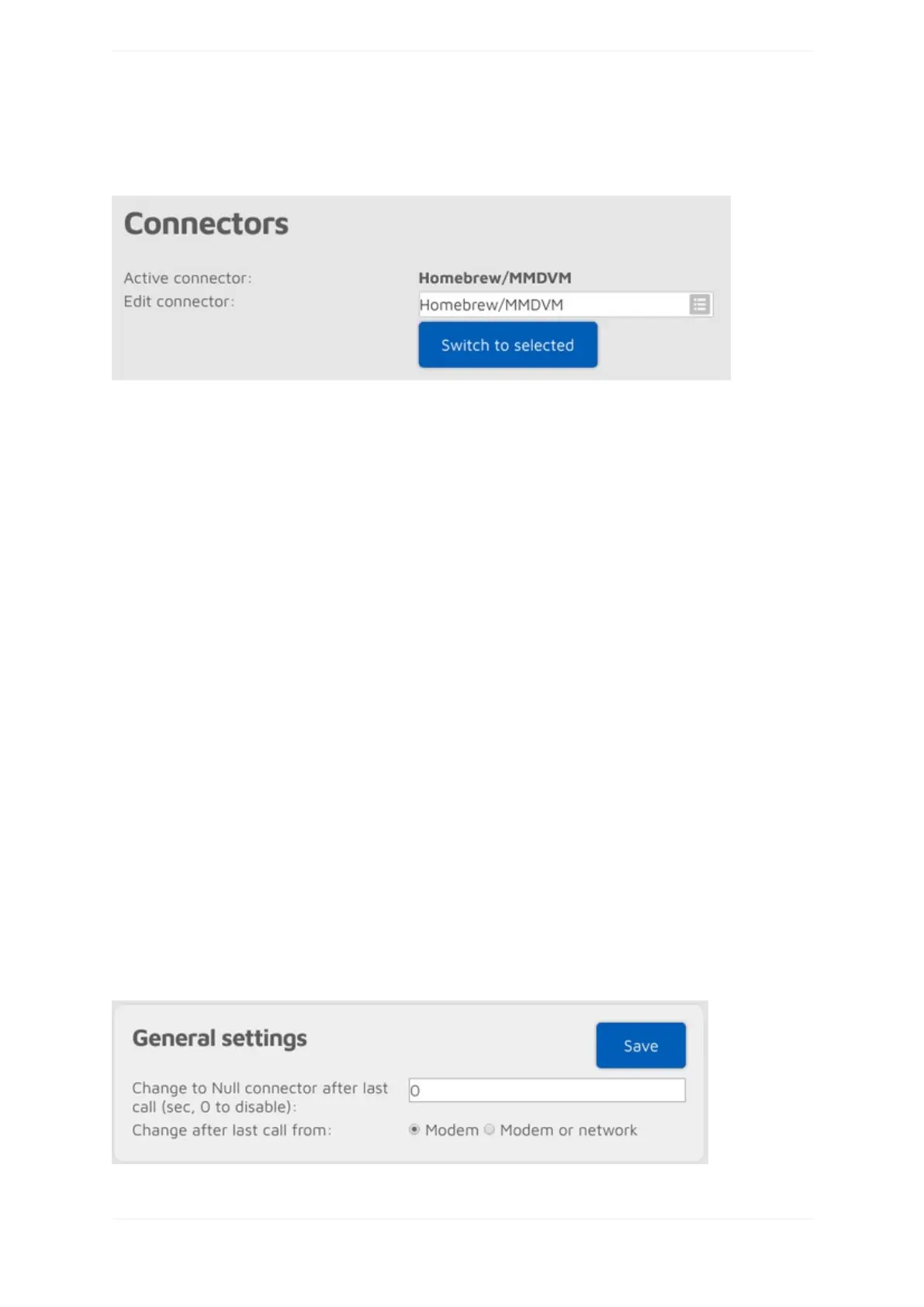
YoucanactivateaconnectorbyselectingitfromtheEditconnectorlistandclickingontheSwitchtoselected
button.Youcaneditaconnector'ssettingsbyselectingitfromtheEditconnectorlist.Don'tforgettoclickon
theSavebuttonafterchangingaconnector'ssettings.
Notesonconnectors
Eachconnectorhasit'sownassignedRX/TXfrequenciesandmodemmodes.Thesefrequenciesandmodem
modeswillbeusedwhentheconnectorbecomesactivated.
SomeconnectorshaveAddserverandRemovebuttons.Thesecanbeusedtoaddandremovecustomservers
intheserverlist.Notethatthesecustomserversarestoredinthebrowser'slocalstorage(theywon'tshowup
usinganotherbrowser).
SomeconnectorshaveaKeepaliveintervalsetting.ThismeanstheserverrequirestheopenSPOT2to
periodicallysendkeepalivemessagestotheserver.TheRXtimeoutsettingspecifiesthetimeafterthelast
receivedvalidnetworkpacketneededfortheopenSPOT2toconsidertheconnectionisdeadanditshould
reconnect.IftheopenSPOT2frequentlydisconnectsfromtheserver,tryincreasingtheRXtimeout.
IfaconnectorhasboththeKeepaliveintervalandRXtimeoutsettings,thenmakesuretheRXtimeoutissetto
agreatervaluethanthe*Keepaliveinterval.
TheConnectretryintervalsetsthedelaybetweenserverconnectretries.
Asageneralrule,trytouseaservernearesttoyourlocationtoavoidpacketlossandhighlatency.
PleaseseetheConnectorssectionformoreinformationabouteachconnector.
Generalconnectorsettings
ThissectionisonlyavailableifAdvancedmodeisenabled.



 To Next Page