89
■ X1/Z1 stacked report
You can print multiple X1/Z1 reports in sequence under a single transaction. In this case you need to
program in advance which X1/Z1 reports should be printed. Refer to “Stacked report” under Section “Report
Programming” in Chapter “Programming.”
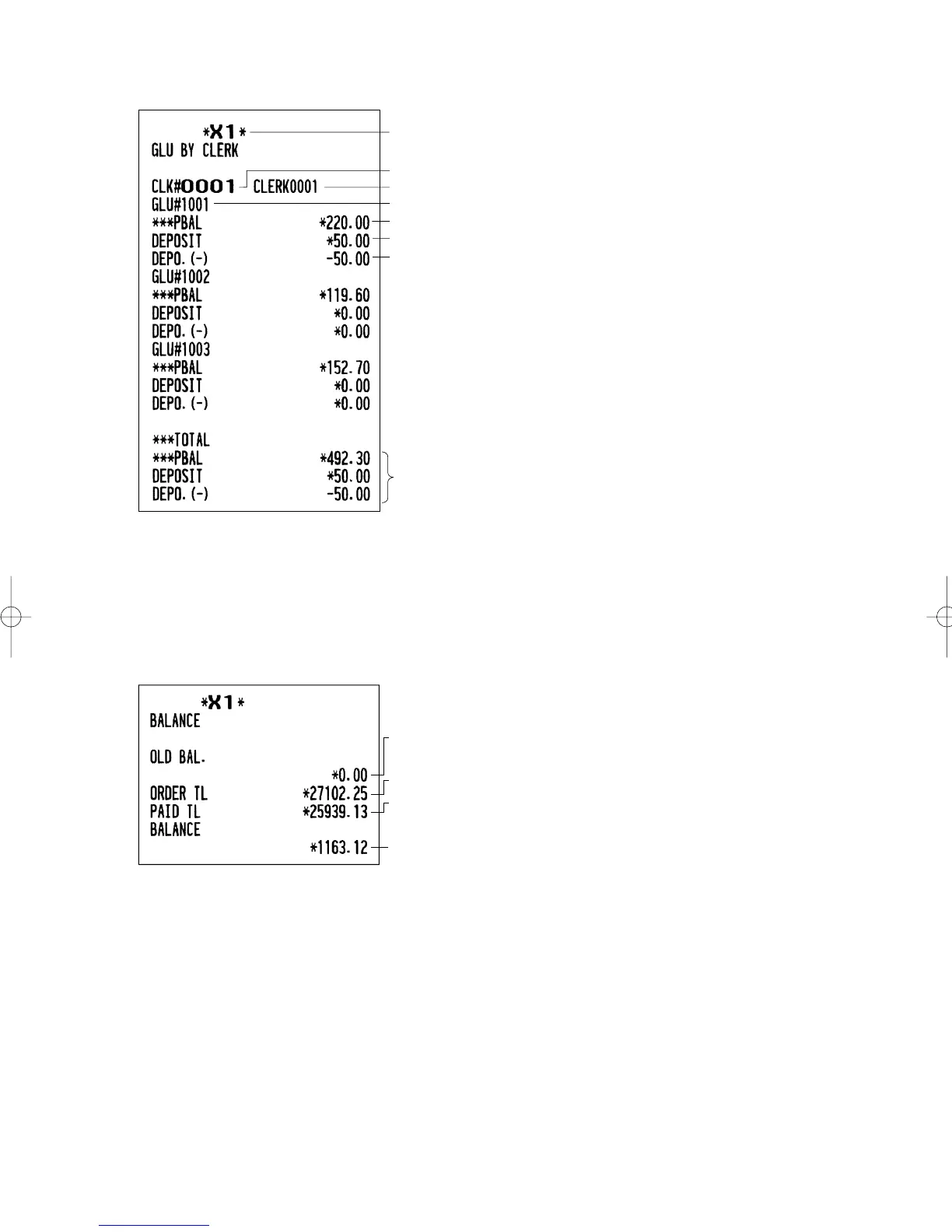
■ GLU report by clerk
*
Deposit (+) total
PBAL
Deposit (–) total
Total
GLU code
Clerk code
Clerk name
* When you take a Z report, “Z1” is printed instead of “X1”.
■ Balance report
Grand total balance
of the previous day
Order total
Paid total
Old balance +
today’s balance
ER-A280F_N(SEEG)(E)-5 09.6.18 6:52 AM Page 89


 To Next Page