19
© 2012 SHFL entertainment, Inc.
MD2® CR
Service Manual 20121015
Confidential
1. Power down the shuffler, if it is currently in use.
2. Connect the crossover cable (if needed) to the computer and shuffler
via the Ethernet ports.
3. Power up the computer and allow it to initialize.
4. Using the mouse or touchpad, right-click on the appropriate web
browser icon on the PC desktop.
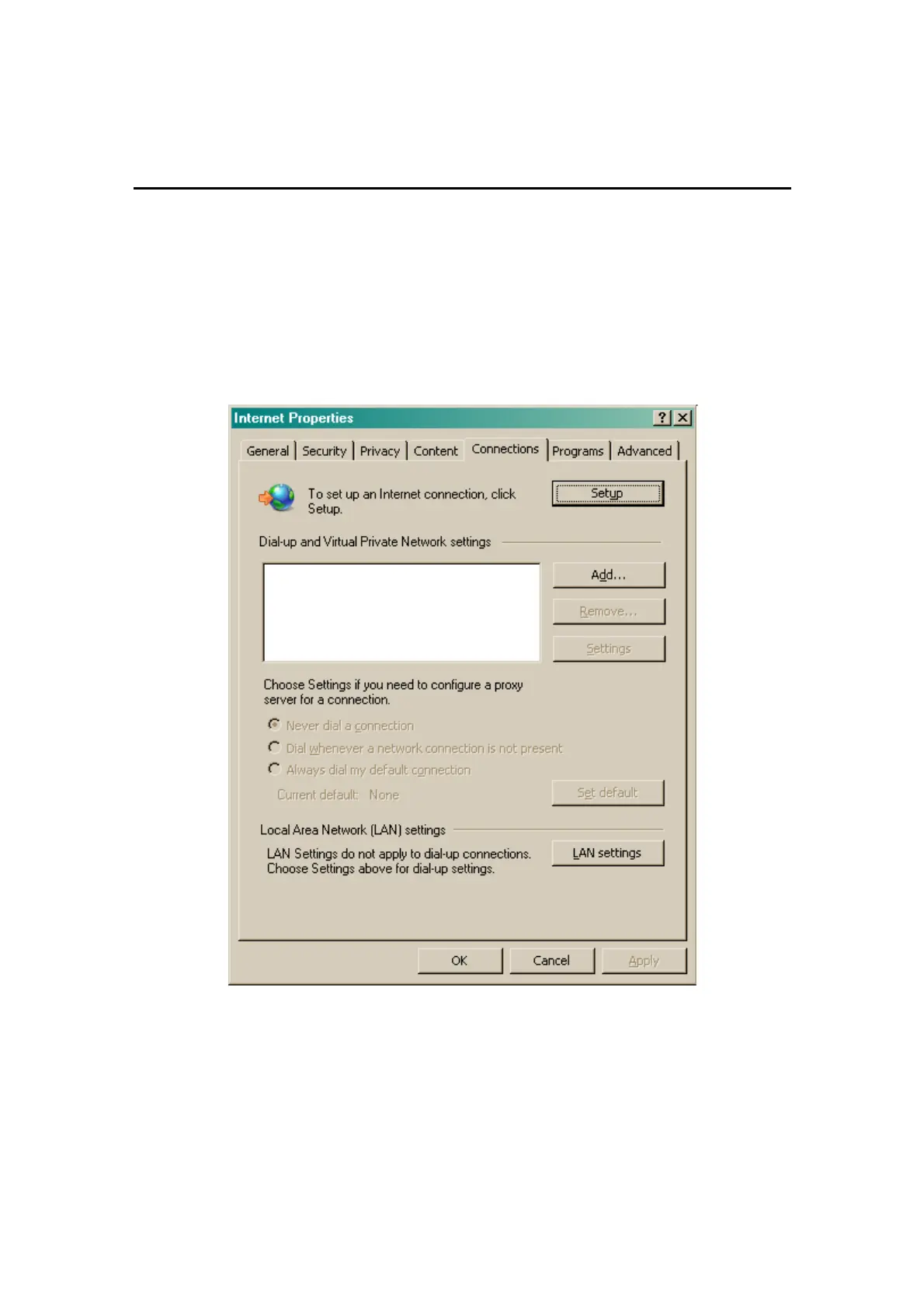
5. Select “Properties”. The Internet Properties window should appear.
Figure 5-1. Microsoft Internet Properties
6. Click on the “Connections” tab. The window in Figure 5-1 should
appear.
7. Click on the “LAN Settings…” button. The window in Figure 5-2 should
appear.



 To Next Page