65
© 2012 SHFL entertainment, Inc.
MD2® CR
Service Manual 20121015
Confidential
During Auto Setup, observe the cards as they are being gripped. The
pressure exerted by the grippers should cause a card to “bow” slightly. If
you do not see this bowing action in the gripped cards, run Auto Setup
again. It may be necessary to run Auto Setup several times.
Test for Proper Operation
Place the machine into the Service Menu and “Run With 52 Cards” mode,
or into Normal Operation. Run cards through the shuffler to assure a
smooth shuffling operation, without card jams, crashes or dropped cards.
Adjusting Platform Motor Belt Tension
For proper operation and accurate positioning of the Platform, the
tension of the Platform Motor Belt must be maintained at an optimum
level.
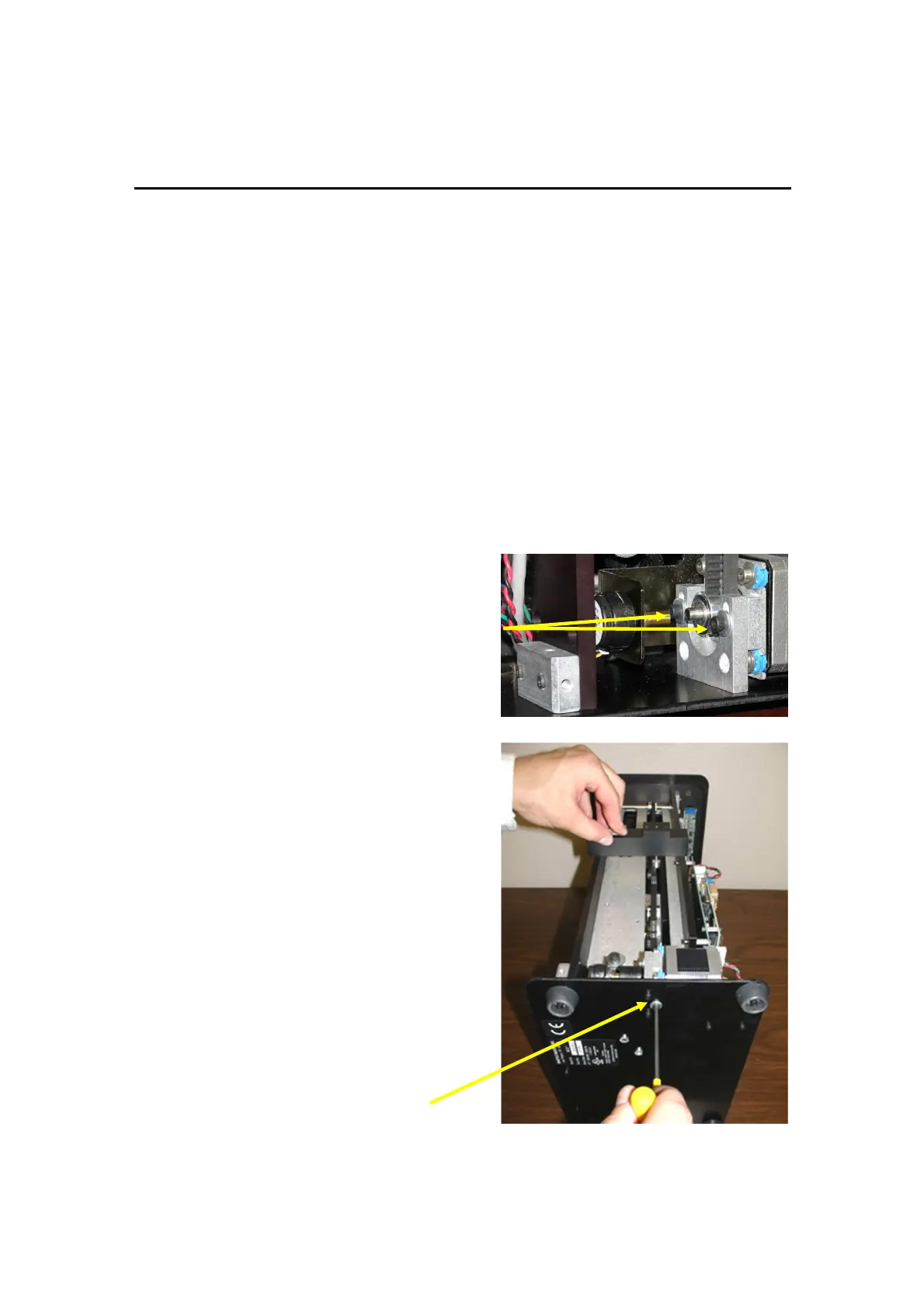
1. Lower the Platform to the bottom
position.
2. Loosen the two adjustable motor
mount screws through the two
access ports in the side plate.
3. Place the Belt Tension gauge
(F1115) on the two main plates at
the top standoff of the PC Board.
4. Place the Cap of the Belt Tension
Gauge on the belt.
5. Adjust the motor height by
tightening or loosening the screw at
the bottom of the shuffler, as
shown below, until the pin is flush
with the top of the fixture.Tighten
the two adjustable motor mount
screws.
6. Snug the bottom adjusting screw to
prevent it from falling out.
Adjusting



 To Next Page