43
© 2012 SHFL entertainment, Inc.
MD2® CR
Service Manual 20121015
Confidential
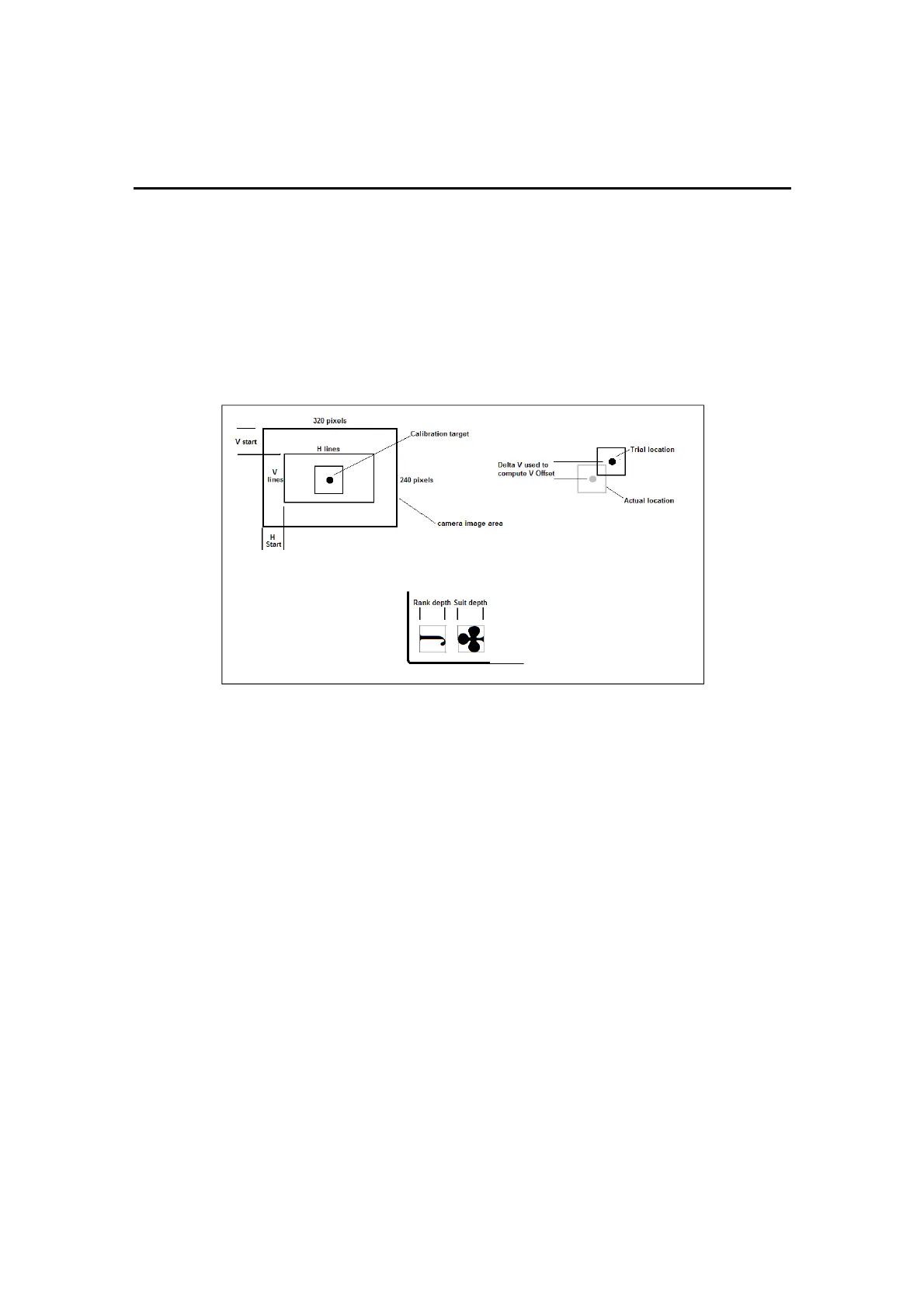
Rank Depth and Suit Depth are the horizontal size in pixels of the rank
and suit images. All rank and suit images should fit uniformly within the
individual areas defined by these parameter settings, as viewed after
clicking the Scanned Rank and Scanned Suit buttons in the Display
Images section. Because of variances in the size and locations of these
images, even within a single card deck, it is helpful to focus on those
specific cards that may have a larger image or an image located slightly
outside of the standard position. These are known as the “extremes”.
Figure 6-5. Card ID Deck Calibration Parameters
To Modify Card Image Geometry
1. Turn power ‘ON’ to the shuffler. Allow it to initialize in Normal Mode.
2. Press the GREEN button to raise the Feeder Elevator.
3. Place a single “extreme” card in the Feeder compartment.
4. Press the GREEN button again. The Elevator will lower and the card will
be passed over the camera onto the Platform. View its Scanned Rank
and/or Scanned Suit images. The image should fit closely within the
defined area. If not, adjust the size of the area smaller or larger by
changing the Rank Width, Suit Width, Rank Depth, or Suit Depth
parameters. You must click on the labeled button whenever a change
is made.
5. Feed the card again. View the scanned images in the Images web
page, Figure 5-12. Make further adjustments, if needed. This is a
repetitive process and the parameters may have to be redefined
several times.
Rank width / Suit width



 To Next Page