63
© 2012 SHFL entertainment, Inc.
MD2® CR
Service Manual 20121015
Confidential
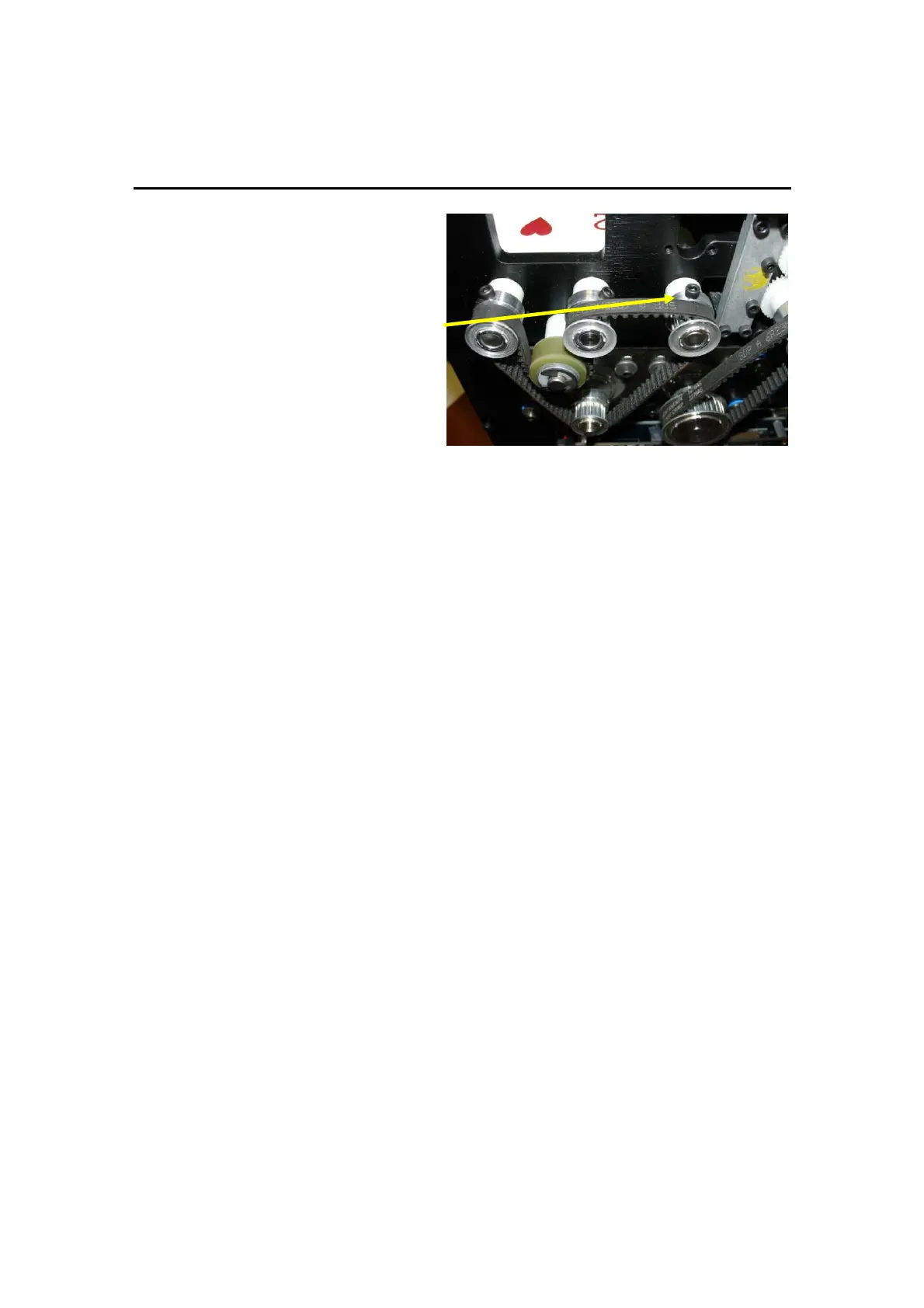
3. By hand, turn the pulley of
the brake drive shaft
assembly counter-clockwise
until the pulley screw is
straight up on top in the “12
o’clock position”.
4. By hand, turn the pulley
clockwise, one revolution. The
bottom card should touch the
Speed Up Rollers as the pulley
screw returns to the 12
o’clock position.
If the bottom card does not touch the Speed Up Rollers, the brake roller
assembly is too tight and cards will not feed with one card remaining.
5. Re-adjust the brake roller assembly, if necessary.
Perform the Auto Setup Procedure
Activate the Auto Setup procedure in the MD2® Setup menu and assure
that the procedure completes successfully.
During Auto Setup, observe the cards as they are being gripped. The
pressure exerted by the grippers should cause a card to “bow” slightly. If
you do not see this bowing action in the gripped cards, run Auto Setup
again. It may be necessary to run Auto Setup several times.
Test for Proper Operation
Place the machine into the Service Menu and “Run With 52 Cards” mode,
or into Normal Operation. Run cards through the shuffler to assure a
smooth shuffling operation, without card jams, crashes or dropped cards.
Perform the “Lean Test”
The gripper pads must retract beyond the inside surface of the side
plates. This can be checked by leaning the MD2® to allow cards on the
Platform to rest against the side plate. Place 2 decks of cards beneath
one side of the MD2®. In Service Menu, select “Run with 52 Cards”. Watch
to see if the cards catch on the gripper pads as the Platform lowers and
raises. Perform this test in both directions.



 To Next Page