20
© 2012 SHFL entertainment, Inc.
MD2® CR
Service Manual 20121015
Confidential
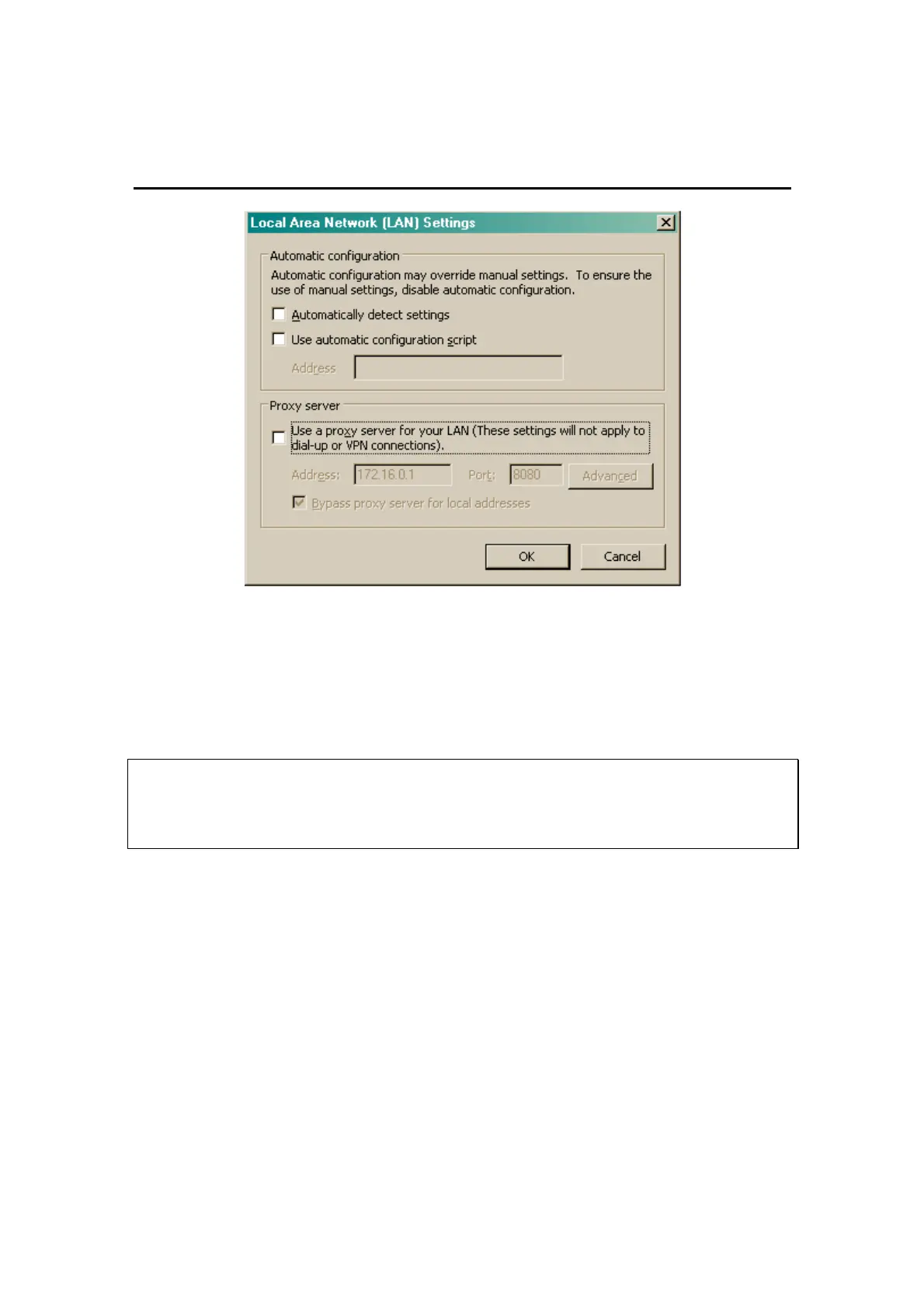
Figure 5-2. LAN Settings
8. Uncheck (deselect) “Use a proxy server for your LAN” in the “Proxy
Server” section.
9. Click “OK”.
10. Click “OK” again on the “Internet Properties” window.
Restore Settings
If your PC is used in both networked and non-networked environments, it
is recommended that you restore these settings to their original
configuration after the connection to the shuffler is no longer needed.
11. It may be necessary to restart the computer.
a. Once the computer has rebooted, run Microsoft Internet Explorer
or alternate web browser. Type “http://169.254.0.1” as the web
address. Press ‘Enter’. You should see the Login web page in
Figure 5-3.
Web Browser Login
Follow the procedures described above to access the shuffler web pages.
When successful, you will see the Login web page in Figure 5-3.



 To Next Page