SYSTEM VIEW
2-12
SIG-QG-20-02 JANUARY 2021
Version : A.2
If OOS Control is set to Display+ OOS IPs, to return the GCP and island to service, de-energize the
track OOS input on the track module. If only the island needs to be put back in service, use the WebUI
and select the Put ISL Back in Service.
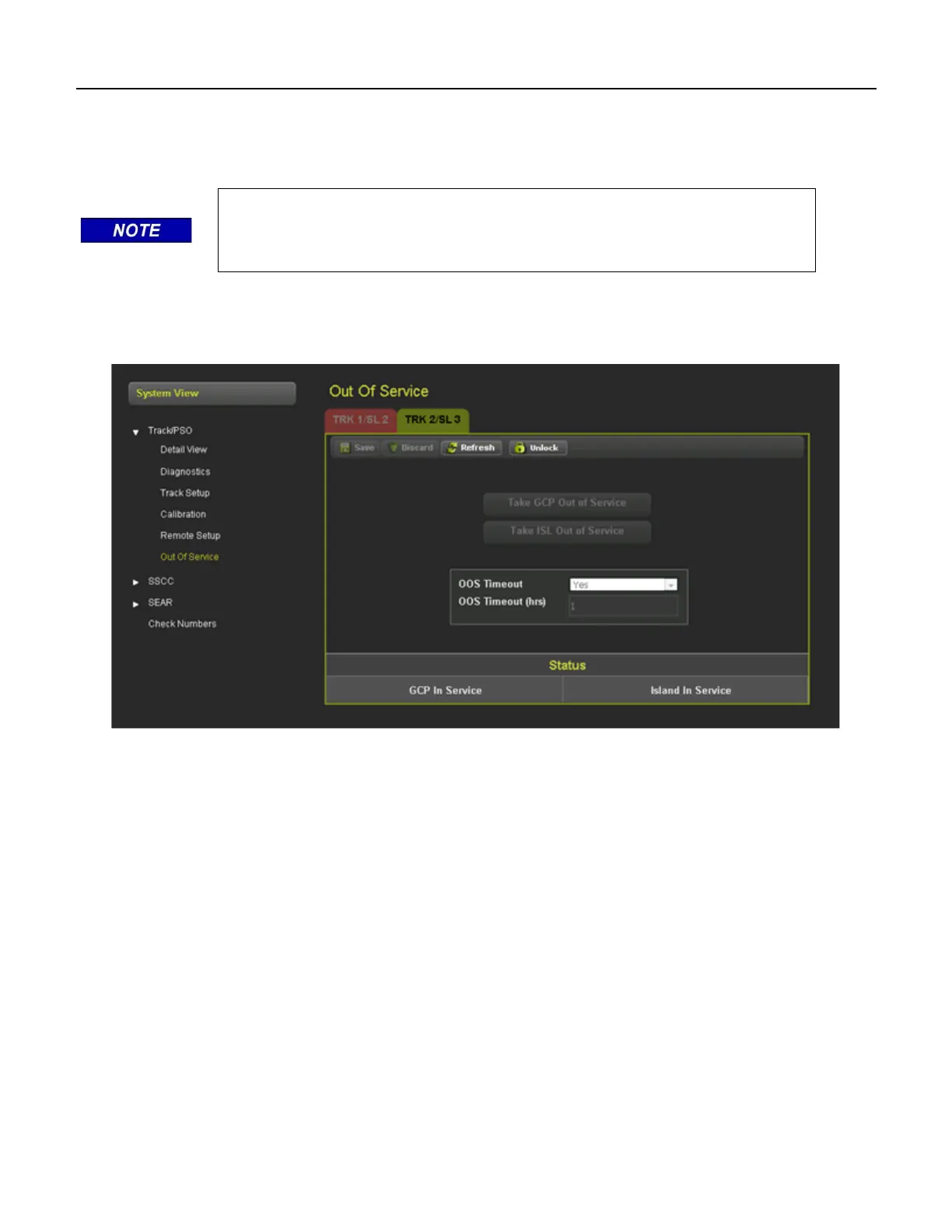
When Out of Service is selected the WebUI shows the following screen that allows the user to take the
GCP approach or island out of service. Before options can be selected on the screen, it has to be
unlocked and local user presence confirmed.
Figure 2-16 Out of Service WebUI
2.7 CHECK NUMBERS
The check numbers screen will show the following check numbers:
• MCF Name – the name/version of the MCF
• MCF CRC – the CRC of the MCF that is running
• CCN - Configuration Check number, a check number that covers every configuration parameter
that is part of the GCP programming and can be used to check whether anything in the vital
programming has been changed.
• OCCN – Office Configuration Check number, used to verify configuration settings prescribed by
design office are correct
• TCN – Track Configuration Check Number
• FCN – Field Check number.










 To Next Page