CALIBRATION & ADJUSTMENT
4-11
SIG-QG-20-02 JANUARY 2021
Version : A.2
SECTION 4 CALIBRATION & ADJUSTMENT
4.0 TRACK - CALIBRATION
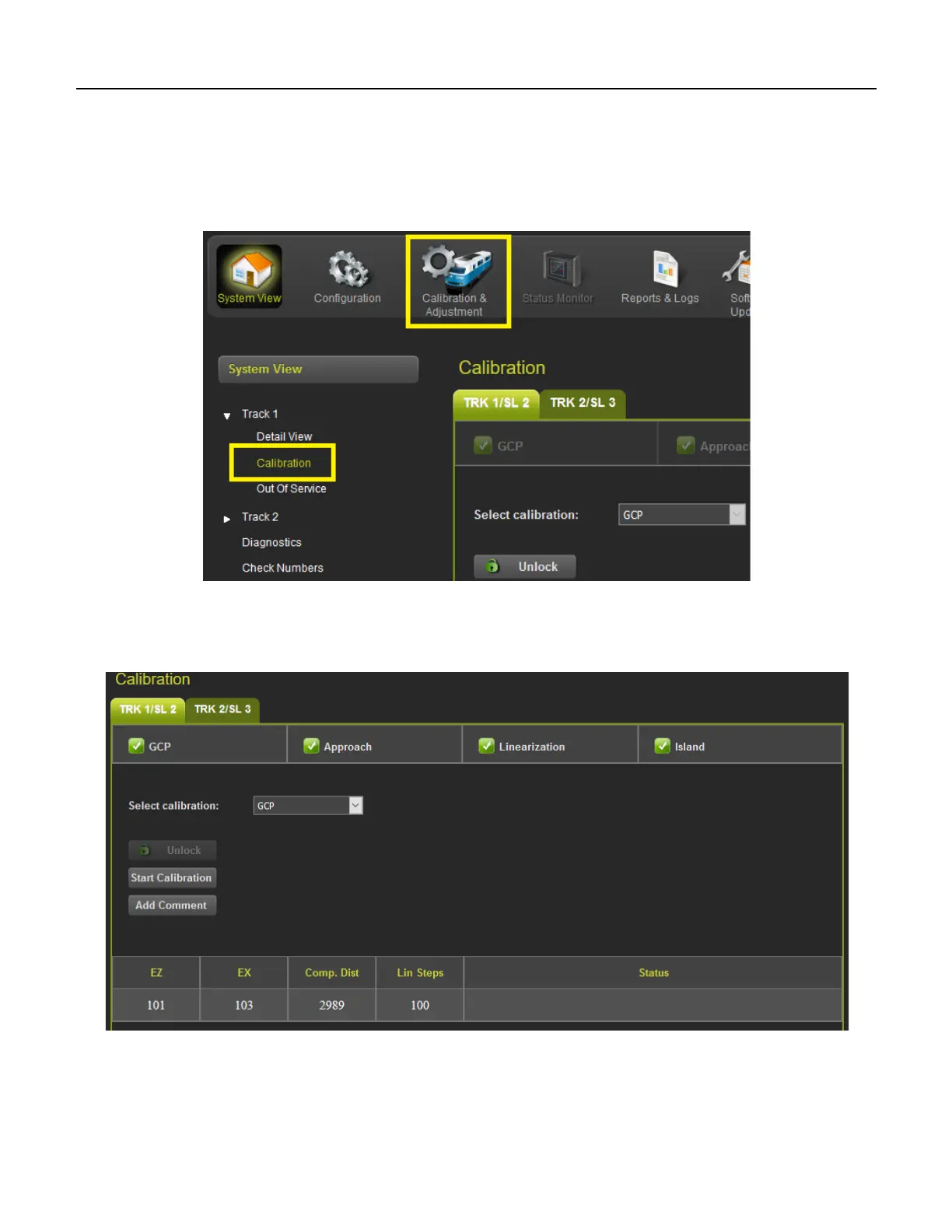
The calibration screen can be accessed from the System View Track Calibration menu or from the
Calibration & Adjustment icon on the tool bar.
Figure 4-1 Selecting Calibration
The Calibration screen shows the state of the calibration for the specified track. If the calibrations are
complete, these are marked with a green check mark as shown in Figure 4-2.
Figure 4-2 Calibration Not Required










 To Next Page