SOFTWARE UPDATES
6-7
SIG-QG-20-02 JANUARY 2021
Version : A.2
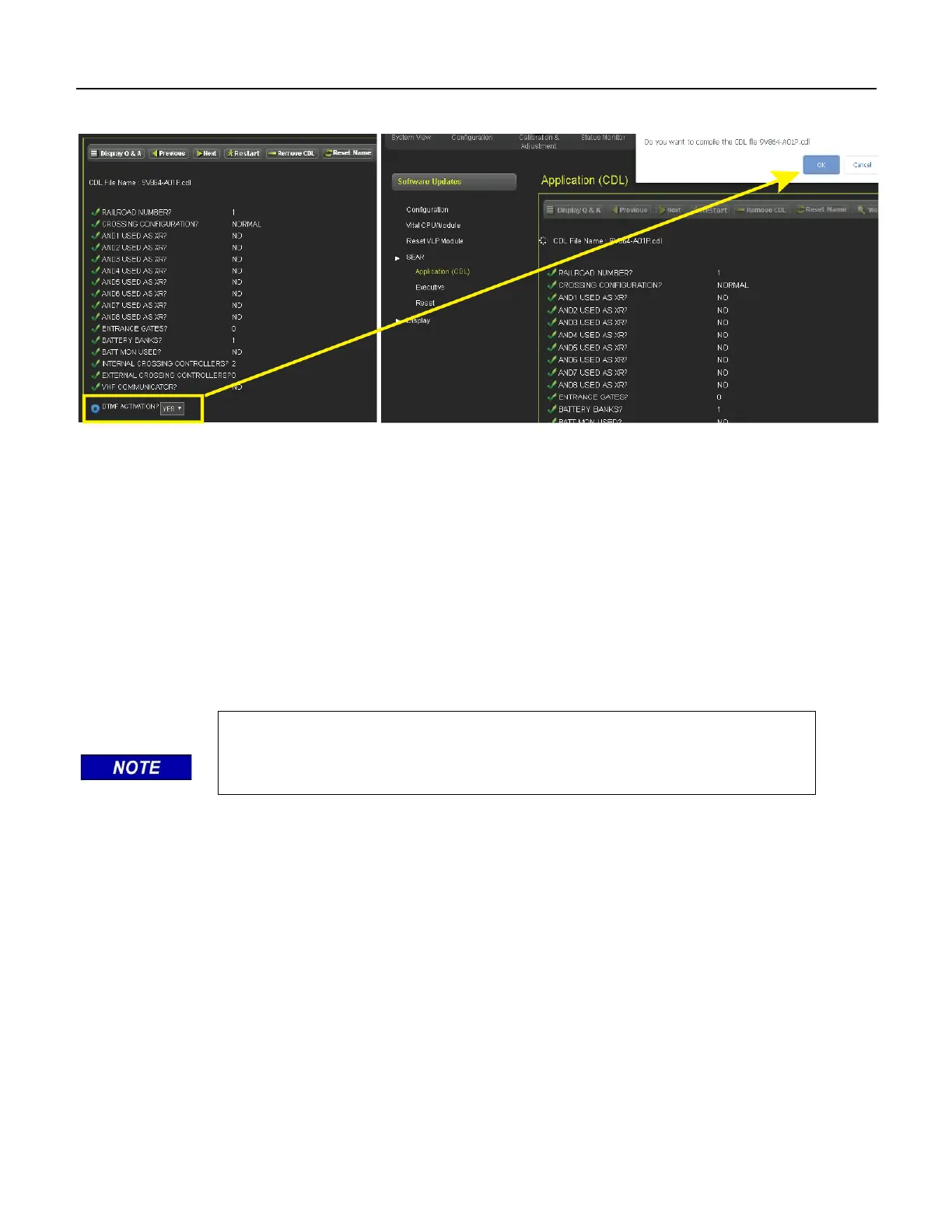
Once the CDL file has been uploaded, a series of configuration questions will require an answer.
Figure 6-11 Configure and Compile CDL
Once each configuration question has been answered, the user is prompted to compile the CDL. Once
the CDL is compiled the process is complete.
Executive
To upload the Executive software, the unit will have to be unlocked via local user presence confirmation.
Once unlocked, the user can browse to the correct file, select, and update.
6.1.5 Display
To update the software on the display, select the Display / Executive option, use the browse button to
select the correct tgz file for the display, then press Upload.
NOTE
This menu is only available on the Display module and will not appear when
the WebUI is used with the CPU III.










 To Next Page