DIAGNOSTICS
7-1
SIG-QG-20-02 JANUARY 2021
Version : A.2
SECTION 7 DIAGNOSTICS
7.0 OVERVIEW
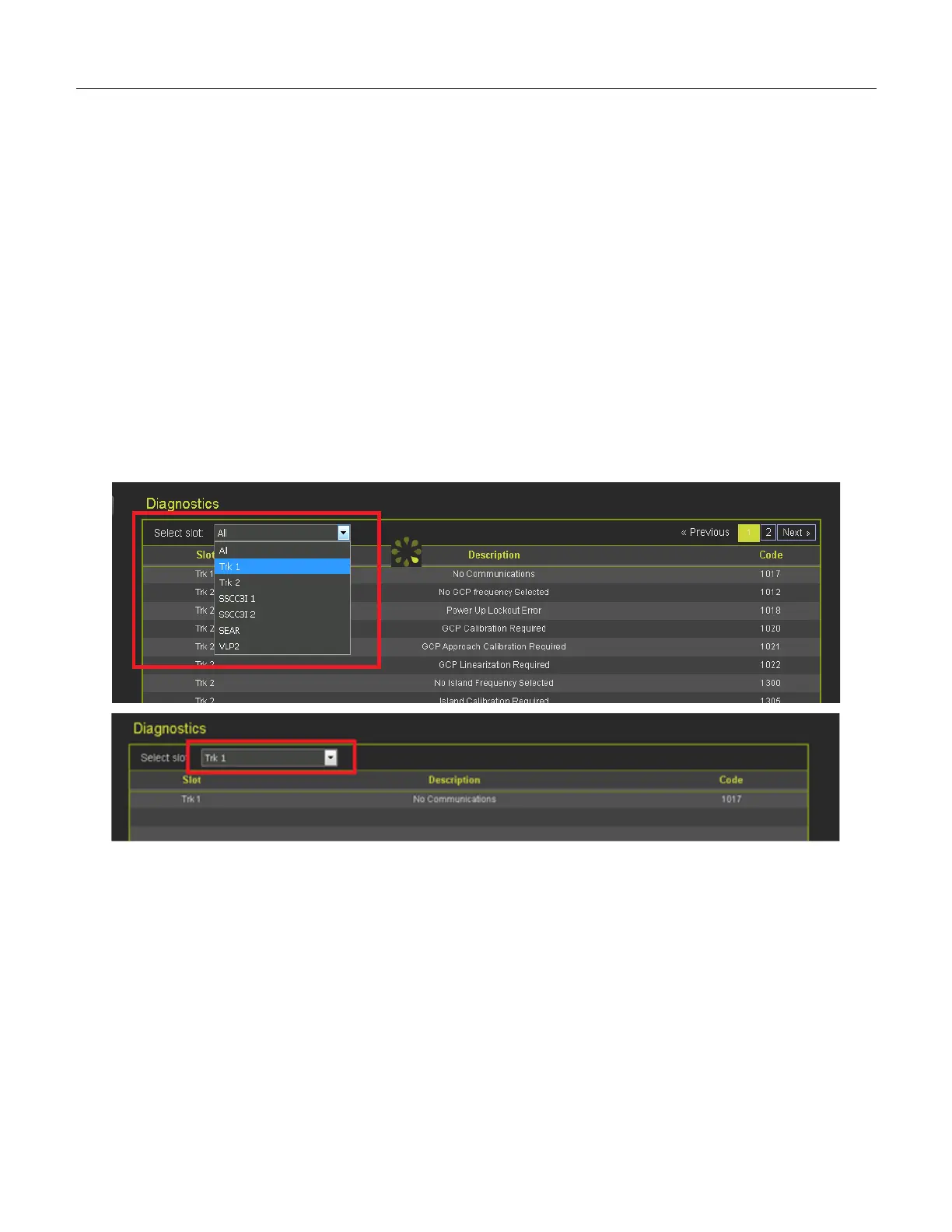
Selecting the Diagnostics menu from the System view will show the Diagnostics screen. This shows
diagnostic messages present in the system. The slot column shows which component this is related to.
• Trk N indicate a diagnostic message related to track module N (where N is 1..6).
• VLP2 indicates a diagnostic message related to a CPU
• SSCC3I 1 or SSCC3I 2 indicates a diagnostic message related to a SSCC IIIi module
(GCP 4000/5000)
• SEAR indicates a diagnostic message related to a SEAR module (GCP 4000/5000)
• RIO N indicates a diagnostic message related to RIO module N (N = 1..3)
• EvtRec indicates a diagnostic message related to a connected event recorder (GCP 3000+)
• SYS 1 indicates a system diagnostic message not specific to a track or RIO module
To show diagnostic messages for just a specific module in the system, select the drop-down menu
labeled ‘select slot’.
Figure 7-1 Select Diagnostic Slot
If a specific message is selected, the display will show possible causes of this diagnostic messages and
remedies to help fix it.










 To Next Page