SOFTWARE UPDATES
6-6
SIG-QG-20-02 JANUARY 2021
Version : A.2
6.1.4 SEAR Software
Application (CDL)
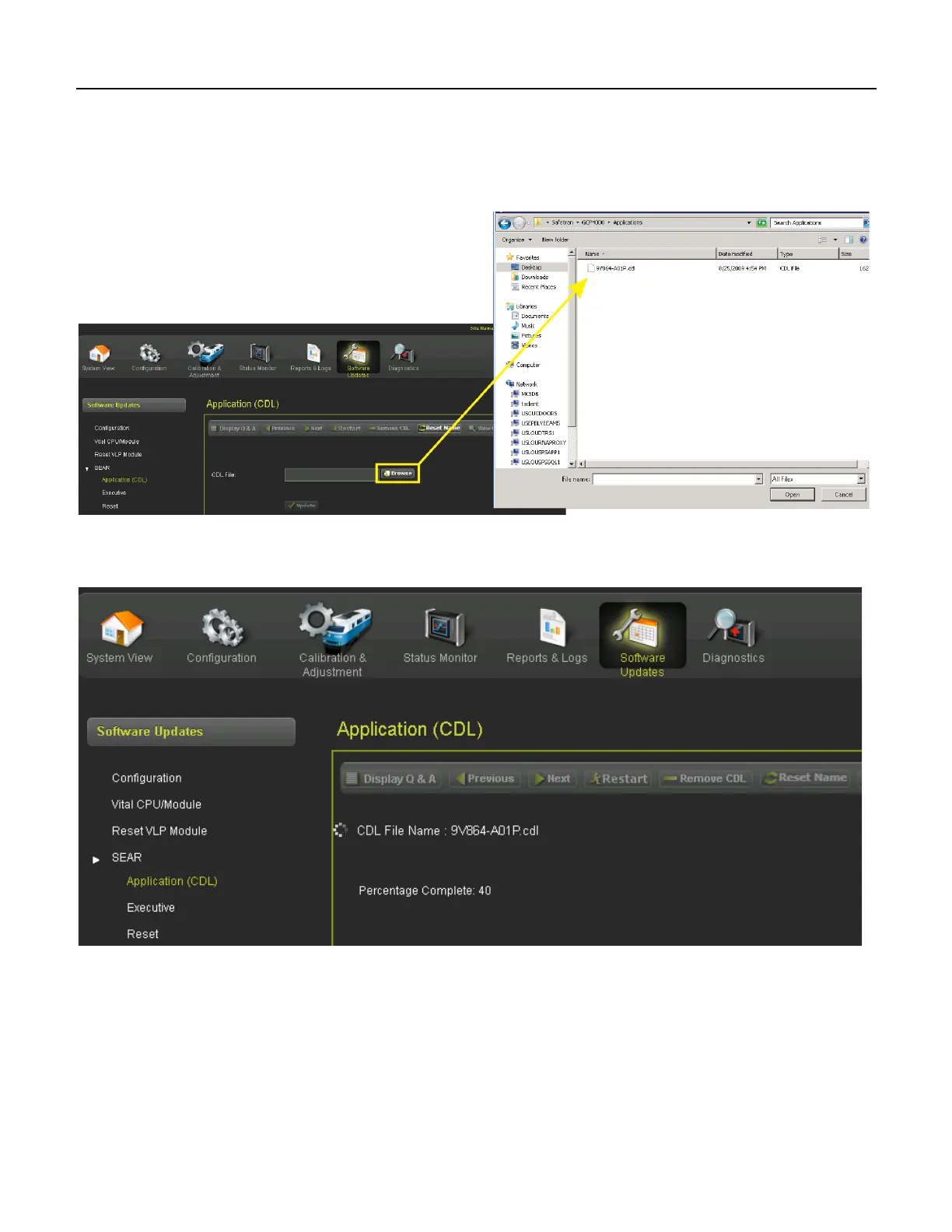
Access the “Application (CDL)” Menu under SEAR and select Upload CDL. Select the Browse button
and navigate to the appropriate file.
Figure 6-9 Select CDL File
After selecting the Upload button, the CDL will begin to load as show in Figure 6-10.
Figure 6-10 CDL Uploading










 To Next Page