CALIBRATION & ADJUSTMENT
5-6
SIG-QG-20-02 JANUARY 2021
Version : A.2
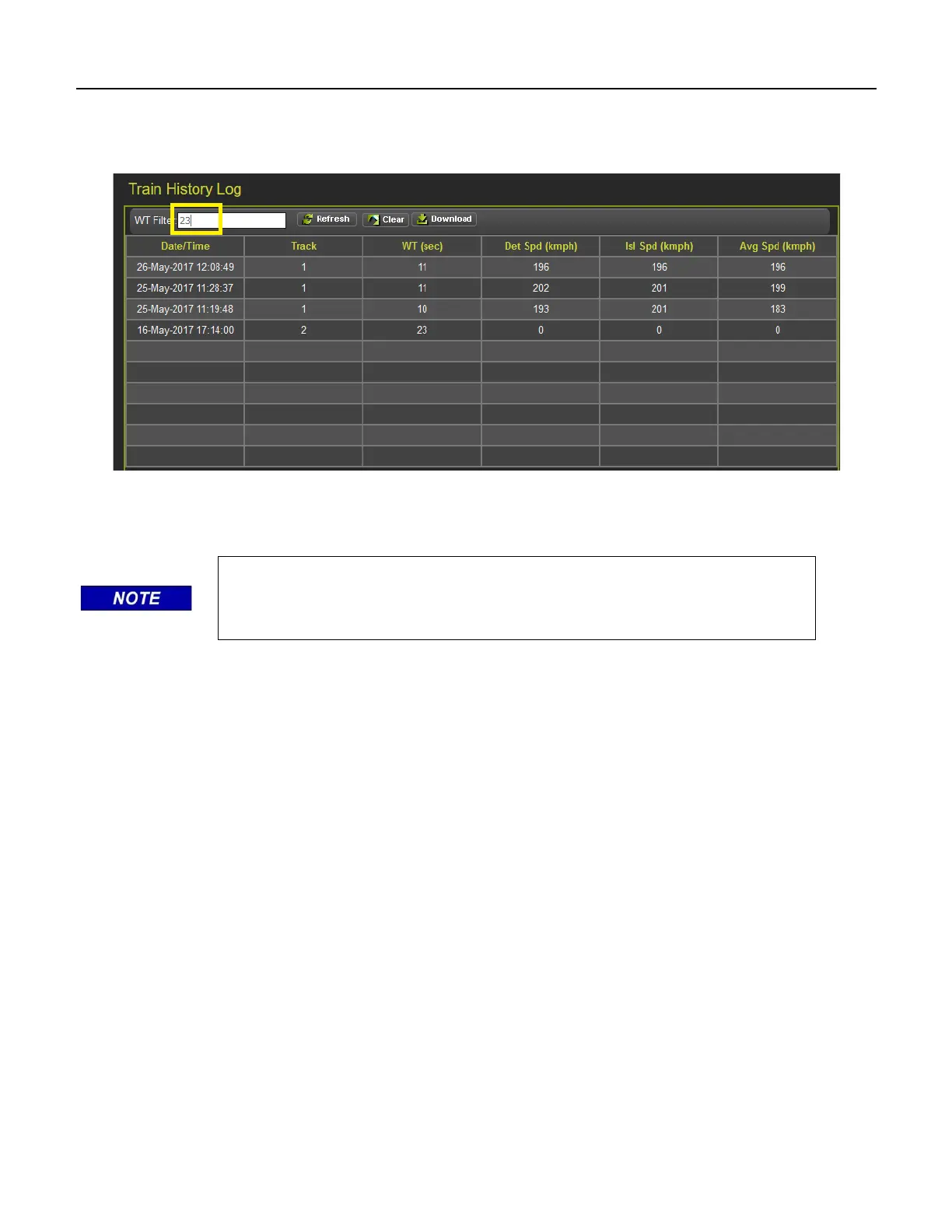
The WT filter is used to filter the train moves with warning times below or equal to this value. The value
entered has to be between 23 and 99s. Enter the value and press equal, or refresh, and the WebUI will
show the train moves that meet this criterion. To cancel the filter, delete the value then press enter.
Figure 5-10 WebUI Train History Log WT Filter
To download the train history log, press the Download button.
NOTE
The download button will download the events shown on the screen. Clear
the warning time filter first to download all events.










 To Next Page