Operating Manual - English Triax QUATTRO
- 22 - Copyright Silca 2011
1
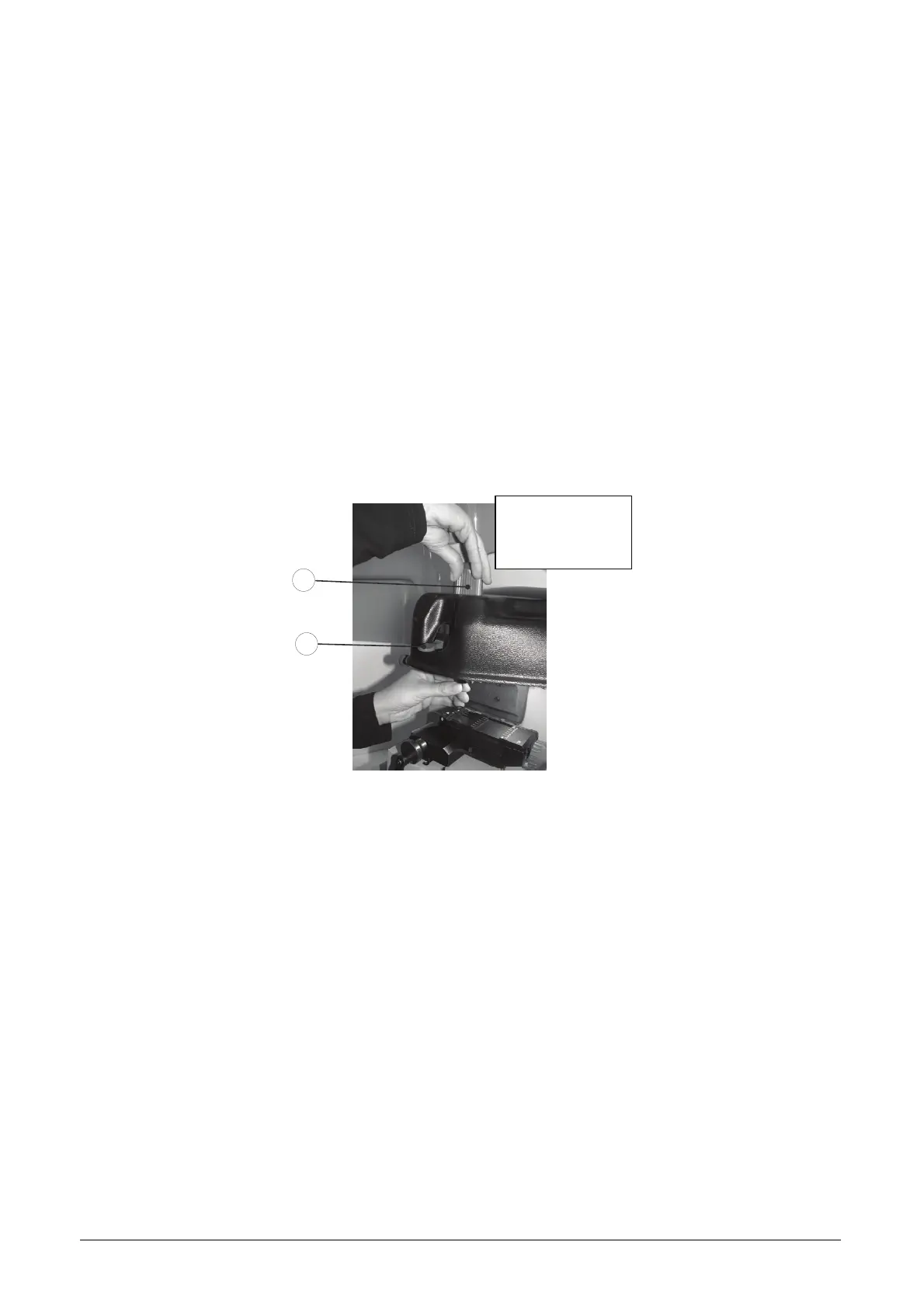
4.5 CHANGING THE CUTTER/DECODER
To remove a decoder or cutter from the spindle, raise the safety shield and proceed as follows:
Block spindle rotation by lowering the lever (B2-Fig. 20).
With one hand hold the cutter or decoder to be removed.
With the other hand push the knob down (B1-Fig. 20) and turn anticlockwise until the tool is released.
Remove the tool.
To fit a tool proceed as follows:
Block spindle rotation by lowering the lever (B2 –Fig. 20)
Fit the tool into spindle and push all the way in.
Hold the tool in place with one hand and with the other lower and turn the knob (B1-Fig. 20) clockwise.
Release spindle rotation by raising the lever (B2 –Fig. 20).
ATTENTION: when commencing a process with START, if the lever remains blocked, the following
message appears:
SPINDLE ALARM
check tool and lever
position ( XX)
B1
B2
Fig. 20



 To Next Page