Operating Manual - English Triax QUATTRO
Copyright Silca 2011 - 27 -
5.3.1
SEARCH BY MAKE
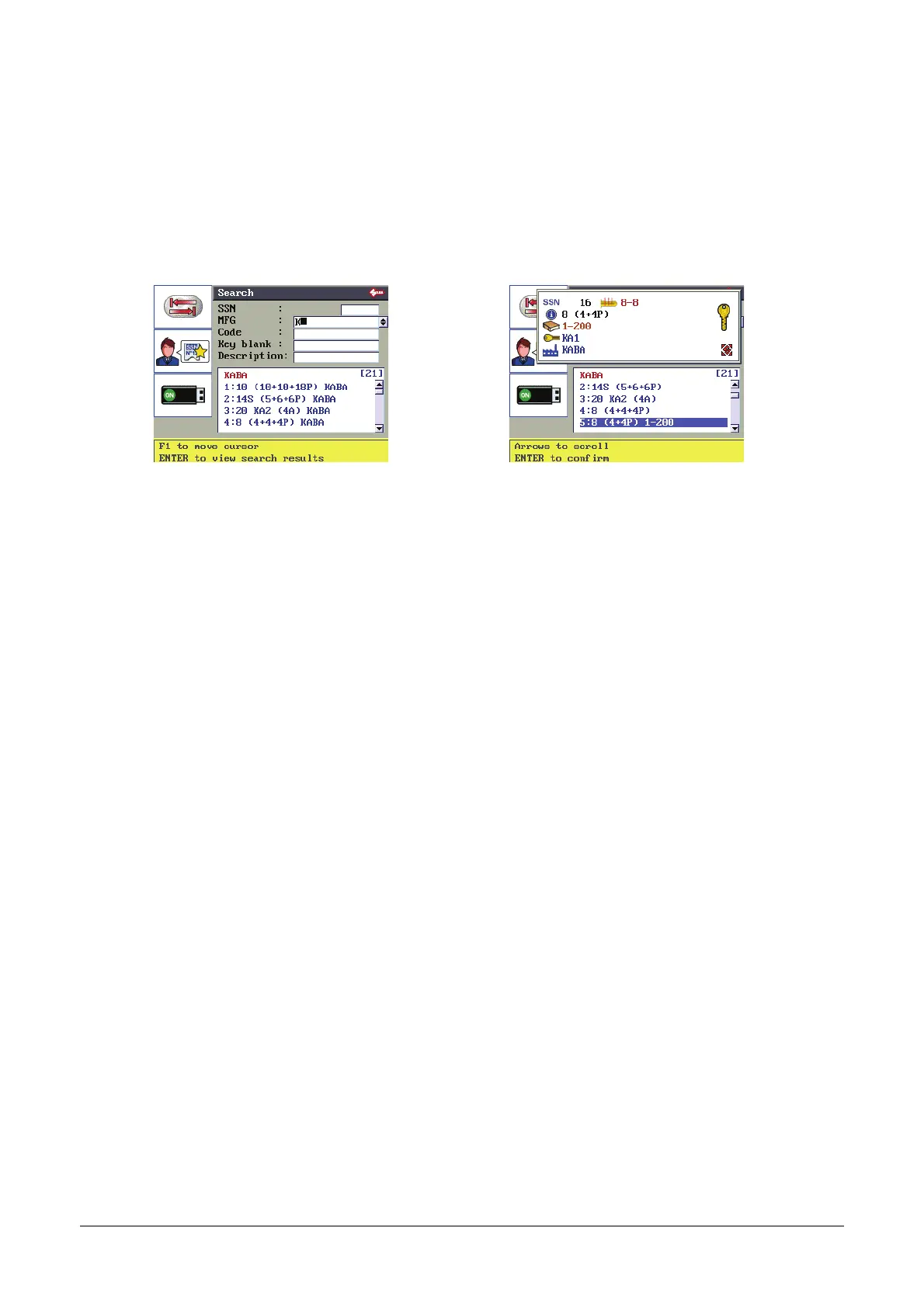
Example: enter KABA in the make field (the initial K will do) and press ENTER.
Scroll the list of systems with the arrow keys (up and down) to highlight the one required.
Description graphics in Table 2
[20] = number of KABA systems known to Silca and included in the machine database.
5:8(4+4P)1-200 =
description of series provided by SILCA
The top window shows other information about the selected series.
Press ENTER to confirm and enter in the required Lock System (SSN).
5.3.2
SEARCH BY CODE, KEY BLANK AND DESCRIPTION
Enter the known parameter into the relative field and press ENTER.
A list will appear; scroll with the arrow keys until you select the required series.
Press ENTER to enter the Lock System (SSN).
5.3.3
SEARCH BY SILCA SERIAL NUMBER (SSN)
Enter the known SSN into the relative field and press ENTER.



 To Next Page