Operating Manual - English Triax QUATTRO
Copyright Silca 2011 - 81 -
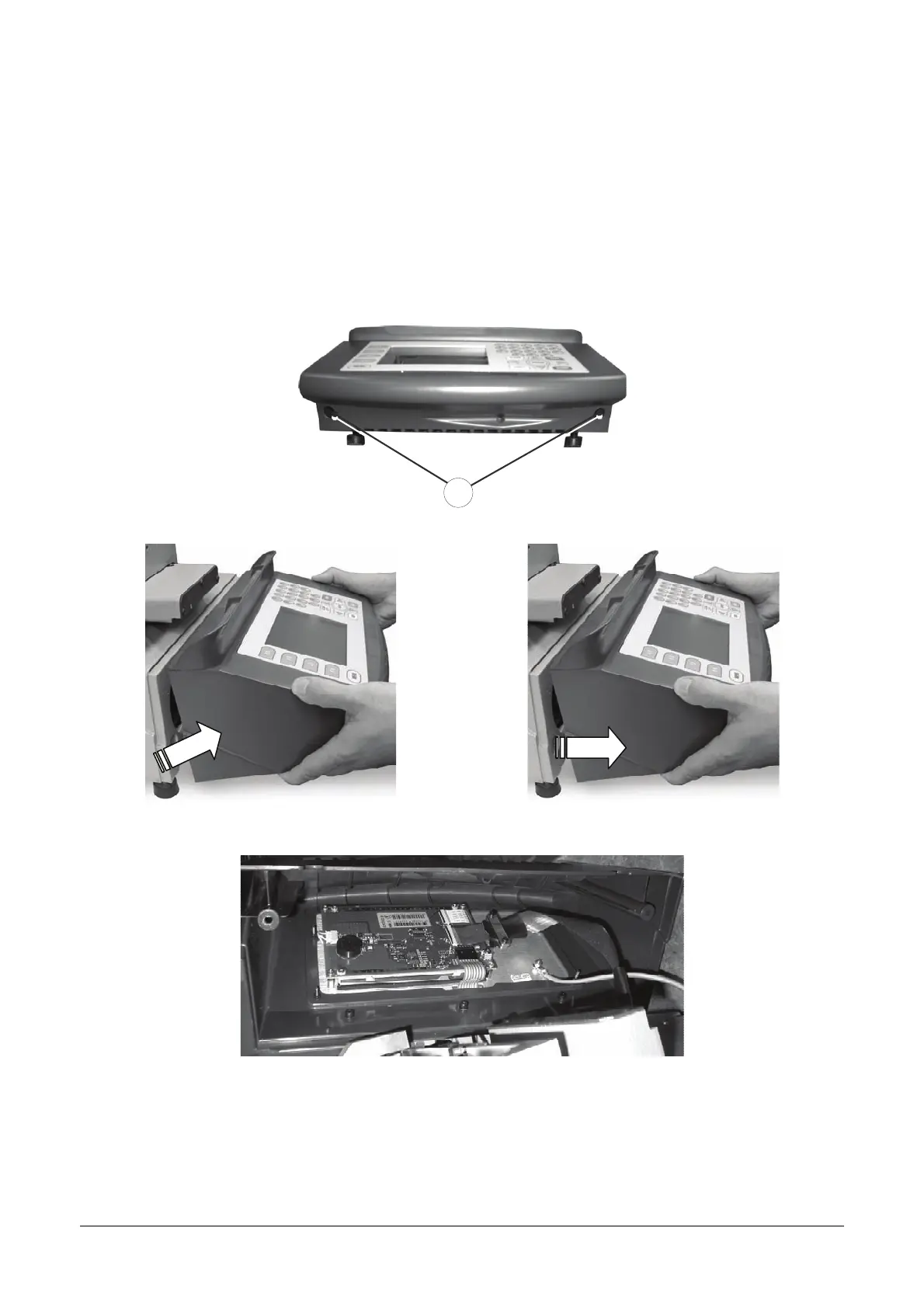
7.6 KEYPAD/DISPLAY REPLACEMENT
1. Switch off the machine and disconnect the power lead.
2. Loosen the 2 fixing screws (F1) and remove the display stand
3. Detach the cable and earth wire from the keypad
4. Loosen the keypad fixing nuts and remove the keypad from its stand
5.
Fit the new keypad/display by repeating the operations described above, in reverse order
F1
Fig. 26
Fig. 27
Fig. 28



 To Next Page