Operating Manual - English Triax QUATTRO
Copyright Silca 2011 - 25 -
5.2 PRELIMINARY OPERATIONS
Procedure:
1. Place the key-cutting machine on a work bench.
2. Connect the power lead to the mains (Ch. 3.3).
3. Make sure the emergency button (K-fig. 5) is disabled.
4. Check that the USB PEN is in its special holder.
5. Turn the machine on with the master switch (Z-fig. 5) on the back.
to check or edit the machine parameters, go to the menu (Ch. 5.9).
set the required measuring unit (default is MILLIMETRES)
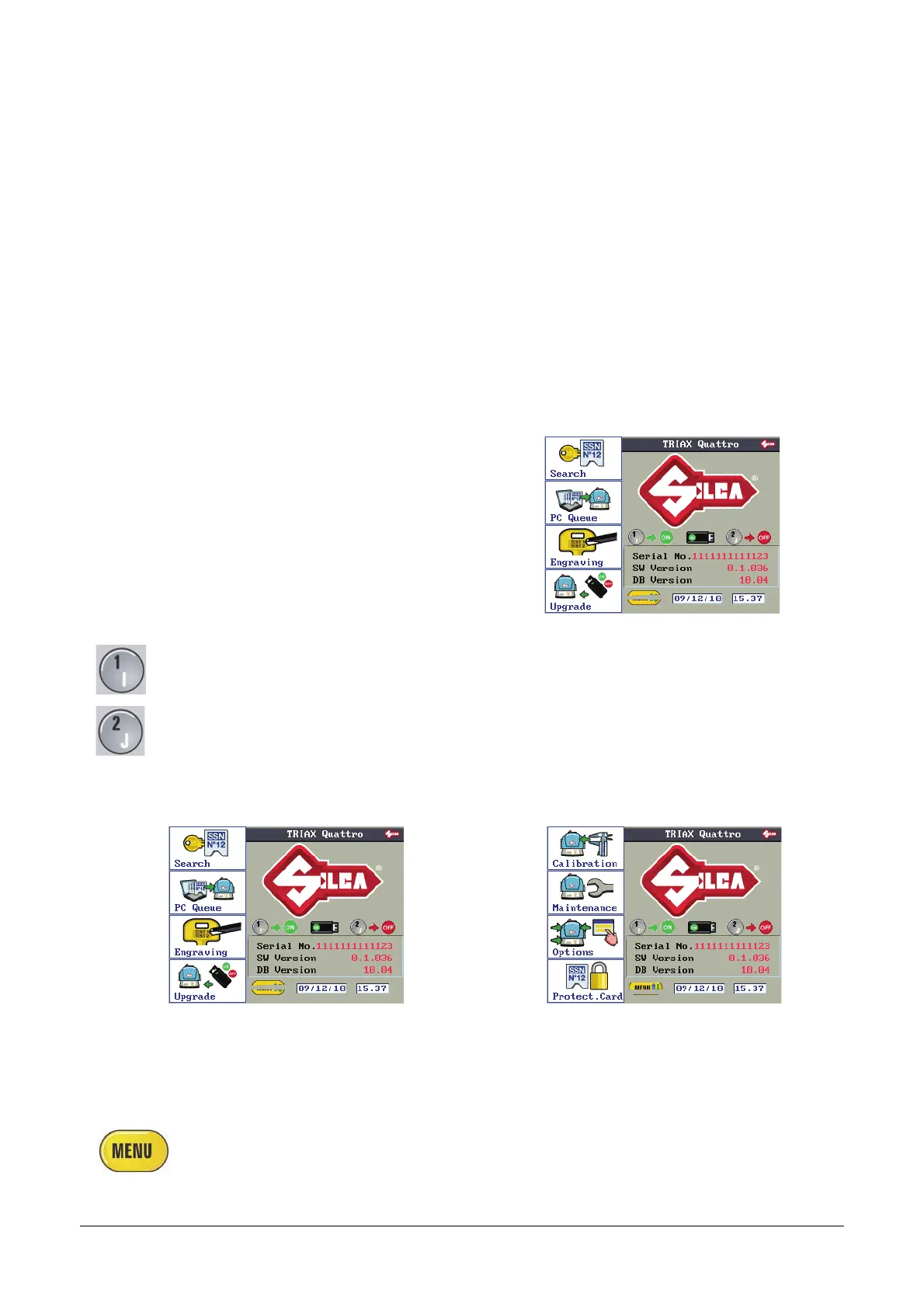
6. When the machine is switched on the following MAIN SCREEN appears on the display.
The main screen shows the Function icons as well as
the following data:
Name of key-cutting machine
Machine serial number
SW version: machine program version
DB version: Series database version
on machine
MENU wording (flashing)
Date
Time
-> ON
Press button 1 to enable the USB PEN
-> OFF
Press button 2 to disable the USB PEN
MAIN FUNCTIONS OF MENU
F1 F1
F2 F2
F3 F3
F4
F4
SEARCHES
PC QUEUE
ENGRAVING
UPDATE
CALIBRATION
MAINTENANCE
OPTIONS
PROTECTED SSN
Press the MENU button to view the whole list of the main functions in the
machine program.



 To Next Page