Operating Manual - English Triax QUATTRO
- 26 - Copyright Silca 2011
1
5.3 SEARCHES
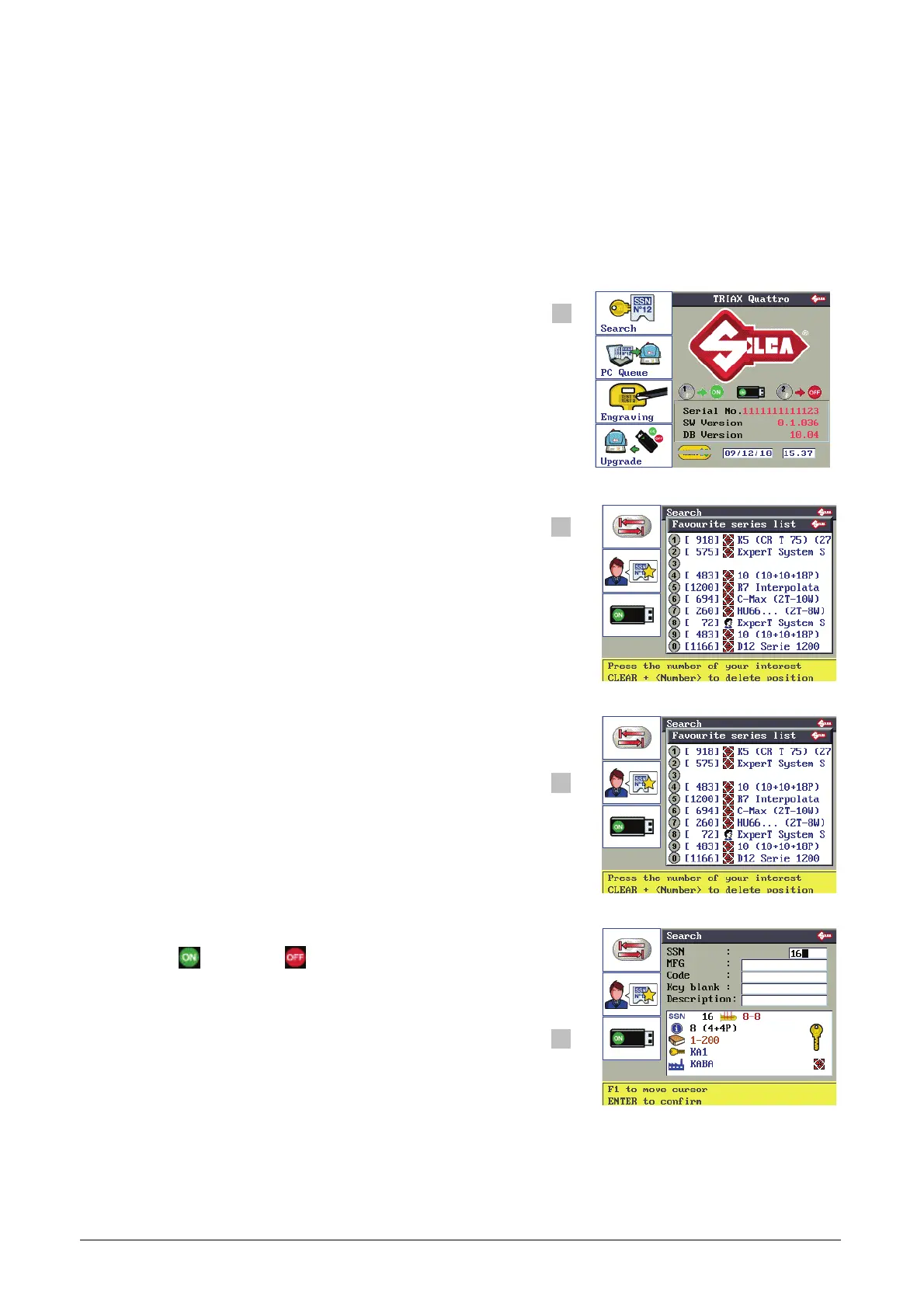
This function is the starting point for cutting keys and allows the operator to search for the key and/or system to
be cut.
Select one of the search fields and enter a known parameter, or select the system to be cut from a list of favorite
data cards created by the user.
F1
F2
F3
F4
F1 to access the “Search” menu.
F1
F2
F3
F1 to change the search field (possible search modes).
- SSN
- Make
- Code
- Key blank
- Description
F4
F1
F2
F3
F2 to enter:
“List of Favorite Series”.
A list of frequently used series from which to make a
rapid choice.
This list must be created by the user.
(see Ch. 5.5.6)
F4
F1
F2
F3
F3 to enable ( ) or disable ( ) the USB PEN.
N.B.: Searches by code tables (Silca or User) are possible
only with the USB PEN inserted and enabled.
(see Ch. 5.11.9)
F4
Description of graphics in Table 2



 To Next Page