Operating Manual - English Triax QUATTRO
Copyright Silca 2011 - 39 -
5.6.4
LIMITED ACCESS TO DATA (PROTECTED SYSTEMS)
Silca has limited access to some of the SSNs in the database (relating to data cards, series or code tables) in
accordance with agreements with certain manufacturers.
The limits are applied to:
DATA CARD
SERIES (SSN)
CODE TABLES
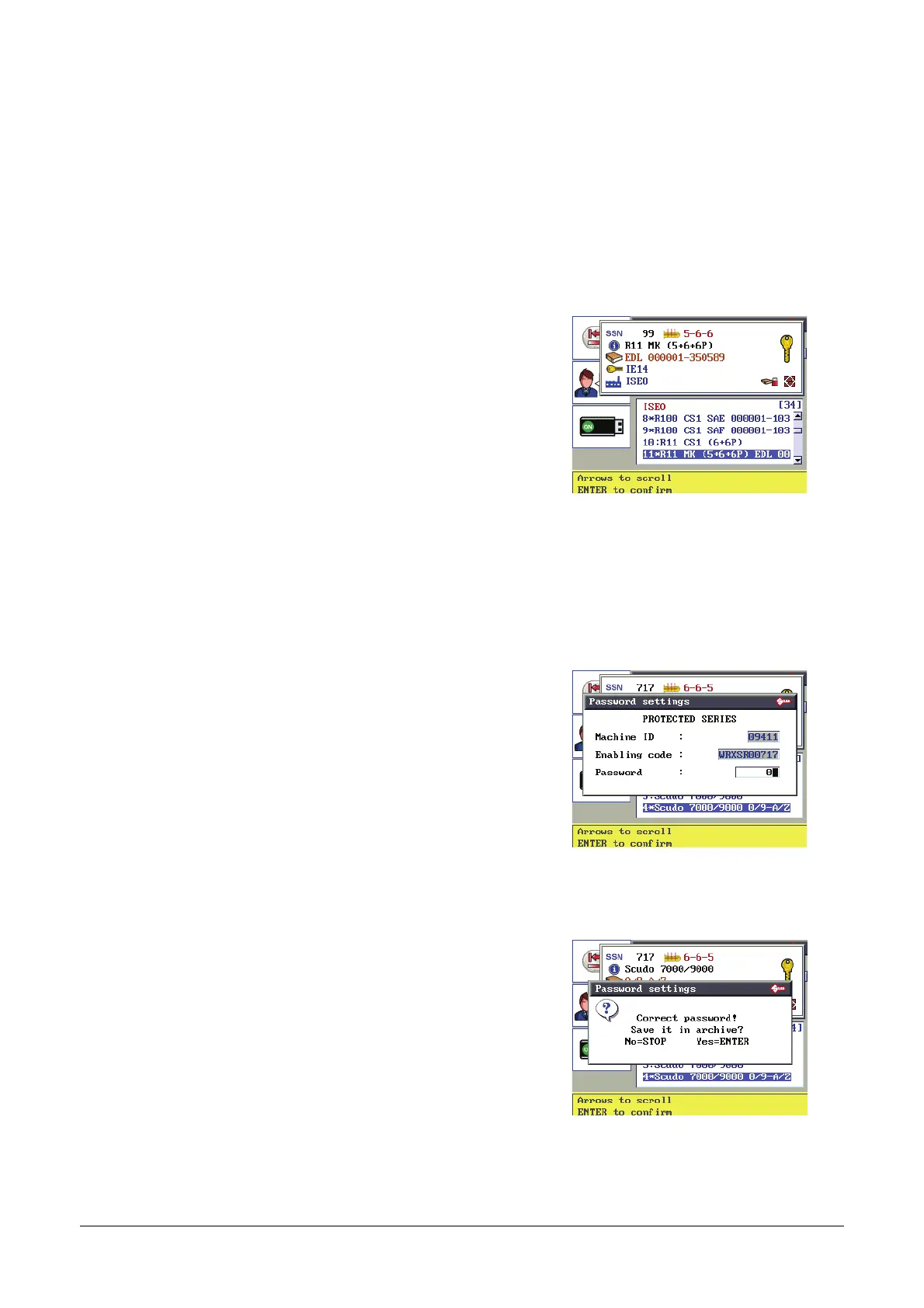
An SSN is protected if the symbol (*) appears on the description line.
From the Search menu select the line involved:
If a red padlock is shown the SSN is protected in all functions.
If a red padlock and book are shown the SSN is protected regarding
cutting by indirect code and enabled for the decoding function.
If a green padlock appears the SSN is enabled for all the functions.
Press ENTER to continue.
See Table 2 for description of
graphics
To access protected data:
1. apply to the manufacturer for authorization.
2. communicate to Silca:
Key-cutting machine serial number XXXXXXXXXXXXX
Read the serial number on the ID plate on the back of
the machine or on the initial display.
Machine ID XXXXX
Given in the password box.
ENABLING Code XXXXXXXXXX
Shown ONLY when access is sought to a protected SSN.
Silca will issue a Password to enter into the relative field to enable
cutting of the protected system.
When the password has been entered successfully:
ENTER to save the password in the machine memory.
Next time the protected data card is used the
password will not be required.
STOP if you do not want to save the password in the
machine memory. The SSN selected is enabled for
the operation in progress. To access the data card in
future a password will be required.



 To Next Page