Operating Manual - English Triax QUATTRO
Copyright Silca 2011 - 33 -
5.5 FUNCTION BUTTONS (CUTTING FLOW)
5.5.1
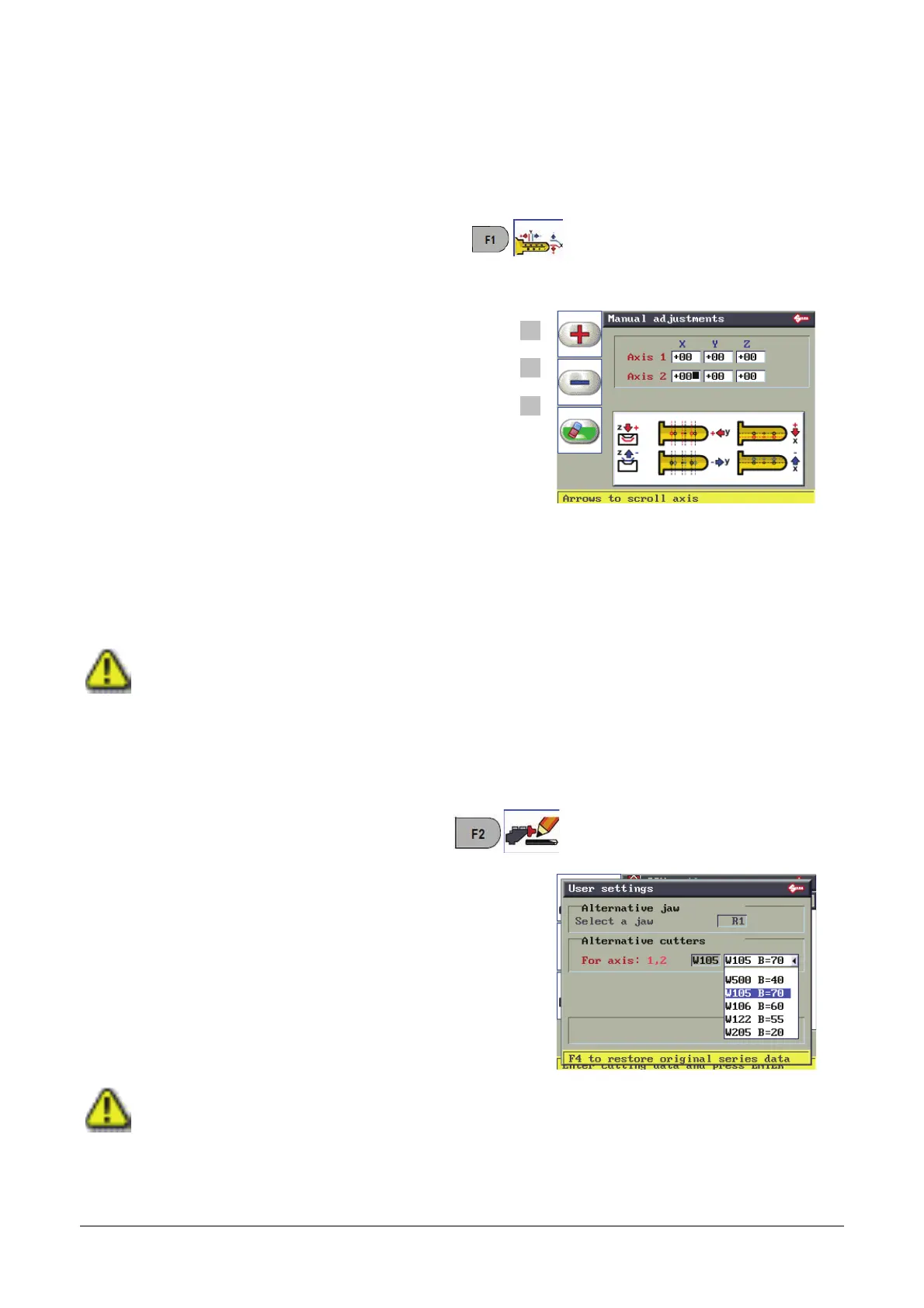
MANUAL ADJUSTMENTS
This function is used to make adjustments to the SSN in use.
F1
F2
F3
F1 for positive values (+).
F2 for negative values (-).
F3 to delete the edited adjustments.
R/h arrow key to move from field to field (X; Y; Z)
Up-down arrow keys to move from axis to axis (axis 1 –
axis 2 - … )
Positive value of X: moves cut to right of axis.
Negative value of X: moves cut to left of axis.
Positive value of Y: takes cut closer to STOP 0.
Negative value of Y: takes cut away from STOP 0.
Positive value of Z: makes cut deeper.
Negative value of Z: makes cut less deep.
Adjustment values for X, Y, Z (-30 to +30 hundredths of mm).
NOTIFICATION OF VARIATION.
This flashing warning symbol appears inside the Manual Adjustment icon only when manual adjustments have been
entered.
5.5.2
USER PARAMETERS
This function is used to select a clamp or cutter alternative to those included in the SSN in use.
Not all SSNs view these parameters
.
F4
resets User Parameters.
This function assigns a value predefined by Silca to all
the User Parameters in the series.
NOTIFICATION OF VARIATION.
This flashing warning symbol appears on the display only after a User Parameter has been edited.



 To Next Page