Operating Manual - English Triax QUATTRO
Copyright Silca 2011 - 47 -
5.8.5.1.1. COUNTER FUNCTION
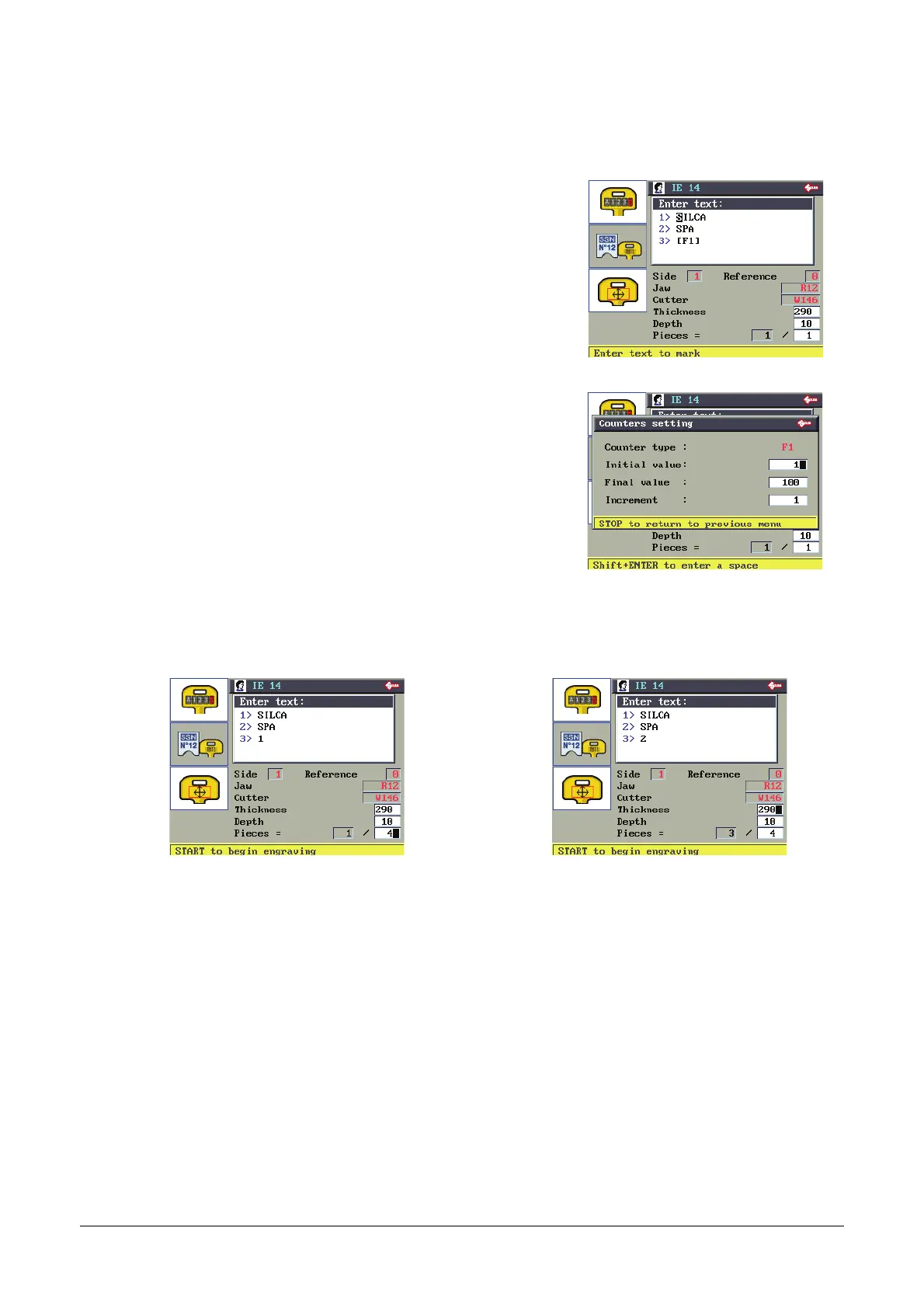
F1 for counter function (3>[F1]): the values can be set when the cursor is
in the field for the counter function.
Example:
Type of counter: F 1
Initial value:
(1), initial value of counter.
Final value: (100), finale value of counter.
Increase: (1), step increase of counter.
Check all the counter values then press STOP.
Prepare the key-cutting machine for engraving in the way described on the display.
Press START to begin engraving.
Example:
With the Pieces value set above 1 the third line of the
text will show on the counter the numerical value to
engrave.
Example:
In the next jobs the numerical value to engrave on
the third line is increased by the amount set in the
counter function.



 To Next Page