EasyManua.ls Logo

Singer 560 - Page 95

Singer 560
124 pages
Print Icon
To Next Page IconTo Next Page
To Previous Page IconTo Previous Page
Loading...
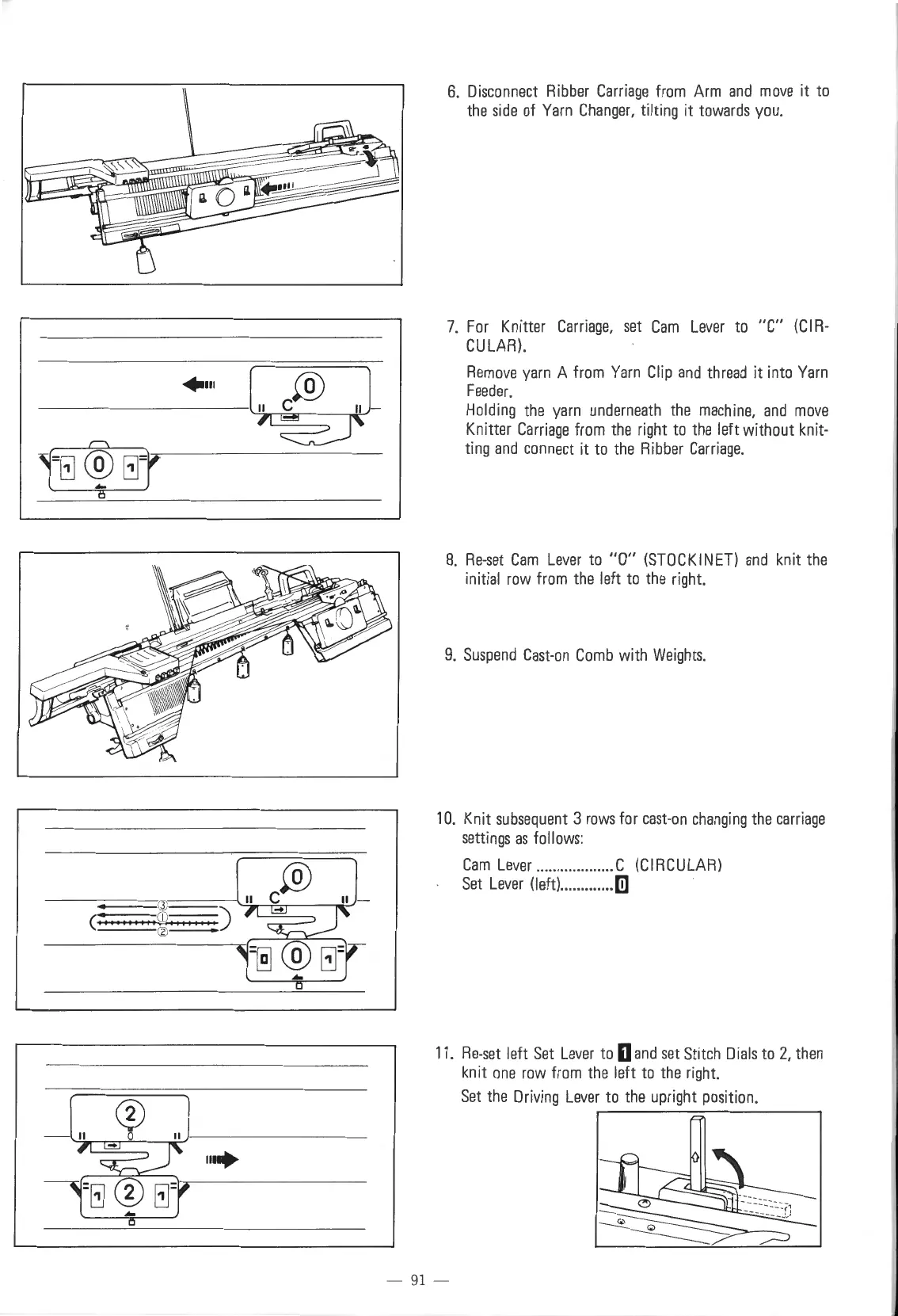
6.
Disconnect
Ribber
Carriage
from
Arm
and
move
it
to
the
side
of
Yarn
Changer,
tilting it
towards
you.
7.
For
Knitter
Carriage,
set
Cam
Lever
to
"C"
(C
I
R-
CULAR)
.
Remove
yarn
A
from
Yarn
Clip
and
thread
it into
Yarn
Feeder.
Holding
the
yarn
underneath
the
machine,
and
move
Knitter
Carriage
from
the
right
to
the
left without knit-
ting
and
connect
it
to
the
Ribber
Carriage.
8.
Re-set
Cam
Lever
to
"0"
(STOCKINET)
and
knit
the
initial
row
from
the
left
to
the
right.
9.
Suspend
Cast-on
Comb
with
Weights.
10.
Knit
subsequent
3
rows
for
east-on
changing
the
carriage
settings
as
follows:
Cam
Lever
................... C
(CIRCULAR)
Set
Lever
(left) .............
[lJ
11.
Re-set
left
Set
Lever
to
D
and
set
Stitch
Dials
to
2,
then
knit
one
row
from
the
left
to
the
right.
Set
the
Driving
Lever
to
the
upright
position.
- 91 -

Table of Contents

Other manuals for Singer 560

Related product manuals