16
Electronic Controller
Service Manual
SKOPE TME/SKT ActiveCore
times, temperature setpoint). Locked parameters are protected by a password to prevent
accidental or unauthorised modifications.
Normal and
Energy Saving
Modes
To change the default times for automatic switching between Normal mode and Energy Saving
mode, follow the procedure below.
Temperature
Setpoint
The fridge temperature setpoint is factory set at 2.5°C for storage of perishable products (all
shelves maintain temperatures below 5°C). The cabinet setpoint can be adjusted between 1°C
and 15°C for other specialist applications if required (see below).
SKOPE do not recommend that the setpoint be changed unless it is absolutely necessary, and
then only by small increments at a time.
Procedure 8: To change the time between Normal and Energy Saving modes
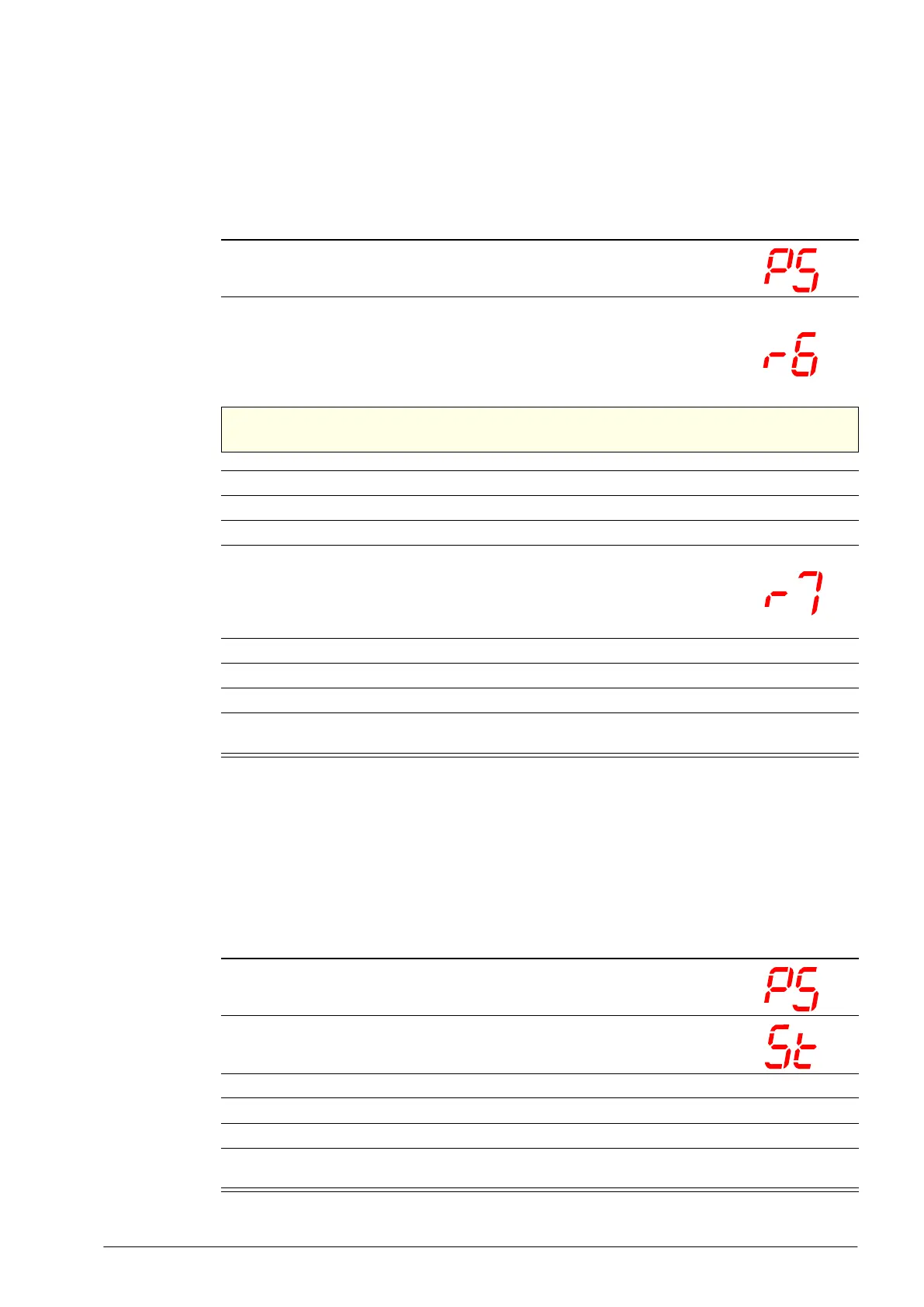
1. Press and hold the set button for 3 seconds until PS is shown on the
display, indicating entry into the controller settings menu.
2. Press the down button to scroll the menu until r6 is shown on the display.
The r6 value is the time (in hours) without the door being opened. When this
time is reached (during store closing hours or quiet periods) the electronic
controller will switch the fridge from ‘Normal’ mode to ‘Energy Saving’ mode.
The r6 value must be
≥1 hour.
IMPORTANT
Do not set r6 to 0.
3. Press the set button. The current r6 value (in hours) is shown on the display.
4. Press the up or down button to increase or decease the value (in hourly increments).
5. Press the set button to temporarily save the new r6 value.
6. Press the down button to scroll the menu until r7 is shown on the display.
The r7 value is the maximum time (in hours) that the fridge will stay in ‘Energy
Saving’ mode. When this time is reached the electronic controller will switch
the fridge from ‘Energy Saving’ mode to ‘Normal’ mode.
7. Press the set button. The current r7 value (in hours) is shown on the display.
8. Press the up or down button to increase or decease the value (in hourly increments).
9. Press the set button to temporarily save the new r7 value.
10. Press and hold the set button for 3 seconds to permanently save the new values and exit the
controller settings menu.
Procedure 9: To view and adjust the temperature setpoint
1. Press and hold the set button for 3 seconds until PS is shown on the
display, indicating entry into the controller settings menu.
2. Press the up or down button to scroll the menu until St is shown on the
display.
3. Press the set button. The current setpoint value is shown on the display.
4. Press the up or down button to increase or decease the setpoint value to the required temperature.
5. Press the set button to temporarily save the setpoint value.
6. Press and hold the set button for 3 seconds to permanently save the setpoint value and exit the
controller settings menu.



 To Next Page